
Lieferung heute & morgen

Qualitätsgarantie

Willkommens-Angebote freischalten: KOSTENLOSE Lieferung | Bis zu 80 % RABATT | Kostenlose 30-Tage-JoyPlus-Testphase
App herunterladen
Anyone looking to buy a printer can quickly find themselves faced with a long list of technical terms: Wi-Fi, duplex printing, ppm, ink tanks, laser printing or FDM. However, the right choice depends less on advertising claims than on your actual print volume, the media you want to use and the space available. This applies equally to a home printer, an office printer, a photo printer or a 3D printer.
A budget inkjet printer can become more expensive with regular use because of cartridge costs. With a laser printer, toner prices, page yield and, where applicable, drum units all form part of the total cost. Ink-tank models have different refill costs, but the printer should be used regularly to prevent the ink from drying out.
Before buying, check:
Figures such as “up to 600 mm/s” for a 3D printer or “up to 25 pages per minute” for a colour printer refer to defined conditions. Actual speed may vary depending on resolution, colour coverage, material, duplex printing or warm-up time.
A fast printer is therefore not automatically suitable for every task. For a few homework assignments each week, easy set-up and low running costs are often more important than the maximum number of pages per minute.
A multifunction printer with fax, touchscreen, several paper trays and cloud connectivity can be useful when processing large numbers of documents. For occasional printing, however, a compact model may be all you need. With a 3D printer, multi-colour modules, cameras and heated print chambers expand its capabilities, but they also increase the space required, set-up effort and material consumption.
Inkjet printers are often suitable for colour documents, graphics and photos. They usually operate more quietly, but require suitable cartridges or ink and should not be left unused for long periods.
Laser printers use toner and are designed for printing large numbers of text pages. According to the product specifications, a monochrome laser printer such as the Pantum BP2300W can achieve up to 23 pages per minute. A colour laser printer is suitable for colour business documents, but may have higher purchase costs.
A multifunction printer combines printing, scanning and copying. Check whether it has an automatic document feeder and whether duplex functions are genuinely automatic or can only be carried out manually.
For creative projects and prototypes, you will need a 3D printer. FDM or FFF devices process filaments such as PLA, PETG or TPU. Key considerations include the build volume, nozzle temperature, print-bed temperature and material compatibility.
For document printers, paper tray capacity, supported paper sizes and the recommended monthly volume are important. A device with a 150-sheet feed may be sufficient for a home office, while a small office may benefit from larger trays or multiple paper feeds.
For 3D printing, the build volume determines which models can be produced without splitting them into parts. The Creality Sparkx i7 Color Combo, for example, offers a build volume of 260 × 260 × 255 mm. Larger devices such as the Anycubic Kobra S1 Max Combo provide 350 × 350 × 350 mm.
A Wi-Fi printer can be accessed from several devices in your home or office. AirPrint, Mopria, Bluetooth, Wi-Fi Direct or a manufacturer’s app can make mobile printing easier. Before buying, check compatibility with Windows, macOS, Android and iOS.
Useful automated features include:
The high temperatures involved must also be taken into account with 3D printers. Nozzles and print beds can cause burns. The device should be placed on a stable, heat-resistant surface in a well-ventilated area. Children should not operate such devices without responsible adult supervision.
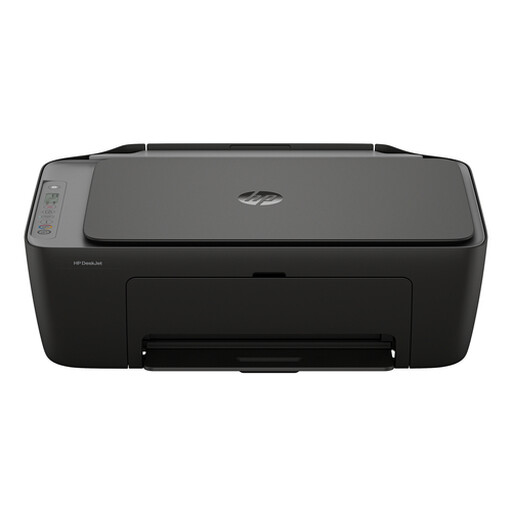
Why this product suits the profile: This compact 3-in-1 device is designed for occasional printing, scanning and copying at home. The product specifications state speeds of up to 7.5 pages per minute in monochrome and 5.5 pages per minute in colour.
The stated print volumes help prevent this model from being mistaken for an office printer. It is compatible with Instant Ink, but this requires an optional subscription.
Print, scan and copy with one device; Wi-Fi printing from a smartphone or tablet.
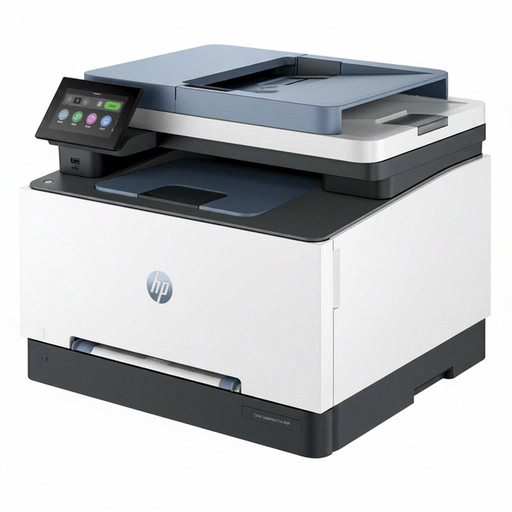
Why this product suits the profile: This colour laser printer combines printing, scanning and copying with Wi-Fi, Ethernet, USB and automatic double-sided printing.
The specifications list specific interfaces, duplex functionality and paper capacity instead of making only general productivity claims.
Up to 25 pages per minute according to the product description; colour and monochrome printing with several connectivity options.
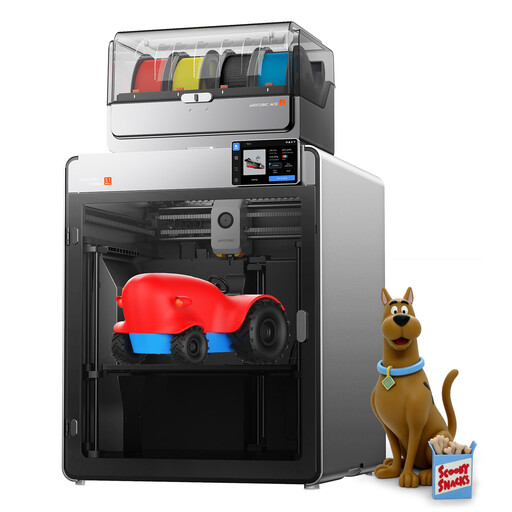
Why this product suits the profile: The enclosed CoreXY system offers a build volume of 350 × 350 × 350 mm. The ACE 2 Pro supports four colours and can be expanded to up to 16 colours with compatible units.
The specifications distinguish between a recommended speed of 300 mm/s and a maximum of 600 mm/s. This makes it easier to assess the advertised figure realistically.
Maximum nozzle temperature of 350 °C, a heated chamber up to 65 °C and filament drying up to 65 °C according to the product data.
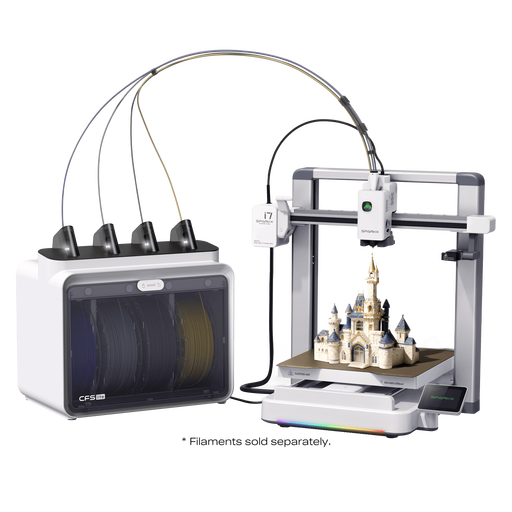
Why this product suits the profile: According to the product data, this FDM model supports four-colour printing, automatic levelling and tool-free quick changes of the hot end.
Filament compatibility is clearly specified as PLA, PLA-Silk, PETG, TPU and PLA-CF. This makes it easier to check suitability before buying materials.
Build volume of 260 × 260 × 255 mm, Wi-Fi transfer, filament detection and automatic print resumption.
We have put together a complete, regularly updated list of products that fully meet these strict selection criteria and the safety regulations applicable in the EU.
Before placing your order, tick off the following points:
For a home office, both a multifunction printer and a compact laser printer may be suitable. If you print a lot of text pages, a monochrome laser printer with Wi-Fi and duplex functionality is practical. If you regularly produce colour documents or photos, a colour printer or ink-tank printer may be a better choice.
Its lifespan depends on print volume, maintenance, consumables and the surrounding environment. Clean inkjet printers according to the manufacturer’s instructions, store 3D filaments in a dry place and do not block the ventilation openings on laser printers. Exceeding the recommended monthly print volume can increase wear and tear.
Running costs consist of consumables, paper, electricity and, where applicable, servicing costs. Do not compare only the price of a cartridge or toner; also consider the page yield per pack. With 3D printers, you should additionally factor in filament consumption, colour changes and possible failed prints.