
Lieferung heute & morgen

Qualitätsgarantie

Willkommens-Angebote freischalten: KOSTENLOSE Lieferung | Bis zu 80 % RABATT | Kostenlose 30-Tage-JoyPlus-Testphase
App herunterladen
If you’re looking to buy a printer, you’ll quickly find yourself faced with a bewildering choice. Inkjet, laser, multifunction, photo and 3D printers differ in more than just their purchase price. Consumables, print volume, connectivity and the space they take up all affect running costs too.
To make sure your decision isn’t swayed by advertising claims, it’s worth considering what you actually need. Three common pitfalls are particularly likely to lead to the wrong purchase.
Figures such as ‘up to 23 pages per minute’ usually refer to standardised conditions and, in most cases, black-and-white printing. Actual speeds can vary when printing in colour, producing the first page or handling complex graphics. So consider whether you regularly print longer documents or only need the occasional page.
With an inkjet printer, cartridges and possible cleaning cycles add to your running costs. Laser printers use toner and are often well suited to regular text printing. The price of the printer itself isn’t the only thing that matters: check the availability of compatible consumables, their page yield and your monthly print volume too.
A multifunction printer with a scanner, copier, fax, duplex printing and an automatic document feeder can be useful. However, if you only print black-and-white documents, you may not need colour printing. A black-and-white laser printer, on the other hand, isn’t suitable for photos. Choose features that fit the way you’ll actually use the printer, rather than being swayed by the spec sheet alone.
An inkjet printer is suitable for colour documents, occasional printing and simple photo prints. These printers can sit unused for several weeks, but you should take cartridge and cleaning costs into account.
A laser printer is designed for text printing and regular document output. A black-and-white laser printer only needs one toner cartridge and can be a good choice for studying, invoices or home-office documents. A colour laser printer offers the same benefits with colour printing, but is usually larger and more complex.
A 3D printer doesn’t produce paper documents; it creates models from filament. Here, print volume, nozzle temperature, material compatibility, automatic bed levelling and safety clearances matter more than pages per minute.
A printer with a scanner lets you make copies and create digital documents without needing a separate device. An automatic document feeder, or ADF, is handy when scanning or copying multiple pages. Also check:
For example, the Pantum BM2300AW is listed as having a flatbed scanner with an optical resolution of 1,200 × 1,200 dpi. According to the product details, its automatic duplex function supports double-sided printing, copying and scanning.
A Wi-Fi printer can be positioned flexibly in many homes. For smartphones, standards such as AirPrint and Mopria, or an app from the manufacturer, are worth looking out for. Bluetooth can be useful with portable photo printers or during initial set-up.
Before you buy, check which operating systems your computer and mobile device use. USB and Ethernet can also be useful for a home office. A printer with a USB connection can still be used if your Wi-Fi goes down.
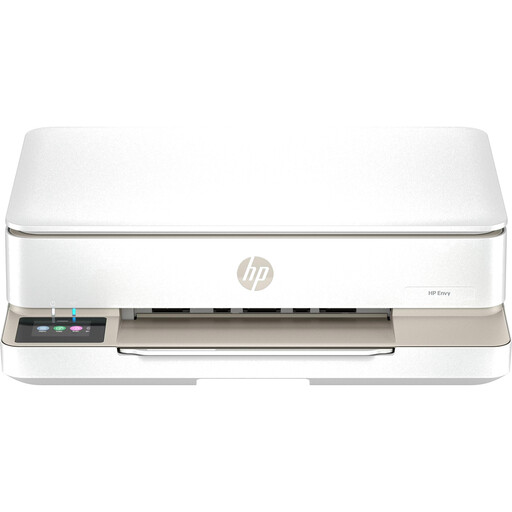
Why this product suits this profile: This compact inkjet printer combines printing, scanning, copying and mobile faxing. It’s designed for occasional colour printing, schoolwork and use at home.
The features are clearly listed: automatic duplex printing, dual-band Wi-Fi, USB 2.0 and a 100-sheet input tray. Listed speeds are up to 10 pages per minute in black and 7 pages per minute in colour.
Automatic duplex printing and a 2.4-inch colour display; resolution of up to 4,800 × 1,200 optimised dpi according to the product details.
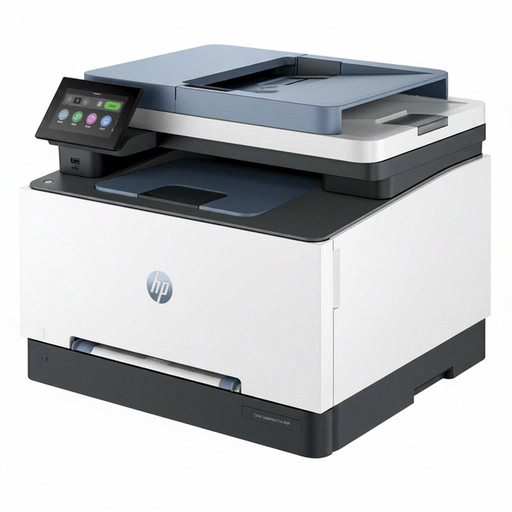
Why this product suits this profile: This colour laser printer combines printing, copying and scanning for home offices and small businesses. Wi-Fi, Ethernet and USB offer several ways to connect.
The product details list specific interfaces, automatic double-sided output, a flatbed scanner and a paper capacity of up to 350 sheets. This makes it easier to check whether the printer meets your actual office needs.
Listed print speed of up to 25 pages per minute in colour and black and white, plus Wi-Fi, Ethernet and USB.
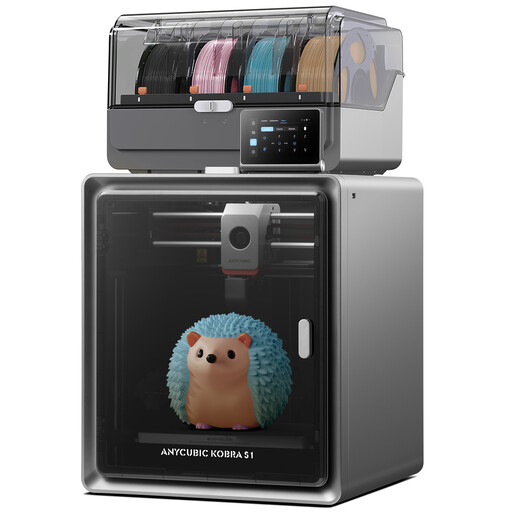
Why this product suits this profile: This 3D printing system is designed for users who need multicolour models, a larger build volume and automated printing features.
As well as its high maximum speed, the build volume, filament types, nozzle temperature and safety requirements are all clearly specified. This makes it easier to plan for materials and space.
Build volume of 250 × 250 × 250 mm, speeds of up to 600 mm/s, automatic levelling and support for four or eight colours.
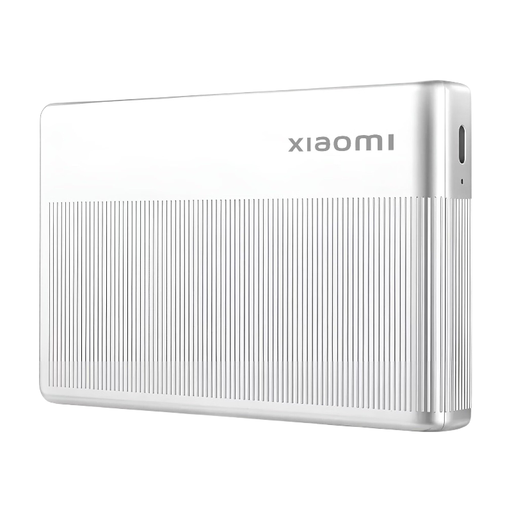
Why this product suits this profile: This portable photo printer is designed for printing small photos on the go and connects to iOS and Android devices via Bluetooth.
The required medium is clearly specified: self-adhesive Zink photo paper measuring 50 × 76 mm. This lets you check before buying whether the format and paper costs suit your needs.
Weighs 180 g, connects via Bluetooth and uses Zink technology without traditional ink cartridges or ribbons.
We’ve put together a complete, regularly updated list of products that fully meet these strict selection criteria and the safety regulations in force in the EU.
A multifunction printer with duplex printing and Wi-Fi is often a good choice for a home office. If you mostly print text, consider a black-and-white laser printer such as the Pantum BM2300NW or BM2300AW. An inkjet printer is more likely to suit your needs if you print colour documents and the occasional photo.
Don’t just compare cartridge or toner prices. Check the page yield, the price per cartridge, the recommended monthly print volume and the cost of specialist paper. If you’re buying a photo printer, you should also factor in the cost per photo.
A printer’s lifespan depends on print volume, maintenance, its surroundings and the consumables you use. Place it somewhere dry, stable and well ventilated. Carefully remove any paper dust and follow the manufacturer’s instructions. With 3D printers, you should also regularly check the nozzles, build plate and filament path.