
Lieferung heute & morgen

Qualitätsgarantie

Willkommens-Angebote freischalten: KOSTENLOSE Lieferung | Bis zu 80 % RABATT | Kostenlose 30-Tage-JoyPlus-Testphase
App herunterladen
Choosing a new SSD can dramatically impact the performance of a computer or console. Shorter load times, faster system boot-ups, and a smoother overall experience are the often-promised benefits. However, the market is saturated with technical jargon, marketing promises, and a bewildering array of products. This often leads to poor purchasing decisions, where users either overpay for performance they can't use or buy a model that fails to meet their needs.
This guide is designed to bring clarity. We will highlight the critical pitfalls and explain the technical parameters that are truly relevant for making an informed purchasing decision.
Before diving into the technical details, it's important to understand the most common mistakes that lead to dissatisfaction and unnecessary expense.
To avoid these traps, you should focus on three core parameters that determine the real-world value of an SSD.
Choosing the right interface and the correct form factor is the first and most important prerequisite.
Internal SSD:
External SSD:
An SSD's speed is measured in sequential read and write speeds (MB/s) and random read/write operations (IOPS).
The required storage capacity depends entirely on your usage patterns.
Based on the criteria above, we have identified several models that are particularly well-suited for specific user profiles.
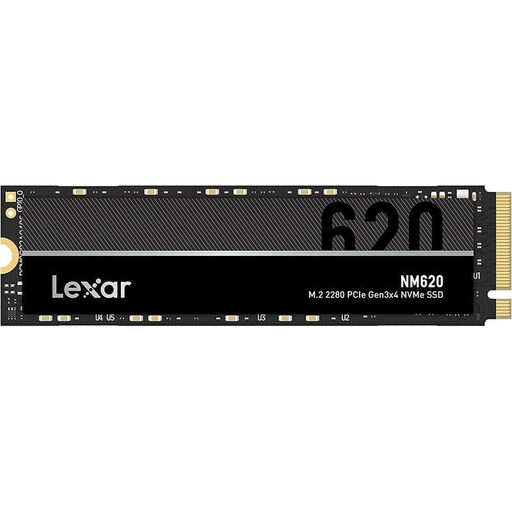
Why This Fits Their Persona: Ideal for users looking to upgrade an older system with a tangible performance boost without a large investment. It offers a huge speed advantage over a traditional HDD and ample storage for games and applications.
This model avoids the trap of overpaying. As a PCIe 3.0 SSD, it delivers maximum performance for many existing systems without the premium for newer standards that couldn't be utilised anyway.
Excellent price-to-performance ratio; Large capacity of 2TB for extensive data collections.
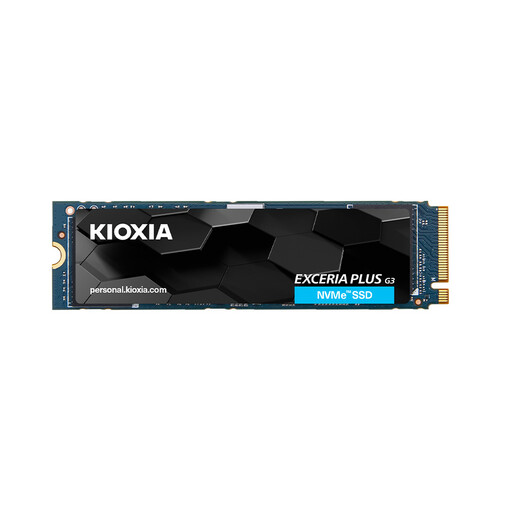
Why This Fits Their Persona: Delivers the necessary speed for modern SSD for gaming and editing high-resolution video footage. The PCIe 4.0 interface is the current standard for high-performance PCs and the PS5.
This model addresses the TBW trap. With a high TBW rating of 1,200 TB, it is designed for longevity in write-intensive tasks, ensuring reliable long-term performance.
High PCIe 4.0 speed (up to 5,000 MB/s read); High write endurance (1,200 TBW).

Why This Fits Their Persona: Perfect for videographers and creatives who work on the go. The magnetic mount for the iPhone 15/16 Pro allows for direct recording of 4K ProRes video to the SSD, significantly streamlining the workflow.
This product elegantly solves the compatibility problem. It's not just a generic external SSD, but a specialised solution tailored to a modern use case, bridging the gap between a mobile device and professional storage.
Very high transfer rates (up to 2,000 MB/s via USB 3.2 Gen 2x2); Magnetic attachment for direct recording with an iPhone.
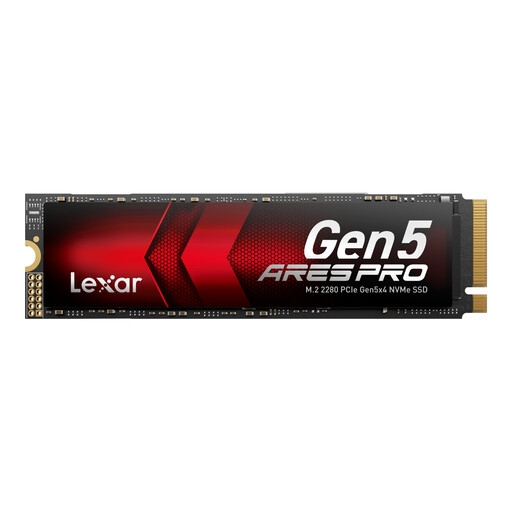
Why This Fits Their Persona: For users who own a high-end system with PCIe 5.0 and require maximum performance for the most demanding tasks like AI development, professional video production, or competitive gaming. This drive is designed for the cutting edge of technology.
This model is intended for the small group of users for whom the "speed trap" is not a trap at all. It delivers its advertised performance when paired with the right hardware, making it a deliberate investment in maximum performance.
Absolute peak performance with a PCIe 5.0 interface (up to 14,000 MB/s read); Optimised for future applications and extreme workloads.
We've compiled a complete, real-time updated list of products that fully meet these strict selection criteria and safety regulations.
1. Does every M.2 NVMe SSD need a heatsink? A heatsink is not strictly necessary for every SSD, but it is highly recommended for high-performance PCIe 4.0 and especially for PCIe 5.0 SSDs. High speeds generate heat, which can lead to performance reduction (thermal throttling) without adequate cooling. Many modern motherboards have integrated M.2 heatsinks. For a PS5 storage expansion, a model with a heatsink is a mandatory requirement from the console manufacturer.
2. How much storage capacity is sensible for gaming in 2026? Modern AAA games often take up more than 150 GB of storage space. To manage a library with several current titles, a 2TB SSD is a very good starting point. Those with an extensive collection or who want to be prepared for future, even larger games should consider a 4 TB capacity to avoid constantly uninstalling and re-downloading games.
3. Can I use a PCIe 4.0 SSD in a PCIe 3.0 slot? Yes, the PCIe interface is backwards compatible. An internal SSD with the PCIe 4.0 standard will work in a PCIe 3.0 slot. However, its speed will be limited to the maximum throughput of the PCIe 3.0 interface (approx. 3,500 MB/s). You will not benefit from the full speed that the faster drive could potentially offer.