
Lieferung heute & morgen

Qualitätsgarantie

Willkommens-Angebote freischalten: KOSTENLOSE Lieferung | Bis zu 80 % RABATT | Kostenlose 30-Tage-JoyPlus-Testphase
App herunterladen
If you’re looking to buy an SSD, you’ll find plenty of models making similar promises: high speeds, large capacities and broad compatibility. In practice, though, the advertised MB/s figure isn’t the only thing that matters. The interface, form factor, cooling and what you plan to use it for all determine whether an SSD is right for your PC, laptop, gaming, backups or video editing.
A PCIe 5.0 SSD can offer significantly higher theoretical transfer rates than a PCIe 4.0 SSD. But if your motherboard only has a PCIe 4.0 or PCIe 3.0 slot, the SSD will be limited accordingly. With an external SSD, the USB port and cable also limit the actual speed.
So, when choosing a USB-C SSD, check whether the port supports USB 3.2 Gen 2 or Gen 2x2. A USB-C plug describes the shape of the connector; it doesn’t automatically tell you which transfer standard it supports.
An M.2 SSD describes the form factor. The protocol matters too: modern NVMe SSDs use PCIe and are designed for high data transfer rates. Older M.2 SATA models, on the other hand, use SATA and are significantly slower.
Before you buy, check your PC or laptop’s manual to see whether the M.2 slot supports PCIe/NVMe and which drive length it accepts. The popular M.2 2280 form factor is 22 millimetres wide and 80 millimetres long.
A 1TB SSD offers enough space for your operating system, programmes and a modest selection of games. If you have a large game library, 4K video files or sizeable project folders, a 2TB SSD, 4TB SSD or 8TB SSD may be a better choice.
The usable capacity is always slightly lower than the advertised figure, as some storage is reserved for formatting and system functions. If you regularly write large amounts of data, figures such as TBW (Total Bytes Written) are also worth considering. This indicates the total amount of data the manufacturer says can be written to the drive; it isn’t a guarantee of a specific lifespan.
An internal SSD is installed directly in your PC, laptop or compatible games console. It doesn’t need an extra cable connection and is suitable for operating systems, applications and games. Your device must be switched off before installation. If you’re fitting one in a laptop, check the drive height and available slot too.
An external SSD connects via USB. It’s useful for backups, carrying large files and use with multiple devices. Use a portable SSD with a suitable cable to get as close as possible to its advertised speed. You should still keep important data backed up in at least one other place.
A PCIe 4.0 SSD can deliver high sequential read and write speeds, provided your motherboard and processor support the interface. A PCIe 5.0 SSD is primarily designed for newer systems with a compatible M.2 slot. These models can generate more heat during extended use. An M.2 heatsink or good airflow can help prevent thermal throttling.
For a gaming SSD, random access performance, capacity and compatibility matter as well as sequential data rates. If you’re choosing an SSD for PS5, make sure you follow the console’s requirements. Depending on the model, you may need a compatible heatsink.
TLC and QLC NAND differ in areas such as write performance and endurance. An SLC cache can provide fast write speeds in the short term, but performance may drop during very large, continuous transfers. Always consider the manufacturer’s specifications in the context of how you plan to use the drive.
Also check the warranty terms, TBW rating, firmware support and drive health monitoring software. These details are particularly relevant for professionals and content creators.
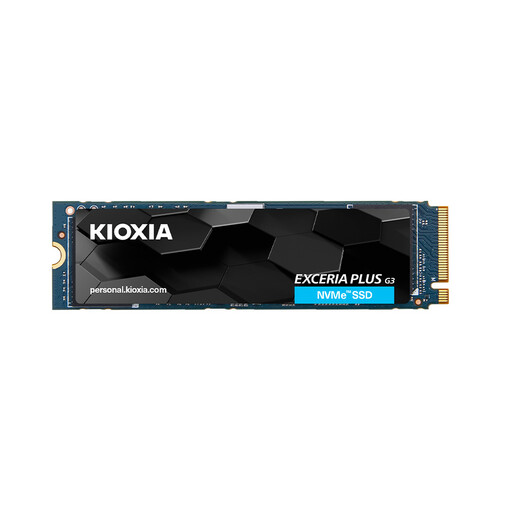
Why this product suits your needs: The 1 TB capacity is suitable for an operating system, programmes and a modest selection of games. PCIe 4.0 and M.2 2280 are compatible with many current desktop PCs and laptops.
The interface and form factor are clearly specified, so you can check before buying whether your system has a PCIe 4.0 M.2 slot.
Read speeds of up to 5.000 MB/s, write speeds of up to 3.900 MB/s, 3D TLC NAND and 600 TBW for the 1 TB version.
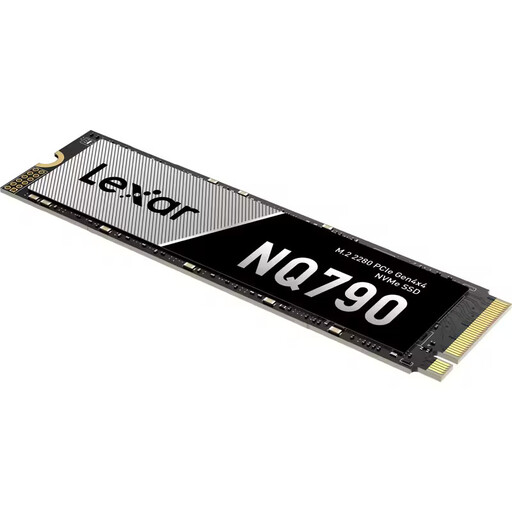
Why this product suits your needs: 2 TB gives you plenty of room for games, applications and larger media projects. It’s designed for anyone looking to combine ample capacity with high PCIe 4.0 performance.
The 2 TB version lists specific details on TBW, NAND technology, cache and operating temperature, making it easier to compare drives on their merits.
Read speeds of up to 7.000 MB/s, write speeds of up to 6.000 MB/s, 1.200 TBW, plus HMB and SLC cache technology.
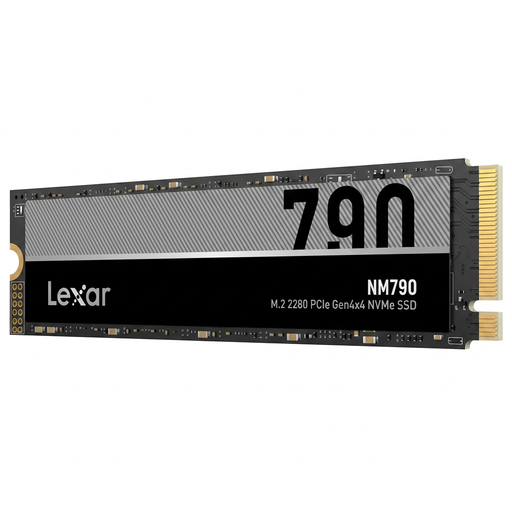
Why this product suits your needs: Its 8 TB capacity is made for large game libraries, video projects, workstations and extensive collections of locally stored data.
Its large capacity reduces the need for multiple drives. Even so, check that your device’s M.2 slot and cooling system are suitable before buying.
M.2 2280, NVMe PCIe 4.0 and advertised read speeds of up to 7.400 MB/s.
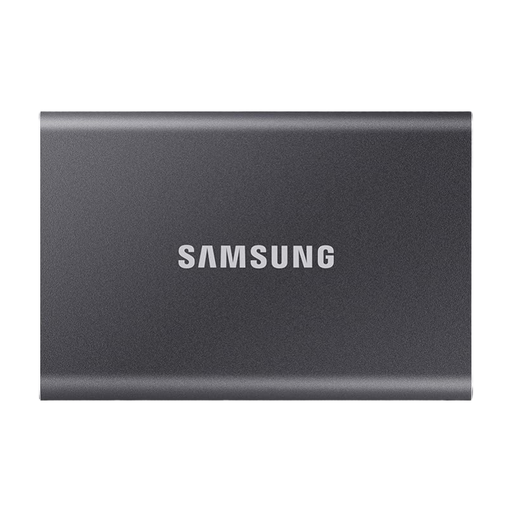
Why this product suits your needs: With 2 TB of storage, this external SSD is ideal for backups, media archives and transferring data between PCs, laptops, compatible consoles and mobile devices.
USB 3.2 Gen 2 and the included USB-C to USB-C and USB-C to USB-A cables make it clear how to connect the drive. Its speed still depends on the port you use.
Read speeds of up to 1.050 MB/s, write speeds of up to 1.000 MB/s, an aluminium casing and optional hardware encryption.
We’ve put together a comprehensive, regularly updated selection of products that meet these strict criteria and the safety regulations in force across the EU.
An SSD for PS5 must meet the console’s technical requirements. For internal M.2 SSDs, the key considerations include the PCIe interface, form factor, storage capacity and a suitable heatsink. Check Sony’s latest instructions before installation.
There’s no single lifespan that applies to every SSD. It depends on factors including write volume, temperature, storage technology and usage. The manufacturer’s TBW rating is a useful technical guide. Regular backups are a good idea whatever type of drive you use.
An external SSD is usually powered directly through USB. Power consumption depends on the interface, model and activity. The casing may warm up during lengthy transfers. For reliable use, choose certified cables and don’t cover the ventilation openings.