
Lieferung heute & morgen

Qualitätsgarantie

Willkommens-Angebote freischalten: KOSTENLOSE Lieferung | Bis zu 80 % RABATT | Kostenlose 30-Tage-JoyPlus-Testphase
App herunterladen
Anyone looking to buy printer cartridges is often faced with a long list of similar product numbers. However, even a small difference in the model designation can mean that the cartridge is not recognised. XL offers with low cost per page can be tempting, while multipacks are not economical for every household or office. The following criteria will help private users, students, home-office users and small businesses make the right choice.
Names such as PIXMA, Epson Expression, Epson WorkForce, HP OfficeJet and Brother MFC usually describe a device series. However, the printer’s full model number is what matters. A cartridge for an HP OfficeJet Pro 8710 is not automatically suitable for every device in the 8700 series.
Before buying, check:
XL printer cartridges generally contain more ink than standard cartridges. This can be useful if you print regularly, but only if you genuinely need the extra capacity. If you print just a few pages a month, an opened cartridge may be stored for a long time. Ink can dry out if stored incorrectly.
Therefore, compare more than just the pack price:
Page yields are often based on standardised conditions such as ISO/IEC 24711 or a defined photo coverage. In everyday use, graphics, photos and frequent cleaning cycles can affect the actual yield.
Genuine printer cartridges are made by the printer manufacturer, such as Canon, Epson, Brother or HP. They are designed for specific device families and are usually recognised directly by the relevant printer. Compatible printer cartridges are made by third-party manufacturers for specific models. With these products, you should check the exact chip type, firmware compatibility and returns policy.
A cartridge with a chip may support the printer’s ink-level indicator. However, this is not a general guarantee for every printer model. On printers with firmware updates, the way compatible cartridges are recognised may change. Always read the information provided for the relevant product generation.
The number is more important than the colour alone. A magenta printer cartridge, a cyan printer cartridge, a yellow printer cartridge and a black printer cartridge must each match the correct cartridge series. For example, CLI-551M may fit a Canon PIXMA, while a similarly named CLI-581 cartridge may be intended for a different device.
Pay attention to:
A multipack can contain several colours and is suitable for users who regularly print colour documents or photos. With separate ink tanks, however, you do not necessarily need to replace the entire colour range when only one colour has run out. For lower print volumes, an individual cartridge may be more economical.
For example, the genuine Brother LC-223M in magenta is stated to have a yield of up to 550 pages according to ISO/IEC 24711. According to the product information, the Brother LC-3237Y has a yield of up to 1,500 pages. These figures are intended as a basis for comparison and depend on the print content and device settings.
Ink cartridges contain liquid ink and are used in inkjet printers. Toner cartridges contain fine printing powder and are designed for laser printers. A toner cartridge such as the compatible Inkcloud TN-3600XL for certain Brother laser printers is therefore not interchangeable with a Brother ink cartridge.
When buying, you should also check:
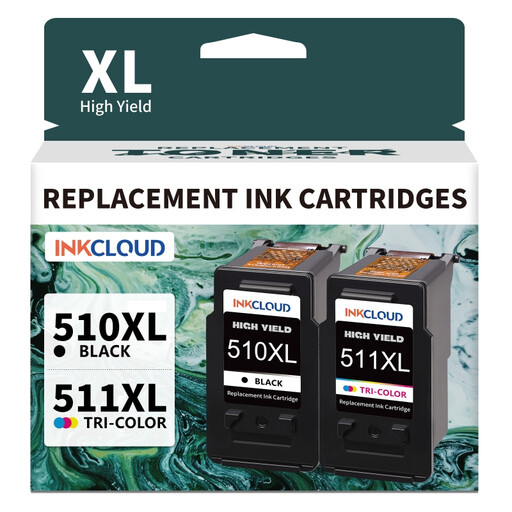
Why this product suits this profile: The set contains a high-capacity black cartridge and a colour cartridge for selected Canon PIXMA MP495, iP2700 and MX410 models.
The product description clearly states the intended Canon models and pack contents. This makes it easier to check suitability before buying.
Remanufactured cartridge; combination of a black and colour cartridge in one pack.
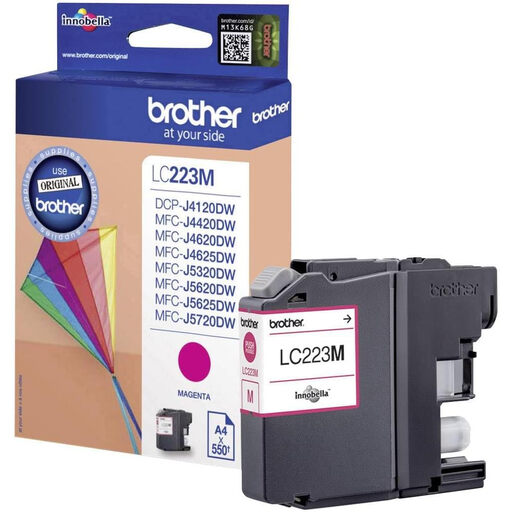
Why this product suits this profile: A genuine Brother ink cartridge for selected DCP and MFC models, including DCP-J4120W, DCP-J5620DW and MFC-J630DW.
The genuine version reduces the risk of uncertain compatibility, provided that the specific Brother model appears on the list.
Individual magenta cartridge; stated yield of up to 550 pages according to ISO/IEC 24711.
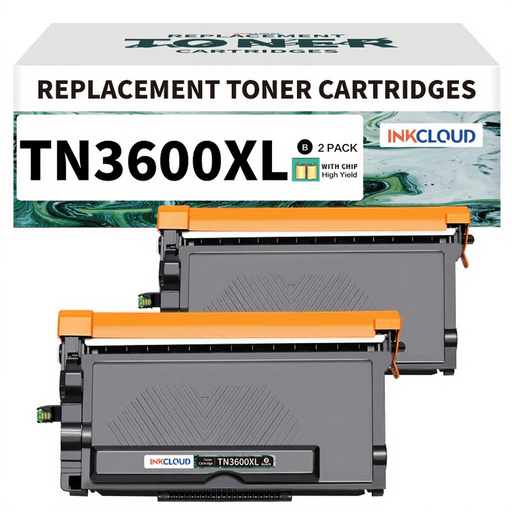
Why this product suits this profile: The black toner cartridge is designed for Brother L5210DN, L5710DW, L5710DN and L6710D models, making it suitable for higher print volumes.
The designation specifies the printer series, capacity class and integrated chip. These details should be checked against the device and its firmware.
XL version; chip for communication with the printer, according to the product description.
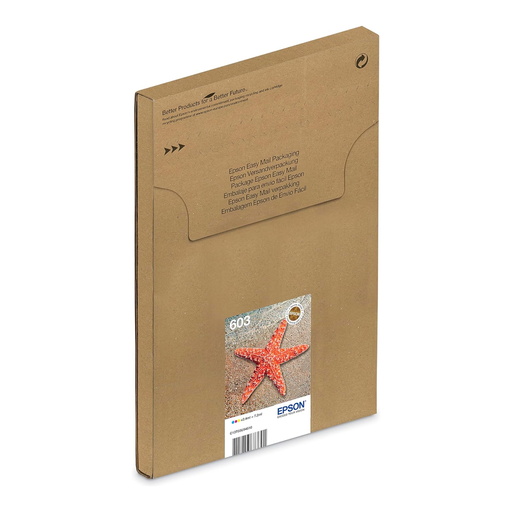
Why this product suits this profile: The three-colour multipack is designed for selected Epson WorkForce and Expression Home models such as WF-2835 DWF, WF-2850 DWF and XP-3105.
The compatibility list and the “three-colour” information make it clear which cartridges are included and which devices they are intended for.
Genuine Epson multipack; compatible with several printer models in the stated series.
We have put together a complete, regularly updated list of products that fully meet these strict selection criteria and the safety regulations applicable in the EU.
Store unopened cartridges in a dry, cool place away from direct sunlight. Remove protective films immediately before installation. Do not touch the nozzles or electrical contacts. After installation, a printer may perform a brief initialisation, nozzle check or alignment.
With compatible printer cartridges featuring a chip, a message about the ink-level indicator may appear. If this happens, check the supplier’s and printer’s instructions. Empty cartridges should not be placed in household waste. Use take-back or recycling options in accordance with local requirements and the manufacturer’s guidance.
Find your printer’s full model number and compare it with the product description. The brand name alone is not enough. Also check the cartridge number, colour and capacity class.
Not necessarily. Compare the price per page and take your monthly print volume into account. For occasional printing, a standard cartridge may be more suitable, while XL models need to be replaced less often with regular home-office or office printing.
Shelf life depends on the packaging information, storage conditions and the individual product. Unopened cartridges should be stored in their original packaging in accordance with the manufacturer’s instructions. Cartridges that have already been installed may be more susceptible to drying out during extended periods without printing.