
Lieferung heute & morgen

Qualitätsgarantie

Willkommens-Angebote freischalten: KOSTENLOSE Lieferung | Bis zu 80 % RABATT | Kostenlose 30-Tage-JoyPlus-Testphase
App herunterladen
If you’re looking to buy printer ink cartridges, don’t focus on the price per cartridge alone. The key things to check are exact printer compatibility, cartridge colour, page yield and whether original or compatible ink cartridges are better suited to your printing needs. A cheap multipack won’t be much use if your printer doesn’t recognise one of the cartridges or you rarely use one of the colours included.
This buying guide explains what individuals, home workers, small businesses and professional users in Germany should look out for.
“Printer cartridges for HP OfficeJet” or “printer cartridges for Canon PIXMA” only describes a product family. Different cartridges may be used within the same range. For example, an HP 912XL printer cartridge won’t necessarily fit every HP device. The same applies to HP 953XL printer cartridges, Epson 603XL printer cartridges and Brother or Canon models.
Before buying, check:
XL printer cartridges usually contain more ink than standard cartridges. Whether the larger capacity is worth it depends on how much you actually print. If you only print a few pages a month, you should also check the expiry date and storage requirements. For regular printing at home or in a small business, a higher page yield can mean fewer cartridge changes.
The stated page yield is also a comparison figure. It depends on factors such as page coverage, print mode, paper and the content of the pages. A document with large areas of colour uses significantly more ink than a simple page of text.
A multipack of printer cartridges can bring down the price per cartridge, but it often includes all the colours at once. If you mostly print in black, individual black ink cartridges may make more sense. If you print in colour frequently, check whether the cartridges can be replaced individually. Separate cyan, magenta and yellow tanks mean you won’t have to replace a whole colour set when just one colour runs out.
Original printer cartridges are made by the printer manufacturer. They’re designed for specific devices and clearly linked to compatible printer models. This can matter for business documents, warranty queries or regular colour printing.
Compatible printer cartridges are made by third-party manufacturers. They can be a lower-cost alternative, provided the model number, chip, colour and capacity are right for your printer. Look for a specific compatibility list rather than general claims such as “suitable for many HP printers”. For devices with up-to-date firmware, you should also check that the printer will recognise the cartridge chip.
Check whether you need a cyan ink cartridge, a magenta ink cartridge, a yellow ink cartridge or a black cartridge. Some photo printers also use additional colours, such as Photo Blue, red or matte black.
Pigment-based black ink is often a good choice for text printing. On suitable paper, it can produce clear results. Photo printers may use dye-based inks or specialist colour systems. Find out more about ink types in our range of pigment ink.
Only compare page yields when the testing conditions are similar. Product claims such as “up to 550 pages according to ISO/IEC 24711” are standardised figures for comparison, not a guarantee for every printing situation. XL versions or larger packs can be practical if you print frequently; for lighter use, single cartridges are often a simpler choice.
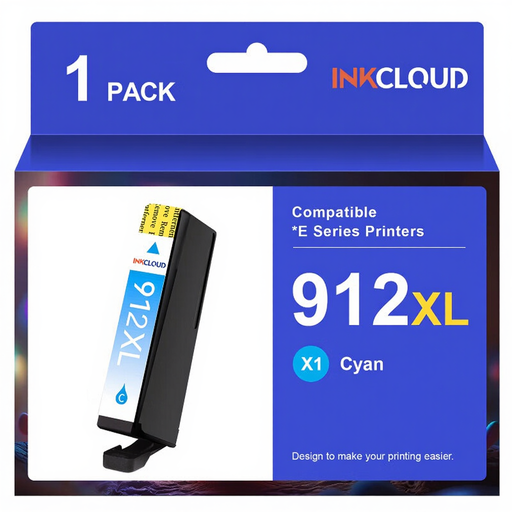
Why this product suits this profile: This single cyan cartridge is for users who want to replace just one colour and are looking for a compatible replacement for selected HP OfficeJet models.
The product description specifically lists the compatible HP OfficeJet 8020, 8022, 8024 and 8025. You should still check your own model number before buying.
XL version, single cyan cartridge and compatible chip for the listed devices.
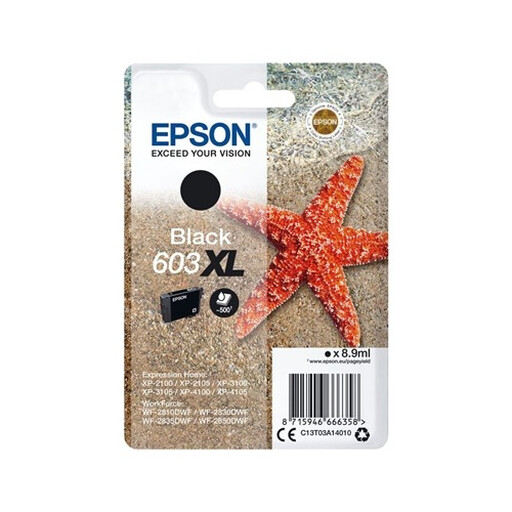
Why this product suits this profile: This original black cartridge is designed for selected Epson WorkForce and Expression Home models, making it a good option for predictable document printing.
The product details list specific Epson models and a yield of 150 pages. This makes it easier to compare the cartridge with your own printing needs.
Original cartridge, black pigment ink and a separate 603XL version.
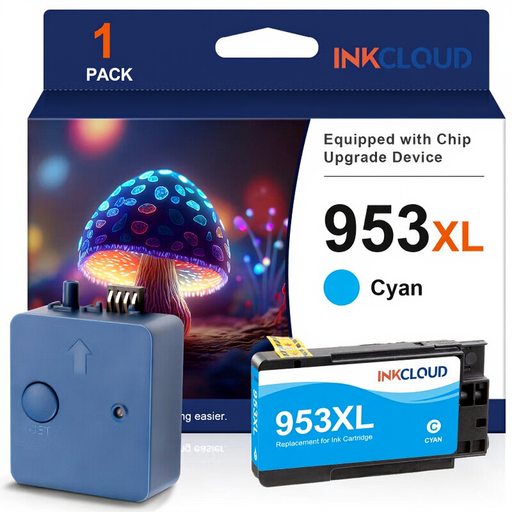
Why this product suits this profile: This set of black, cyan, magenta and yellow cartridges is designed for selected HP OfficeJet Pro models, making it worth considering for regular colour and document printing.
The product details list the supported OfficeJet Pro models and cartridge colours. This reduces the risk of choosing a general HP multipack that isn’t matched to your printer model.
Four-colour set, XL capacity and chip system according to the product description.
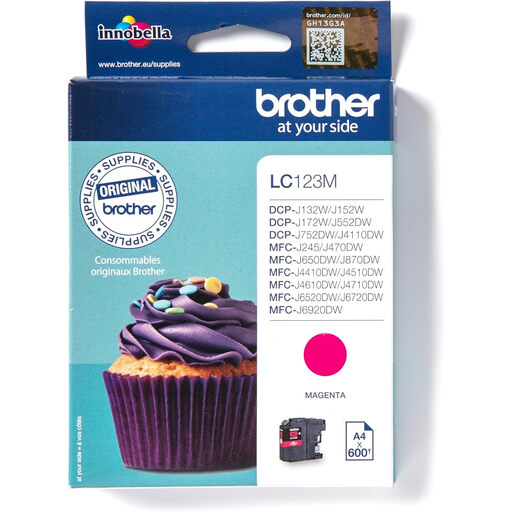
Why this product suits this profile: This single magenta cartridge is suitable for Brother DCP and MFC printers when you only need to replace one colour.
The compatibility list names specific Brother models. It also states a yield of up to 600 pages according to ISO/IEC 24711.
Original Brother cartridge, 600 pages according to the stated ISO test and single pack.
We’ve put together a complete, regularly updated list of products that meet these strict selection criteria and fully comply with the safety regulations in force in the EU.
Check your printer settings or look at the cartridge you’ve been using. The exact model number and cartridge name are what matter, for example LC-123, LC-223, PGI-550 or CLI-581. Also check the colour and whether you need a high-yield version.
Unopened cartridges should be stored in a dry place away from light and used within the period stated on the packaging. Once opened, exposure to air, infrequent use and clogged nozzles can affect print quality. If you won’t be printing for a while, use the printer’s maintenance function in line with the manufacturer’s instructions.
They often cost less to buy, but for a fair comparison you should work out the cost per page. Divide the price by the stated page yield and consider whether you need all the colours. Original printer cartridges may be the better choice for important business documents or specific colour requirements; compatible versions can be a budget-friendly option for everyday printing.