Readers on the go
If you mostly read continuous text and often hold your device while sitting at a café table, a compact format is worth considering.


For reading long-form mythology in a café, a compact tablet is a better fit if you often hold the device in your hand. A larger screen is more suitable for maps, illustrations and PDFs, although it can be less comfortable to hold for longer periods. An e-reader is worth considering mainly if books are your priority and you don’t need tablet apps. Before choosing, check that the edition you want is available in your preferred app and can be saved for offline reading before you visit the café.
If you mostly read continuous text and often hold your device while sitting at a café table, a compact format is worth considering.
For maps, illustrations or pages with a fixed layout, a larger screen may be more useful than the smallest possible device.
If you want to borrow digital books and download them before visiting a café, your library, the app you use and its device requirements are all important.
A good fit if: you often read while holding the device and want to use book, browser or library apps.
The trade-off: The smaller screen may mean more frequent zooming on pages with a fixed layout.
A good fit if: you want more screen space for maps, illustrations, PDFs or notes.
The trade-off: A larger device is less comfortable to hold for long periods and takes up more room on a small café table.
A good fit if: you mainly read books and don’t need tablet apps for research or library services.
The trade-off: Colour illustrations and borrowing features depend on the model and how you want to read.
| Buying criterion | What to look for | Who it matters most to |
|---|---|---|
| Portability | Compare the weight and dimensions of the specific version, and consider whether you’ll mostly read while holding it or using a stand. Samsung lists the Galaxy Tab A11 as 8.7 inches, with the Wi-Fi version weighing around 335 g. | If I often hold my device and want to carry it in my bag, its size and weight matter most to me. Around 33% of consumers say portability is their top buying priority. |
| Viewing full pages | If possible, open a typical page from your edition in the app you plan to use, then check the text size and how much zooming is needed. The Galaxy Tab A11+ has an 11-inch screen, while the Galaxy Tab A11 has an 8.7-inch screen. A larger screen alone doesn’t guarantee that every PDF will be easy to read without zooming. | If I want to see maps or illustrations alongside the text, screen space matters more to me than having the smallest possible device. Around 25% of consumers say screen space is their top priority. |
| Books and offline access | First, check whether your library offers the title you want. Then check the app, operating system and download options. The provider lists Android 10 or later, or iOS 15.1 or later, as the requirements for the Onleihe 3 app. Libby downloads loans over Wi-Fi by default in its mobile app, so you can read them offline. | If I want to borrow a particular book and download it before visiting a café, I need to be sure I can access it through my library and app. Around 25% of consumers say access to books and libraries is their top buying priority. |
| Lighting and battery life | Consider reflections at your usual seat and check how battery life and screen brightness figures were measured. Lenovo lists 480 nits and 5,100 mAh for the Tab One; according to Lenovo, battery life depends on usage and screen brightness. Also check whether a power adapter is included. | If I read in different café spots, screen visibility and enough battery for my reading session matter most to me. Around 17% of consumers say lighting and battery life are their top buying priority. |
A larger screen can give you more room for pages with a fixed layout, but it usually comes with a bigger body and potentially more weight. It doesn’t guarantee that your particular edition will be comfortable to read.
Compare the dimensions and weight of the specific version, and, if possible, check a typical page from your book.
The Onleihe app and Libby’s Kindle delivery feature have different requirements. Libby clearly states that ‘Read with Kindle’ is only available through US libraries.
Before buying, decide which library, title and app you’ll use, then check that the intended offline reading method works with your device.
The battery capacity figure alone doesn’t tell you how long a device will last with your app and screen brightness. Lenovo also notes that the conditions for battery life figures and the included power adapter vary.
Only compare battery life figures when you know how they were tested, and check what’s included with the specific version.
Depending on the Tab One configuration, you may need to buy a compatible power adapter separately.
The Galaxy Tab A11 range includes compact and larger Android formats for book apps, browsing and pages of different sizes.
The 11-inch iPad (A16) is a larger iPadOS option, while the iPad mini is the more compact alternative.
The Tab One is a compact Android tablet range to compare for screen, storage options and what’s included.
The Clara BW and Clara Colour are e-reader options if reading books matters more to you than using tablet apps.
The Joybuy products below include compact and larger Android tablets for reading in cafés. Check that the specific version supports your apps and that its size suits the edition you want to read.
 Image unavailable
The compact 8.8-inch format is a good option if you often hold your tablet while reading in a café.
Android 14; Qualcomm Snapdragon 7+ Gen3; 12 GB RAM and 256 GB storage; 7,300 mAh. According to the product listing, an adapter is not included.
 Image unavailable
The 11-inch format gives you more screen space if you prefer to view pages and illustrations with room to spare.
11 inches; 1,920 × 1,200 pixels; 482 g; 6 GB RAM and 128 GB storage.
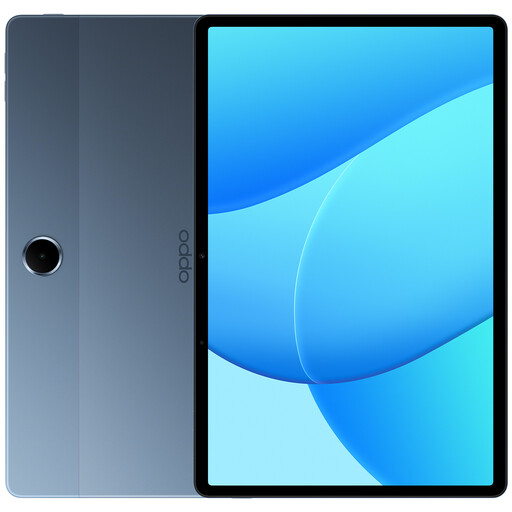 Image unavailable
This 11-inch tablet is a good option if you want more room for pages or illustrations while reading.
Android 15; 11-inch LCD with 1,920 × 1,200 pixels; 4 GB RAM and 128 GB storage; 5,100 mAh. According to the product listing, a charger is not included.
 Image unavailable
The 11-inch format is for readers who want more room to view full pages and are happy to carry a larger device.
11 inches; 90 Hz; Android 15; 8 GB RAM and 128 GB storage; 7,000 mAh.
 Image unavailable
The larger screen may suit you if you want more room for text and illustrations while reading.
Android 14; 11 inches; 90 Hz; 4 GB RAM and 128 GB storage; 8,300 mAh.
First, check that your library offers the title you want and supports the relevant app. Sign in, then download the book before your visit. Libby explains that its mobile app automatically downloads books for offline reading over Wi-Fi; with Onleihe, the requirements depend on the app you use.
No. The Onleihe provider lists Android 10 or later and access to the Google Play Store as requirements for its app. For Apple devices, it lists iOS 15.1 or later and the Apple App Store. Check the operating system version and app access on the specific device.
Not using the ‘Read with Kindle’ feature described by Libby: it clearly states that the feature is only available through US libraries. This doesn’t affect other ways of getting Kindle books.
For a typical distance sale to a consumer, you generally have a 14-day right to cancel, starting from delivery of the goods. The EU consumer portal explains exceptions and situations where you may have to pay the return postage yourself; these are separate from any additional services offered by the retailer.
The Bundesnetzagentur lists several checks, including correct CE marking, identifiable manufacturer details, the required information in German and a declaration of conformity. A CE mark alone is not an independent mark of quality.