What should you look for when buying?
For a calligraphy lesson by the window, assess framing, changing light, sound, recording time and setup separately.
| What to consider |
What to look for |
Who should consider it? |
| Lettering and pen tip |
Test the working distance and framing with a sample of your lettering; with the Sony kit lens, check the minimum focus distance for the zoom setting you’ll use. |
If I want to show fine strokes from the planned camera height, I need the right focus distance and framing. Around 29% of buyers may prioritise lettering details above all else. |
| Window light and paper |
Take a test shot in the actual window and room lighting, and check that you can access white balance and exposure settings. |
If the daylight changes during the lesson, I want to be able to assess the paper and ink clearly in the picture. Around 23% of buyers may prioritise consistent footage in window light above all else. |
| Clear speech |
Check the speaker distance and microphone options for the specific model; record a short voice test from the planned camera position. |
If I want my explanation to remain clear alongside the overhead view, sound at the actual recording location matters. Around 18% of buyers may put speech clarity first. |
| Longer recordings |
For your planned format, check the power supply, memory card, any recording limits and how the camera performs in a full test run. |
If I want to record a whole lesson in one take, my power and storage plans need to suit the session. Around 18% of buyers may put longer recording times first. |
| Easy setup |
Test in advance whether the mount, screen and lens let you get the tabletop view you want. |
If I want to switch quickly between my work surface and other views, a straightforward setup is especially important to me. Around 12% of buyers may prioritise a simple setup above all else. |
Joybuy products for video recording
The following cameras and bundles may suit video recordings with spoken explanations or changing views. For an overhead shot of your lettering, check that the lens and mount suit your planned working distance.
 No image available
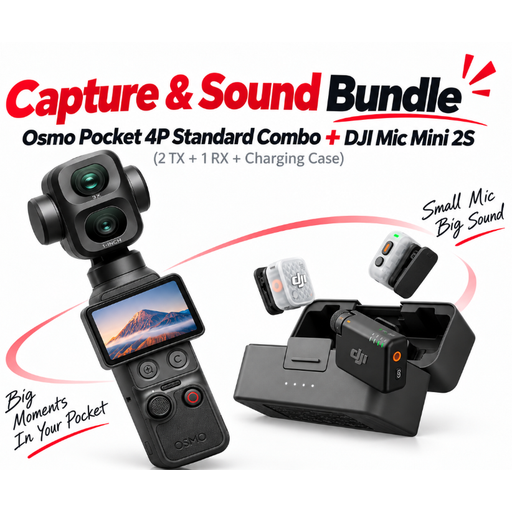
DJI Osmo Pocket 4P Pro Audio Bundle – Pocket 4P Standard Combo + Mic Mini 2S (2 TX + 1 RX + Charging Case)
The bundle lists two transmitters and one receiver for wireless audio recording. Whether the frame shows your lettering and hand clearly enough depends on your setup.
The product name lists a Mic Mini 2S with 2 TX and 1 RX, as well as a Charging Case.
View at Joybuy
 No image available
DJI Osmo Pocket 4 Standard Combo
The rotating screen and the 2× lossless zoom listed in the product name may be useful when changing your framing. Test how large the lettering appears from your planned camera position.
The product name lists 4K/240fps, 107 GB of built-in storage and a 2-inch rotating screen.
View at Joybuy
 No image available
DJI Osmo Pocket 3
This compact gimbal camera may suit changing views; for a fixed overhead shot, the mount and framing are still key.
The product name lists a 1-inch CMOS sensor and 4K/120fps. DJI specifies a fixed 20 mm-equivalent lens and a focus range from 0.2 m for this model. Check that the working distance and framing suit your page.
View at Joybuy
 No image available
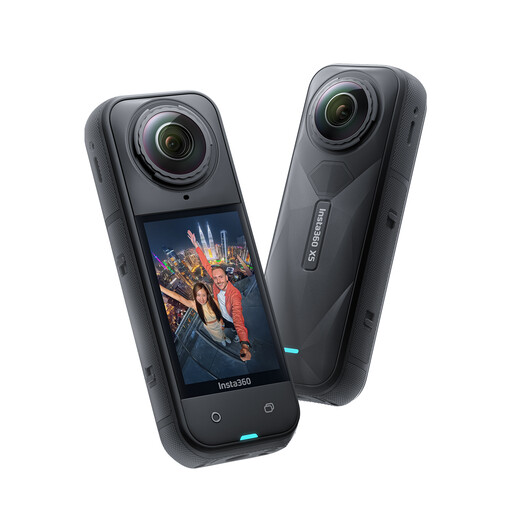
Insta360 X5 8K 360° Action Camera
Recording in 360° and adjusting the framing afterwards may be useful if you want different views. Check whether this recording and editing approach suits your lesson.
The product name lists 8K 360° recording and replaceable lenses. According to the product description, the Invisible Selfie Stick is sold separately.
View at Joybuy
 No image available
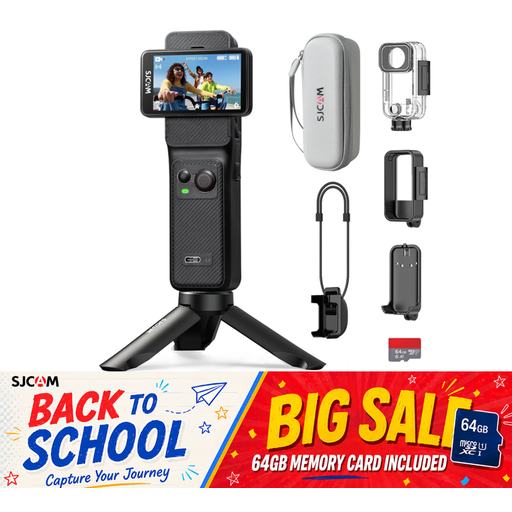
SJCAM C400 Action Camera 4K
The product name lists a 154° wide-angle view. For a tightly framed overhead shot, this may show more of your work area than you want; test the framing with a sample of your lettering.
The product name also lists 6-axis stabilisation, two touchscreens and a 64 GB card.
View at Joybuy
Frequently asked questions
How can I check before buying whether fine lettering will be clear in my video?
Record a short sample of your lettering with the camera and lens at the planned height above the page. Check the playback rather than relying on the 4K specification alone; the minimum focus distance of the Sony kit lens depends on the zoom setting.
What can I do if white paper looks discoloured by the window?
Check the white balance using a test shot in the window and room lighting you’ll actually use. Canon explains that the colour temperature of natural light changes depending on conditions, so one setting won’t necessarily work for every lesson.
Is the built-in microphone enough if the camera is mounted above the table?
The only way to tell is to record a voice test from the planned camera position. If you need a separate microphone, Canon lists a 3.5 mm input for the EOS R50; Nikon lists an external microphone as an audio option for the Z 30.
What extra costs and requirements should I consider when buying a camera?
Check the mount, memory card, microphone, power supply and exact bundle contents; according to Canon, the EOS R50 bundle reviewed here does not include a USB-C charger. Your statutory rights against the seller and any manufacturer’s warranty that may be offered are two different things. The Verbraucherzentrale explains that, for a defect within the first two years, the statutory warranty period can be extended from two to three years if, under the conditions described, you choose a repair instead of a replacement.
Can I record people taking part in an online lesson without asking them?
No. Using a camera doesn’t automatically make a recording lawful. The German Datenschutzkonferenz checklist says to check the legal basis for recording and further processing; valid consent is also one of the points to consider. The requirements for a particular lesson depend on how it is run and which people or information are recorded.


