What should you look for when buying?
When filming calligraphy by a window, additional light should brighten your writing hand and paper without overlooking the changing conditions of daylight.
| Consideration |
What to look for |
Who is it important to? |
| Hand shadows and legibility |
Check the light’s size, diffuser and dimming options. Test whether you can position it outside the frame so that both the paper and your hand remain visible. |
If my hand casts shadows over my strokes, I want to be able to position the light and mount appropriately; around 31% of consumers put shadows and legibility first. |
| Consistent light throughout the lesson |
Check whether the brightness is adjustable and whether mains or battery power will suit the planned recording time. |
For a longer recording, I want the light to stay as consistent as possible, even if the daylight changes; around 25% of consumers prioritise consistent lighting. |
| Paper and ink colours |
Look for adjustable colour temperature and set the white balance accordingly. A test recording with the materials you’ll use will show how they look on video. |
When I show paper and ink, I want them to look as they do in real life; around 25% of consumers put colour matching first. |
| Mounting and portability |
Check the desk clamp or thread, the working height you need, what’s included and the power supply for the specific version. |
At a small desk or in different recording locations, I need a light that can be mounted to suit; around 19% of consumers prioritise set-up and portability. |
Video lights at Joybuy
This selection includes portable video lights for extra illumination, as well as a bi-colour COB light for a more precisely shaped set-up.
 No image available
COLBOR W60R, 60 W RGB
A portable video light for recordings where you want to adjust the colour temperature and brightness.
60 W; 2700–6500 K; brightness adjustable from 0–100%. The description lists 15200 lx at 0.5 m.
View at Joybuy
 No image available
COLBOR 200 W bi-colour COB video light
A bi-colour COB light for a set-up where you can shape the light precisely.
200 W; 2700–7000 K; Bowens mount for accessories. The description lists controls for brightness and colour temperature.
View at Joybuy
 No image available
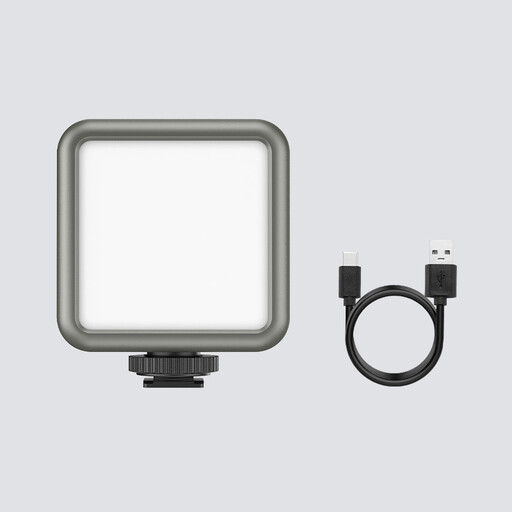
ULANZI VL49 RGB LED video light
A compact video light for set-ups where a built-in battery and small dimensions are important.
Built-in 2000-mAh battery; 2500–9500 K; dimmable. The description lists magnets on the back.
View at Joybuy
Frequently asked questions
Do I actually need a light by the window?
Not necessarily. If the indirect daylight is bright enough, try changing your position or brightening the shadows first. If the light changes noticeably during your lesson or hand shadows are distracting, adjustable fill light can help.
How can I test whether a light flickers on video?
Record a short test with the camera, frame rate and lighting you plan to use, and look out for moving bands. For a 50 Hz power supply, Sony Support suggests 1/50 s or 1/100 s as possible shutter speeds; the right setting depends on your camera and light source.
What should I check about the mount and power supply?
Check your desk thickness, the mount’s height and angle, and what’s included with the specific version. Elgato lists a maximum desk thickness of 6 cm for the Key Light Air MK.2 and says a USB-C power source of at least 27 W is needed for its full stated brightness; a power adapter is not included according to the technical contents list.
Are a warranty and statutory consumer rights the same thing?
No. If a product is faulty, you have statutory rights against the seller; a warranty is an additional voluntary benefit subject to its own terms and conditions. Check who the seller is and what any warranty on offer covers.
What are the rules on CE marking and disposal in Germany?
For electrical and electronic products, the German Federal Network Agency checks matters including CE marking, product traceability, manufacturer details and German-language instructions. According to the European Union, CE marking is only required for products covered by relevant harmonised EU legislation that provides for it. The German Environment Agency says that waste electrical and electronic equipment must not go in household rubbish; local collection points are one way to return it.


