Managing small camera batteries
When there’s little space left on the casing, short labels and a suitable tape width are essential. Brother Germany specifies tape widths from 3.5 to 12 mm for the PT-H110.


For small camera batteries, first measure the available space on the casing and choose a label printer with a tape width to suit. Brother specifies TZe tapes from 3.5 to 12 mm for the PT-H110; COMPUTER BILD reports that the Niimbot B1 uses labels measuring 20 to 50 mm wide, which may be too wide for a small battery. A built-in keyboard is handy for individual labels without a smartphone, while an app or PC connection can help with templates you use regularly. Also check the tape system, replacement tapes and a suitable place to stick the label on the specific battery.
When there’s little space left on the casing, short labels and a suitable tape width are essential. Brother Germany specifies tape widths from 3.5 to 12 mm for the PT-H110.
If you handle batteries often, choose a tape material that suits how it will be used. Brother describes laminated TZe tapes as smudge-, weather- and scratch-resistant. This manufacturer’s claim applies to the tape type and doesn’t guarantee that it will stick to every battery casing.
If you’re labelling several batteries in the same way, consider whether a built-in keyboard will do or whether a smartphone or PC would make the process easier. Brother specifies USB and Bluetooth for the P-touch CUBE Plus.
First, measure the usable area on the battery. Then decide whether you want to create individual labels directly on the printer or make reusable templates using an app or PC.
A good fit if: you want to label individual batteries in the office without a smartphone or PC. Brother specifies a QWERTZ keyboard and TZe tapes from 3.5 to 12 mm for the PT-H110.
Keep in mind: the DYMO LetraTag LT-100H takes 12 mm LT cassettes, according to the manufacturer’s manual. Check the cassette system and the available space on the battery.
A good fit if: you want to label several batteries in the same way and have a compatible smartphone or PC available. Brother specifies USB, Bluetooth and TZe tapes from 3.5 mm for the P-touch CUBE Plus.
Keep in mind: check the software access you’ll need, as well as which replacement tapes are compatible.
A good fit if: you want to label larger surfaces or storage boxes. COMPUTER BILD reports that the tested Niimbot B1 uses labels measuring 20 to 50 mm wide.
Keep in mind: the smallest width specified may be too wide for the available space on a small camera battery. The printing technology alone doesn’t prove how well a label will last on a battery.
| Consideration | What to check before buying | Who is it important to? |
|---|---|---|
| Fits on small batteries | Measure the available space on the casing, plan a short label and check the narrowest tape width supported by the exact printer model. Keep connectors and any areas needed for fitting clear. | If there’s only a narrow space free on the battery, I want a clearly readable label that will fit. Around 36% of consumers prioritise this fit. |
| Easy to read with frequent handling | Check the material and adhesive properties of the specific tape, and test the label on an inconspicuous area of the casing first. Manufacturer claims about laminated TZe tapes apply to that tape type. | If a battery is handled often, I want its label to remain readable and suit the casing. Around 29% of consumers prioritise lasting readability. |
| Use without an app | Check that the keyboard, character display and supported tape widths are suitable for the labels you need. Brother specifies a QWERTZ keyboard for the PT-H110; according to DYMO, the LT-100H uses 12 mm LT cassettes. | If I’m only entering a few labels, I don’t want to need a smartphone or PC. Around 21% of consumers prefer to operate the printer directly. |
| Consistent batches and replacement tapes | Decide how you’ll print labels in the school office and note the cassette system used by the exact model. Compare printers and compatible replacement tapes separately. | If I have several batteries, I want to create consistent labels and be able to buy compatible replacement tapes. Around 14% of consumers prioritise this batch process. |
A general rating of a label printer doesn’t tell you whether its label format will fit a particular camera battery. COMPUTER BILD gives a width of 20 to 50 mm for the tested Niimbot B1, which may be too wide for a small available area.
Measure the battery and compare the result with the formats supported by the specific printer before choosing a model.
The PT-H110 and LetraTag LT-100H use different tape systems. A suitable tape width alone doesn’t mean a cassette will be compatible with the printer you’ve chosen.
Before ordering, check the exact model, tape type and compatibility of replacement cassettes.
A label on the casing won’t automatically protect the contacts of a battery in storage or transit. The DGUV recommends protecting the terminals from contact with conductive materials.
Make separate arrangements for labelling the batteries and protecting their terminals.
Depending on the model, P-touch printers offer a built-in keyboard or an app and PC connection, as well as a choice of TZe tape widths.
LetraTag printers are an option for straightforward labelling, provided a 12 mm cassette fits the available space.
App-based thermal roll printers may suit larger labelling areas or boxes.
Thermal label printers controlled by an app are another option for office labelling.
LabelWorks tape printers are another option to consider. Check the tape format and product availability for the specific model.
The Joybuy products below are mainly suited to labels created on a mobile device and to recurring labelling tasks. In particular, check that the label format fits the small available area on the battery in question.
 No image available
For labels created on a mobile device, if printing labels and gift ribbons suits your workflow. The product name specifies Bluetooth and a one-piece label refill.
 No image available
For labels planned on a mobile device, if using a smartphone app suits your workflow. The product description specifies Bluetooth, connection to iOS or Android smartphones, and ten rolls of thermal paper included.
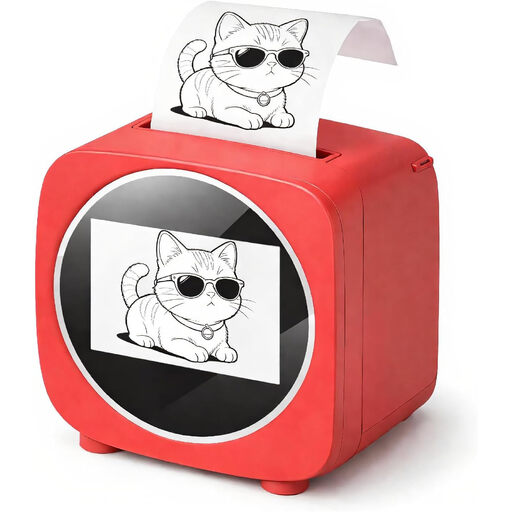 No image available
For recurring labels, if app templates suit your workflow. The product description specifies Bluetooth, app templates and thermal paper rolls; the product name also specifies a 2.4-inch colour display.
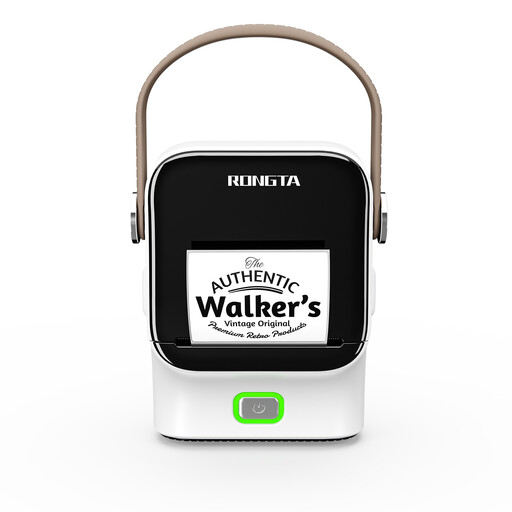 No image available
For consistent label layouts, if app templates and Bluetooth printing fit your office workflow. The product description specifies supported roll widths of 16 to 54 mm. Check whether even the narrowest width will fit the available area on the battery.
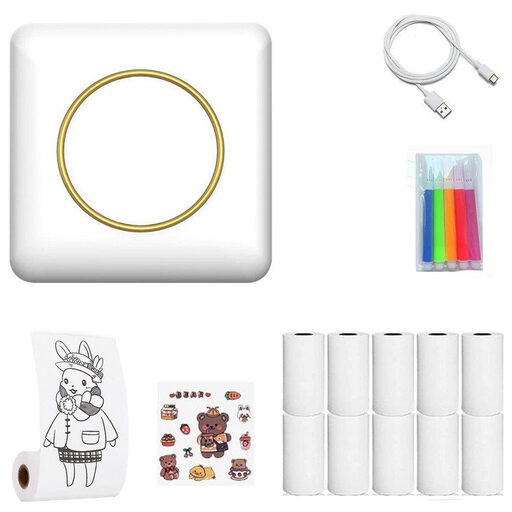 No image available
For labels designed using a mobile device. The product description specifies Bluetooth printing and an app with templates. Compare the actual label format with the available area on the battery.
Choose a spot on the specific battery and check that you can still insert and charge it without resistance. Canon notes that dirty contacts can affect charging for the battery packs described by the brand. This doesn’t establish a general place to stick a label on other battery models.
Stop using it. The German Environment Agency warns against using damaged, deformed or swollen lithium batteries; adding a new label won’t fix the damage.
The DGUV recommends protecting the terminals from contact with conductive materials during storage and transport. A label on the battery casing won’t provide this protection automatically.
As well as the printer, budget for replacement tapes or cassettes compatible with its tape system. The PT-H110 and LetraTag LT-100H use different systems, as specified in their respective manufacturer documentation. The printer price alone doesn’t tell you that each finished label will cost the same.
No. The German Environment Agency directs people to collection points for old batteries. The Federal Ministry for the Environment explains that waste electrical equipment must be collected separately and returned to authorised facilities. Germany’s Battery Law Implementation Act came into force on 7 October 2025; don’t rely on older explanations of the previous battery legislation for current obligations without checking them first.