Teams using small camera batteries
When there’s little free space on a battery, choosing the right tape width and keeping the text easy to read are key. Brother lists TZe tapes from 3.5 to 12 mm for the PT-H110.


For short labels in a shared workshop, a handheld label maker with a keyboard is a good choice if several people need to print without using a smartphone. An app-connected model may suit you better if designing labels on a mobile device fits your workflow. First, check that there’s a clear spot on the battery itself, then make sure the label won’t interfere with the contacts or affect how the battery fits in the camera or charger. Brother lists TZe tapes from 3.5 to 12 mm for the PT-H110, but this tape-width information doesn’t confirm that a tape will stick to any particular battery.
When there’s little free space on a battery, choosing the right tape width and keeping the text easy to read are key. Brother lists TZe tapes from 3.5 to 12 mm for the PT-H110.
If batteries are handled repeatedly, readability and tape material matter. Brother distinguishes between standard tape for smooth, flat surfaces and stronger-adhesive tape for other surfaces.
If you prepare labels in batches, consider whether a built-in keyboard or designing them on a smartphone works better for your shared workflow. The PT-H110 has a QWERTZ keyboard; according to Brother, the PT-P300BT is designed using an app.
First, measure the free space on the batteries you have and check how a label fits when the battery is inserted into the camera and charger. Then you can compare tape material, operation and compatible replacement cassettes more effectively.
| Consideration | What to check before buying | Who is this especially important to? |
|---|---|---|
| Fit and readability | Measure the free space, print a short test label and check how it fits in the camera and charger. | When there’s little room on a small battery, I need a short, easy-to-read label. Around 36% of consumers put fit and readability first. |
| Durability on the surface | Choose the tape material and adhesive based on the manufacturer’s guidance for the actual surface, and test it in a suitable spot first. | If batteries are handled frequently, I want the label to stay readable and suit the surface material. Around 29% of consumers prioritise durability. |
| Team workflow | Decide in advance whether everyone who’ll use it should type directly on the device or use a mobile device to design labels. | If several people create labels, I need a process that everyone on the team can use. Around 21% of consumers put a shared labelling workflow first. |
| Compatible replacement tapes | Check the compatible widths and materials, as well as the tape included, and factor in the need for replacement cassettes when comparing models. | If I print new labels regularly, I want to plan for compatible tapes when I need to buy more. Around 14% of consumers prioritise compatible tapes and ongoing costs. |
According to its datasheet, the Brother PT-H110 comes with a laminated 12 mm tape, even though the device also works with narrower TZe tapes.
Check the tape width and material you need against what’s included with the device.
Brother describes standard tape for smooth, flat surfaces and TZe-S221 as having stronger adhesion for other surfaces. This doesn’t confirm how well tape will stick to a particular camera battery. Stronger-adhesive material may also be harder to remove.
Check the surface and test the label in a suitable spot before labelling all your batteries.
The Brother PT-P300BT is designed using a mobile-device app, according to the product information; the PT-H110 has its own QWERTZ keyboard.
Before choosing, check whether everyone who’ll use it can and wants to use a mobile device.
For this use case, the range includes both a handheld model with a keyboard and a model designed using a smartphone.
The LetraTag 100H is a handheld alternative that takes 12 mm tapes; LabelManager and D1 use a different tape system.
The different LabelWorks tape materials are worth comparing, but they don’t confirm that a particular device is currently available.
The Joybuy products below are app-connected label printers. Before buying, check whether the relevant tape width and material are suitable for the small surfaces on your batteries.
 No image available
Worth considering if you want to design labels on a mobile device and using an app fits your team’s workflow.
The description mentions Bluetooth, the Print Master app, and label and gift ribbon printing. The product name lists a gift box and a label tape refill.
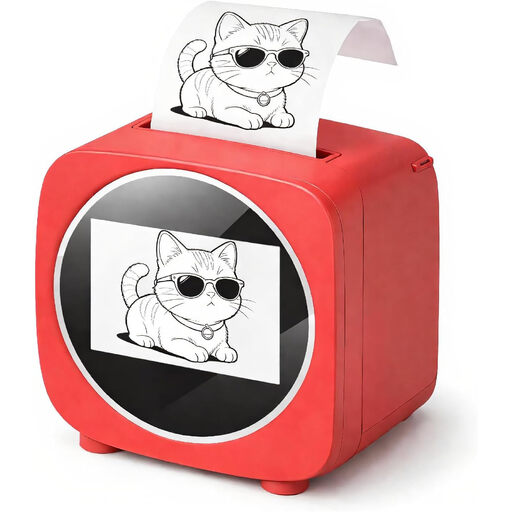 No image available
Could suit short labels if you want to check the design before printing.
The product title mentions Bluetooth and a 2.4-inch colour display. The description lists thermal printing, a Tiny Print app and a preview of the design before printing.
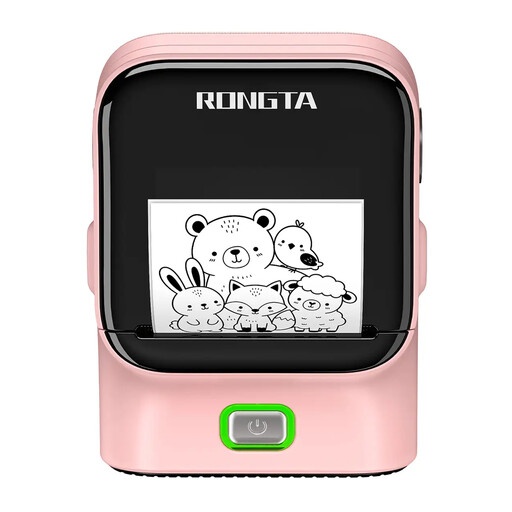 No image available
Could suit labels designed on a mobile device, provided the stated print width fits the space available on the battery.
The description lists Bluetooth, USB, 203 dpi and a print width of 48 mm. The product title states a print speed of 50 mm/s; according to the description, Bluetooth operation is via an app.
 No image available
A good fit if you want to design labels on a smartphone or tablet.
The description mentions a Bluetooth connection, a built-in battery and a label tape refill in the product name. The printer is designed to connect to a smartphone or tablet app for designing and printing.
 No image available
Could be suitable for creating labels in batches, as long as the supported label width of 20 to 50 mm fits the space available.
The description lists Bluetooth printing, batch printing, Excel import via the app and a built-in rechargeable battery. It’s operated using the Print Master app on iOS or Android devices; the product name lists a roll of labels.
No. Check the surface of the specific battery and use only a suitable clear spot. Then make sure the contacts are unobstructed and the battery still fits properly in the camera and charger. Tape specifications describe widths and intended surfaces, not whether a tape is suitable for a particular battery model.
Choose a short label that’s consistent across the team, measure the available space and print a test label first. According to Brother’s datasheet, the PT-H110 lets you preview the text and label length. Then check the surface and how the labelled battery fits in your own equipment.
No. For a consumer purchase in Germany, statutory rights are a legal entitlement against the seller; a guarantee is an additional voluntary promise with its own terms. If your workshop is buying as a business, check the specific terms of the contract.
The German Federal Network Agency lists points to check during market surveillance, including correct CE marking, identifiable manufacturer details and German-language instructions with the required warnings. A CE mark is not a performance test for labels.
No. According to Germany’s Federal Ministry for the Environment, old batteries must not be disposed of in household waste or in the environment; they must be disposed of separately.