People organising batteries
You want to tell several camera batteries apart at a glance and need a clear label on the part of the casing that is actually free to use.


If you want to label a camera battery directly, first check the flat, unobstructed area on the battery itself and choose a narrow, easy-to-read tape. Keep the contacts and any areas needed for insertion or charging clear. Tapes designed for frequent handling may be suitable, while cases can accommodate larger labels. Keyboard and app controls are different ways to operate a label maker – neither is automatically better for every use.
You want to tell several camera batteries apart at a glance and need a clear label on the part of the casing that is actually free to use.
You label cases, drawers and storage containers as well as batteries, so you may need labels in different sizes.
You want to enter short labels directly on the device, so keyboard controls and compatible tape formats matter more to you than app features.
First decide whether you want the label on the battery itself or on its storage case. Then you can choose a suitable tape format, controls and consumables.
| What matters | What to check before buying | Who will find this particularly important? |
|---|---|---|
| Size and space on the battery | Check the available flat area, suitable tape width and whether a short code will be easy to read. | If I want to tell batteries apart directly, the label needs to fit on the available area without covering contacts or surfaces needed for fitting. For around 33% of consumers, available space and readability are the top priorities. |
| Readability with frequent use | Check the tape material and the manufacturer's information on durability; test adhesion on the specific surface separately. | If I handle a battery often, I want its label to be easy to read and to know that the tape I choose is suitable for the surface. Around 27% of consumers prioritise long-lasting readability. |
| Using an app or going without one | Decide whether you want to type directly on the device or use a smartphone, tablet or computer. | If I want to enter short codes without a smartphone, I look for a keyboard. For designed labels, using another device may fit my routine better. For around 20% of consumers, their preferred way of entering text is the main consideration. |
| Tape compatibility and replacements | Compare compatible tape ranges, the widths you need and whether replacement cassettes or rolls are available separately. | If I label batteries and storage cases regularly, I want to be able to buy the right types of tape again when I need them. Around 20% of consumers prioritise the materials needed for future labels. |
A device's supported tape width does not tell you whether every battery has enough room for a readable label.
Check the battery itself before choosing, and keep the contacts and any areas needed for fitting or charging clear. If there isn't a suitable space, label the storage case instead.
Information about a tape material does not prove that a label will stick to your camera battery's casing.
Check which material is intended for your purpose and test it on an unobtrusive, clear area.
Brother TZe and Dymo LetraTag are different tape ranges, and the available widths also depend on the device.
Before buying, decide which narrow and, if needed, wider tape formats you require. Check whether suitable cassettes or rolls are available to buy separately.
The P-touch PT-D210 and P-touch CUBE Plus differ in areas such as their controls and the TZe tape widths they support.
LetraTag offers both an option that works without an app and a model designed for smartphone control.
The B1 is an app-focused roll label printer worth considering for larger labelling areas.
The LabelWorks tape system may be worth considering if you already have a compatible device.
This selection includes app-controlled label printers for labelling items in craft rooms and storage containers. Before using one on a small battery casing, check the available space and suitable label width particularly carefully.
 No image available
May be suitable for labelling larger containers in a craft room; check separately whether the width is suitable for direct use on a battery.
The product information lists label widths from 20 to 50 mm and Bluetooth printing via an app.
One roll of labels is included, according to the product information.
 No image available
An option if you want to design labels using an app; before buying, check whether the available consumables are suitable for your needs.
The product information lists Bluetooth, an app and a rechargeable battery.
One label refill roll is included, according to the product information.
 No image available
May be suitable for labels designed on a smartphone and used in a craft room; check whether the consumables are right for your intended use.
The product information lists an app and options for designing text, images, shapes and QR codes.
Ten rolls of thermal paper are included, according to the product information.
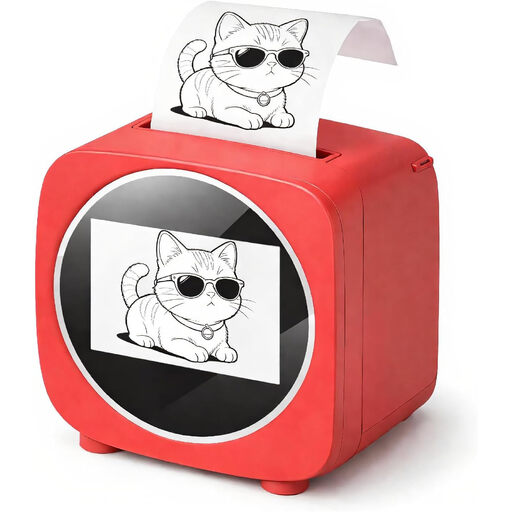 No image available
May be suitable for creative labelling in a craft room; for a camera battery, check the available label area first.
The product description lists an app and a roll of white thermal paper included in the box.
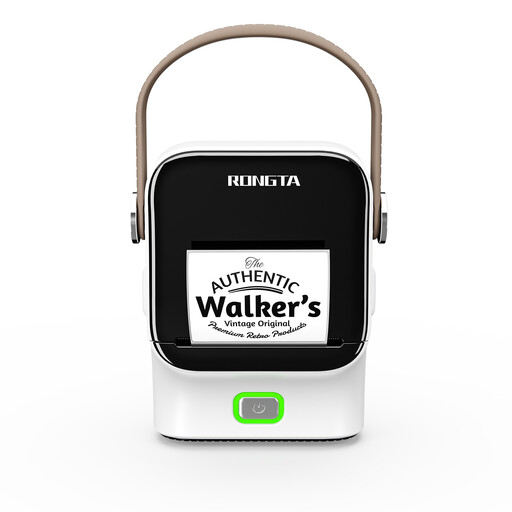 No image available
App controls and templates may be useful for labelling containers at home or in the office.
The product information lists compatible label rolls from 16 to 54 mm wide.
The product title lists a 1500 mAh battery.
No. The contacts should be kept clear so the battery can work as intended. In its support response, Canon says that dirty contacts can affect charging on the camera models mentioned. Also check your own battery to make sure a label won't interfere with fitting, charging or a protective cover.
Start by choosing a short code and a cassette or roll that is compatible with your device. Check readability and adhesion on an unobtrusive, clear area; general information about a type of tape does not prove it will stick to every battery casing. If you use an app-controlled device, also check which device you need to enter your text.
As well as the device, factor in compatible tapes or rolls and check whether you also need batteries or a specific power supply. Compare the compatible tape range, the widths you need and what's included before deciding which device to buy.
No. The German Environment Agency directs people to retailers' or local authority collection points for old batteries and rechargeable batteries. Old electrical appliances must also be disposed of separately from household waste. Don't continue using batteries that are damaged, swollen or misshapen. A label doesn't change this.