Teams using small battery casings
When there’s little room on the battery, a short identifier needs to remain legible without covering the contacts or existing information.


A slim label can go directly on a camera battery only if there’s a sufficiently large, flat area clear of the contacts and existing information. Otherwise, the battery case or storage box is the better place to label. For one-off identifiers, choose a device with on-device input; for repeat templates, an app-based device may suit you better, provided a compatible mobile device is available. Test how well the tape sticks to the specific casing and whether it can be removed, and check that replacement tapes are compatible.
When there’s little room on the battery, a short identifier needs to remain legible without covering the contacts or existing information.
If batteries are handled regularly, the choice of material matters, as does whether the label can be removed later.
If you create similar labels regularly, consider whether typing on the device or using an app would fit your workflow better.
With small camera batteries, the first thing to consider is the space available. Then look at how the tape performs, how you enter text and which replacement tapes are compatible.
| What matters | What to check before buying | Who is this important for? |
|---|---|---|
| Placement and tape width | Measure the clear area on the battery and keep the contacts uncovered; if there isn’t enough room, label the box instead. | If I want to put a short identifier directly on a small battery, I need a suitable space that won’t cover the contacts. Around 33 % of consumers would put placement and tape width first. |
| Adhesion and removability | Check the tape range and material; test adhesion and removal on an inconspicuous area first. | If batteries are handled frequently in the shop, I want the identifier to stay legible and be removable if needed. Around 27 % of consumers would prioritise material durability and removability. |
| Input and repeat use | Choose between on-device input and an app; if using an app, make sure a compatible mobile device is part of your workflow. | If we assign similar identifiers regularly, I want to know whether I’ll type them on the device or use templates in an app. Around 20 % of consumers would put the input process first. |
| Compatible replacement tapes | Check what’s included and which replacement tapes are compatible; the tape width and material need to suit the labels you plan to make. | When replacing supplies regularly, I want to know which consumables fit the device and are suitable for my identifiers. Around 20 % of consumers would prioritise compatible replacement tapes. |
A 12-mm label or wider may be too large for a small battery casing. The contacts must remain uncovered, and the battery must still fit properly in the device.
Check the battery and box before you buy. Print a short test identifier in a supported tape format, then decide where it can be placed so it’s easy to read.
If the label doesn’t fit, you may be left with unused supplies or need to print the identifier again.
A tape material’s durability and how well it sticks to a particular battery casing are two separate things. Manufacturer information about a tape range doesn’t prove that a label will stick to every surface or come off without leaving residue.
Choose a material that’s compatible with the device, then test adhesion and removal on an inconspicuous area of the surface you plan to label.
An unsuitable label could mean you have to label the battery again or leave residue when you remove it.
Brother TZe, DYMO D1 and DYMO LetraTag are different tape systems. Choosing a device doesn’t automatically tell you which replacement cartridges will suit the labels you plan to make.
Before choosing a device, check what’s included, which replacement tapes fit the model and what widths they come in.
The details below relate to specific devices and tape systems. The right option depends on the battery surface and your workflow.
Depending on the model, P-touch devices offer on-device or app-based input and use TZe tapes.
DYMO offers different systems for LabelManager and LetraTag devices, so make sure you distinguish between them when choosing a material.
The product range includes different devices and material systems, including direct thermal and thermal transfer printers.
The LabelWorks tape system may be worth considering for its compatible materials and features, particularly if you already own a compatible device.
The products below are portable, app-based printers for teams that create identifiers on a mobile device. Before labelling a battery directly, check that the label size and material suit the available space and the specific casing surface. Otherwise, use the box as your labelling surface.
 No image available
For teams that want to create repeat identifiers using a mobile device.
Bluetooth connectivity and the Print Master app are designed for text input. Before labelling a battery, check that the label size is suitable and that it sticks to the specific surface.
 No image available
For app-based identifiers when you want to enter text on a mobile device.
The product details list Bluetooth and 10 rolls of thermal paper. Check that the paper is suitable for your planned label size and the battery surface.
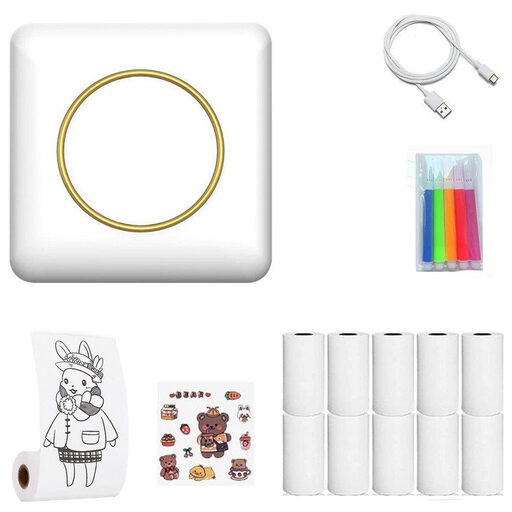 No image available
For shoppers who want to create labels on the go and first check whether the box could be used to label their batteries.
The product name describes a portable thermal label printer with Bluetooth. Check in advance that the compatible material offers the size and adhesion you need for the intended surface.
 No image available
For teams that want to create identifiers using a smartphone.
The product name lists a 1200-mAh battery and Bluetooth. Check that the labels you plan to use are suitable for the available space and material of the specific battery.
 No image available
For app-based identifiers when you have a compatible mobile device in the shop.
The product details list Bluetooth printing through an app on iOS and Android devices. Before using it on a battery, check the label size you need and how well it sticks to the casing.
No. The contacts should be kept clean and uncovered. Canon Europe notes that dirty contacts can affect charging. Also check that a label won’t stop the specific battery fitting properly. If there’s no suitable space, label the box instead.
First, test tape that’s compatible with your device on an inconspicuous area of the intended surface. DYMO Germany’s claim that the specified D1 tape can be removed without residue applies to most clean, flat surfaces; it doesn’t guarantee the same result on every battery casing.
Check which tapes are compatible with the model, which widths are available and what’s included. Brother TZe, DYMO D1 and DYMO LetraTag are different tape systems, so replacement supplies must match the device.
No. An internal identifier doesn’t replace the information required for batteries placed on the market as goods. The EU Batteries Regulation (EU) 2023/1542 sets out labelling and information requirements; Germany’s Battery Law Implementation Act (BattDG) came into force on 7 October 2025. The requirements for a specific product depend on the goods and how they’re marketed. Don’t cover any existing information, and check the product being sold against the applicable requirements. This does not imply any additional sales-labelling requirement for batteries used exclusively in-house.