Which cameras suit different teaching styles?

Bookbinding teachers who focus on detail

If you want to show folds, stitches and tool handling from above, focus on the framing, focus and distance from the work surface. Sony Deutschland, Canon Deutschland and Nikon Deutschland list mirrorless cameras with interchangeable lenses among their video options.

Teachers working by a window

In daylight, check in a test recording that the paper and your hands remain easy to see as the brightness changes. Canon Academy describes manual white balance as a way to reproduce colours more consistently in different lighting conditions.

Teachers running live lessons on a computer

If you demonstrate techniques during a video call, it’s important to check whether you can position the camera on your computer to point at the work surface. Logitech lists a monitor clip and tripod thread among the features of the Brio 4K.

What should you consider when choosing?

Mirrorless camera with interchangeable lens

A good fit if: You regularly film from the same overhead angle and want to match the lens and focus to your work surface.

Keep in mind: You may need to buy a lens, a sturdy mount and a suitable audio solution separately. Face-detection autofocus does not guarantee the right focus for hands and paper.

Compact gimbal camera

A good fit if: You often want to show moving viewpoints around the worktable as well as overhead shots.

Keep in mind: A gimbal is not a substitute for a secure overhead mount. With the DJI Osmo Pocket 3, pay particular attention to the field of view and working distance because it has a fixed lens.

USB webcam for your teaching computer

A good fit if: You mainly teach live on a computer and can position the camera on your monitor or using a tripod thread.

Keep in mind: Framing, mounting and compatibility with your teaching software depend on your particular setup.

Buying priority What to check before buying Who is it important to?
Showing fine details Test the framing and focus at your planned camera height, with your hands and paper in view. Check the specific lens or fixed field of view. If I want to show folds and stitches from above, the shot needs to include both the whole work area and the tiny details. For around 26% of consumers, being able to see fine details clearly is the top priority.
Window light and paper colours Check the exposure and colours in a test recording at your usual lesson time. Canon Academy describes manual white balance as an option for changing lighting conditions. If the daylight changes during a lesson, I want the paper and my hands to remain easy to see. Around 21% of consumers give the most importance to consistent lighting and colour reproduction.
Clear explanations Record a voice test from the planned camera position and check whether the model has a suitable microphone input and a way to monitor the sound. When I explain each step, my voice needs to be clear and easy to understand at the recording position. For around 21% of consumers, voice clarity comes first.
Easy camera setup Check the mounting, access to the controls, cable routing and, if needed, compatibility with your teaching software. If I’m recording or teaching live on my own, I want to be able to position the camera to suit the table. Around 16% of consumers put an uncomplicated setup first.
Recording long processes Check the limits of the recording mode you plan to use, the power supply and storage requirements. Test a recording in the required length beforehand. If a process takes a long time, I want to film it without unexpected interruptions wherever possible. For around 16% of consumers, long, uninterrupted takes are the main priority.

Avoid common buying mistakes

  • Assuming 4K/120 fps is a standard recording mode

    DJI describes 4K/120 fps on the DJI Osmo Pocket 3 as a slow-motion mode. For a longer lesson recording, make sure you account for the standard video mode you actually plan to use.

    Test a recording for the planned lesson length and check that the recording mode and storage suit your requirements.

    Choosing the wrong recording format can mean spending extra time making new test recordings.

  • Confusing gimbal stabilisation with a secure overhead mount

    The DJI Osmo Pocket 3’s gimbal stabilises moving footage, but that doesn’t tell you how to secure the camera safely above your book.

    Plan the mounting and cable routing around your actual table setup before choosing a camera.

    You may need to buy a suitable mount for safe overhead filming.

  • Choosing a mirrorless camera based on body specifications alone

    The lens and camera position determine the framing. Autofocus designed for faces or objects held up to the camera won’t necessarily focus correctly on hands and paper viewed from above.

    Consider the specific lens, mount and audio solution as part of your planned setup.

    Depending on your setup, you may need a different lens and extra audio equipment.

Key brands at a glance

Sony

The ZV-E10-II range is an option for teachers looking for a video-focused APS-C mirrorless camera with a choice of E-mount lenses.

  • Sony Deutschland lists 4K/60p and a kit with a 16–50-mm lens for the ZV-E10 II.
  • Check whether the kit lens captures small bookbinding details at your working distance and in your setup.

Canon

The EOS R50 V combines interchangeable lenses with video controls, making it worth considering if you want to monitor the sound while recording.

  • Canon lists a microphone input, headphone output, vari-angle screen and 4K/60p for the EOS R50 V.
  • Check that the lens and selected autofocus mode work for hands and paper in your overhead setup.

Nikon

The Z 30 is a mirrorless camera option for set lessons and occasional recordings from other viewpoints.

  • Nikon lists 4K UHD/30p, support for an external microphone and space for up to 125 minutes of continuous footage.
  • The stated recording time is not a guarantee for every setting or recording environment.

Panasonic

The LUMIX G100D kit with a 12–32-mm lens is a compact Micro Four Thirds option.

  • Panasonic lists 4K/30p, USB-C charging and OZO Audio modes for the kit.
  • Check whether the specific lens gives you the framing you need at your working distance.

DJI

The Osmo Pocket 3 is a compact camera option for moving views of the bookbinding process.

  • DJI lists a three-axis gimbal and a focus range starting at 0.2 m.
  • The fixed lens has a 20-mm equivalent focal length, which limits how much you can adjust the framing. 4K/120 fps is a slow-motion mode.

Logitech

The Brio 4K is a USB webcam option for lessons held directly on a computer.

  • Logitech lists 4K/30 fps, autofocus, an adjustable field of view, a monitor clip and a tripod thread.
  • Whether you can get a usable overhead position and what your teaching software allows will depend on your setup.

Joybuy products for bookbinding lessons

These product options cover webcams, moving viewpoints and longer video recordings for bookbinding lessons. Before buying, check that the framing, mounting and recording process suit your workspace.

Insta360 Link 2C Standard Bundle in Graphite Black

Insta360 Link 2C Standard Bundle, Graphite Black

This model is an option if you want a webcam for lessons on a PC or Mac and plan to use it at your computer workstation.

Features listed in the product name: 4K, 1/2-inch sensor, HDR, Auto Framing and a microphone with AI noise cancellation.

View at Joybuy
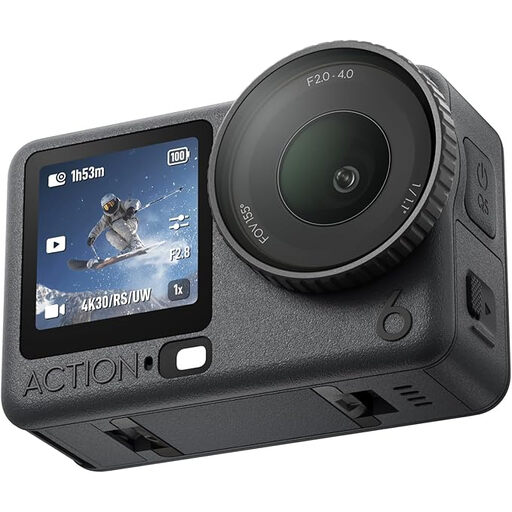
DJI Osmo Action 6 Standard Combo

DJI Osmo Action 6 Standard Combo

An action camera may be suitable for longer recordings. Beforehand, test whether you can secure it safely in the planned position and get the framing you want.

The product name lists a 1/1.1-inch sensor and variable aperture. According to the product description, the stated four-hour battery life applies under normal conditions.

View at Joybuy
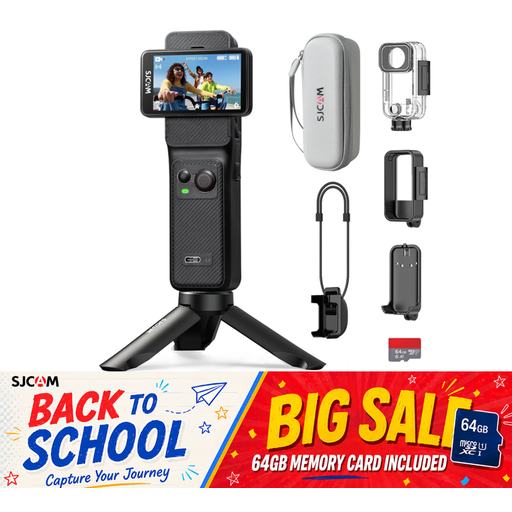
SJCAM C400 Action Camera 4K

SJCAM C400 Action Camera 4K

If you want to show a large area of the table, check whether the wide-angle view still captures small steps clearly enough.

The description lists 4K/30 fps, two touchscreens and a 154° ultra-wide-angle lens. The stated recording time of up to 437 minutes requires the grip and additional battery.

View at Joybuy

DJI Osmo Pocket 3 Creator Kit

DJI Osmo Pocket 3 Creator Kit

This model is better suited to moving viewpoints. For a fixed overhead shot, check the field of view and secure mounting on your table beforehand.

DJI lists a fixed 20-mm equivalent lens and a focus range starting at 0.2 m for the Osmo Pocket 3. 4K/120 fps refers to its slow-motion mode.

View at Joybuy
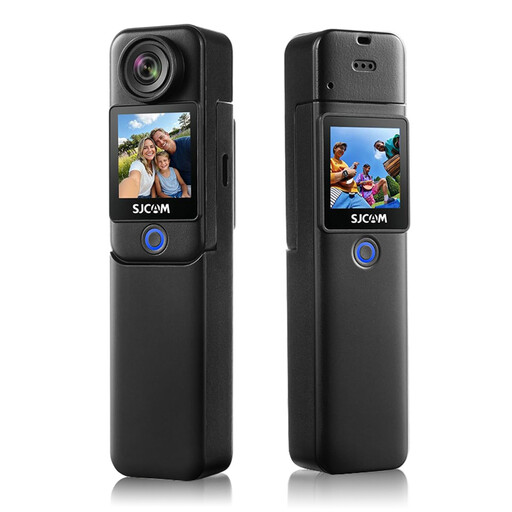
SJCAM C300 4K Action Camera

SJCAM C300 4K Action Camera

If you need a wide view of the work surface, test whether the ultra-wide-angle image captures enough detail to show folds and stitches.

The description lists 4K/30 fps, a 1.3-inch touchscreen and a 154° ultra-wide-angle lens. The stated recording time of up to 460 minutes requires the grip and additional battery.

View at Joybuy

Frequently asked questions

How can I check whether the camera captures small folds and stitches?

Place a test piece where you’ll be working and, at the planned camera height, check both the whole work area and the smallest details that matter. The DJI Osmo Pocket 3 has a stated focus range starting at 0.2 m and a fixed 20-mm equivalent focal length. With a mirrorless camera, check the specific lens too.

What can I do if the window light changes during a lesson?

First, check the exposure on your work surface in a test recording. Canon Academy describes manual white balance as a way to reproduce colours more consistently in different lighting conditions. Try the setting in your actual lighting.

Do I need an additional microphone for clear explanations?

Not necessarily. First, test your voice from the planned camera position. If it sounds too quiet or unclear, look into a suitable external microphone. Canon lists a microphone input and headphone output for the EOS R50 V, while Nikon lists support for a built-in or external microphone for the Z 30.

Who is responsible if a product develops a fault after I buy it in Germany?

If you buy from a retailer, your statutory consumer rights are claims against the seller; a voluntary guarantee is separate. If a product is faulty, the first step may be repair or replacement. Verbraucherzentrale explains the difference between statutory consumer rights and a guarantee.

Can I show other people or pages from someone else’s book in a lesson I publish?

You can’t decide this based on the camera alone. Section 22 of the KunstUrhG covers consent to distributing or publicly displaying images of people. Copyright law may also apply to reproducing protected book content or making it publicly available. Check the rights involved and the specific circumstances before publishing.