Teachers who need a detailed overhead view
You want to show exactly where the hook goes into small stitches. The working distance and framing need to suit your crochet project.


Choose a camera based first on where it will sit at your crochet table. Check that the yarn, stitches and your hands look sharp and are the right size in the frame from that distance. For teaching at a computer, a securely mounted webcam may fit your recording workflow; a mirrorless camera with a suitable lens gives you more flexibility over framing, while camcorders and gimbal cameras support different ways of recording. Make a test recording with your own lights and check for banding at your table.
You want to show exactly where the hook goes into small stitches. The working distance and framing need to suit your crochet project.
You want to use the view of your table directly on your computer. Make sure the camera can be mounted securely and fits into your recording workflow.
For longer explanations and changing camera angles, a practical recording setup and clear sound matter just as much as the camera position.
A good fit if: you teach from a computer and can mount the webcam securely above your table.
Bear in mind: your computer, software and mounting setup are all part of the recording workflow; focus and framing depend on the camera’s actual position.
A good fit if: you want to shape the frame by choosing a lens and record other teaching angles too.
Bear in mind: the lens and mount need to suit your working distance; you may also need a microphone or other accessories.
A good fit if: you want to record independently and make use of the audio and storage options specified for your model.
Bear in mind: a wide zoom range doesn’t tell you how large individual stitches will look from your recording distance.
A good fit if: you regularly film moving shots as well as views of your table.
Bear in mind: you’ll still need a suitable mount for a fixed overhead view, and you should check the angle of view at your crochet table.
The type of camera determines your recording workflow; then check the close-up view and lighting with your actual setup. The percentages below group consumers by their main concern when filming crochet lessons under artificial light.
| Priority | What to check when buying | Who it matters most to |
|---|---|---|
| Show stitches from above | Test the working distance, focus and field of view with the camera and lens in the position you plan to use. | If I want to show individual points where the hook goes in clearly, I need a suitable distance and framing. Around 33% of consumers are likely to prioritise this level of detail. |
| Avoid banding under artificial light | Make a test recording with the lights you use; if you see banding, check the shutter speed or whether your specific model has a suitable anti-flicker setting. | When I film under my own lights, I want to avoid distracting bands in the picture. Around 27% of consumers are likely to prioritise controlling the lighting. |
| Teach directly from a computer | Check the USB connection, the recording format supported by your software and that the camera can be mounted securely. | If I teach from a computer, I want to be able to fit the camera into that workflow. Around 20% of consumers are likely to have a computer-based workflow as their main priority. |
| Plan for sound and longer recordings | Record a speech test at your filming spot and check the microphone connection, storage and power supply on your specific model. | When I record longer explanations, I want my spoken instructions to remain clear and the recording workflow to be practical. Around 20% of consumers are likely to prioritise this. |
Resolution alone doesn’t tell you how large or sharp your crochet will look from the camera position you plan to use.
Check the working distance, field of view and focus with the specific camera and lens combination.
Depending on your setup, you may also need a suitable lens or an overhead mount.
A gimbal steadies movement, but it won’t securely position the camera above your hands by itself.
Plan how to mount the camera at your table, whatever type of camera you choose.
Webcams, mirrorless cameras and camcorders may call for different recording setups and accessories.
Work out what your teaching workflow actually needs before choosing a model.
The ZV-E10 II is a video-focused APS-C mirrorless camera with an E-mount. Sony’s listed kit includes an E-PZ 16–50 mm lens.
Canon offers the video-focused EOS R50 V mirrorless camera, as well as the LEGRIA HF G70 camcorder for a different recording workflow.
The Brio 4K is a USB webcam for a computer-based setup.
The Osmo Pocket 3 is a compact gimbal camera for teachers who also record moving shots.
The LUMIX G100D kit is an interchangeable-lens option; Panasonic describes the DC-G100DK as coming with a 12–32 mm lens.
The Joybuy picks below are video cameras for teaching crochet. For a fixed overhead view, check the mount, working distance and framing at your own table.
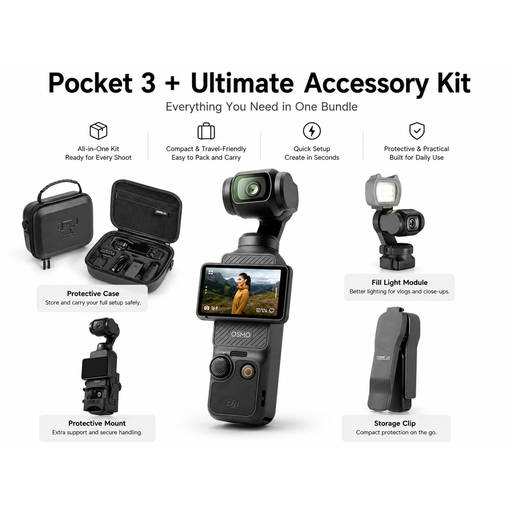 Image unavailable
The product name describes a handheld gimbal camera and an accessory kit; you’ll need to check the mount separately for a fixed view of your table.
 Image unavailable
The product name lists this model as a black Vlog Combo; before filming overhead, check that you can position the camera and your crochet project suitably in relation to each other.
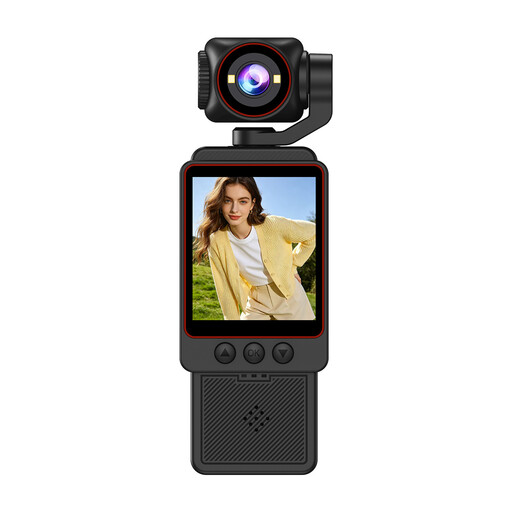 Image unavailable
The product name lists 1080P HD video, Wi-Fi transfer and an included SD card. Check the framing and focus from your planned recording distance.
 Image unavailable
The product name lists a pocket gimbal vlog camera with a 1″ CMOS sensor, 4K/240fps, 107GB of built-in storage and a grip with a 1/4″ thread. Check that the mount is suitable for the table position you have in mind.
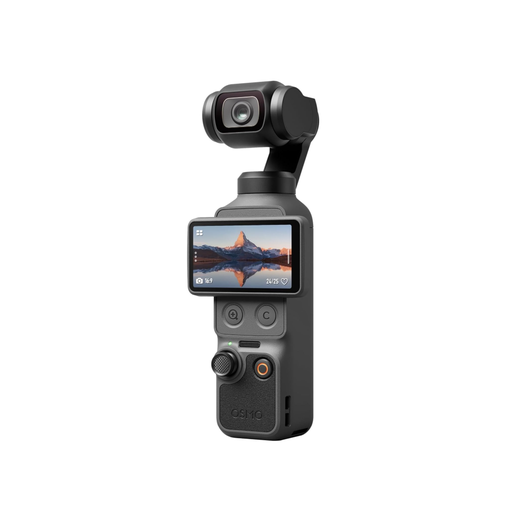 Image unavailable
The product name lists 4K video, a rotating 2-inch screen and 107GB of built-in storage. Check the angle of view and mounting options if you want to film your crochet from above.
Start by making a short test recording with the lights you’ll actually use. If you see banding, check whether your model has a video anti-flicker setting or an adjustable shutter speed, then check the results again.
No. The focus range and results depend on the specific model and setup. For example, DJI lists the Osmo Pocket 3 as focusing from 0.2 m to infinity; you should also check the distance, framing and sharpness with yarn and moving hands.
You can’t assume that blanket permission applies. If identifiable people are recorded and the footage is published, you’ll need to check the legal basis for processing their personal data and, where applicable, any other image rights in the specific circumstances. Germany’s Federal Commissioner for Data Protection and Freedom of Information describes consent as one possible legal basis; where possible, keep anyone not involved out of shot and out of the audio.