Artists teaching live
If you want to show your paper and hand movements live on a computer, check that the camera’s video feed works with your teaching app and that it can be mounted above your desk.


For live lessons where you want your paper and hands to be visible on a computer, a document camera is a natural starting point. For recording lessons independently, consider a compact or mirrorless camera. A compact camera saves you changing lenses, while a mirrorless camera with the right lens gives you more ways to adjust the framing. The key questions are whether the camera can capture fine lines and the whole page from the position you can actually use, and whether the connection, lighting and audio suit your lesson.
If you want to show your paper and hand movements live on a computer, check that the camera’s video feed works with your teaching app and that it can be mounted above your desk.
With limited space, your paper, hands and mount all need to fit together. What matters is the framing the camera can capture from the position you can actually use.
For videos you record yourself, you can weigh up a camera with a fixed lens against an interchangeable-lens system. Make sure your planned set-up shows both the paper and your hands.
A good fit if: you mainly want to show paper and hands live through a compatible computer, and you can mount the camera suitably on your desk. IPEVO describes the V4K PRO 120 as suitable for documents up to A3.
Consider: For the USB video set-up described, you’ll need a compatible computer and an app that can use the camera feed. Check that the image and framing are clear on the display you’ll actually use.
A good fit if: you want to switch between a computer image and a direct output to a compatible screen. IPEVO says the VZ-R supports both connections.
Consider: IPEVO specifies different maximum resolutions for USB and HDMI. The VZ-R also needs a power supply when used via HDMI.
A good fit if: you want to record videos without changing lenses, and the fixed lens can capture your paper and hands from the position you have in mind. Canon lists a built-in stand for the PowerShot V10 and a fixed zoom lens for the PowerShot V1.
Consider: A stand or zoom alone doesn’t guarantee a suitable overhead view. Check the framing, mounting and recording conditions for the length of lesson you plan to make.
A good fit if: you want to adjust the framing to suit the size of your paper or the camera position by choosing a different lens. The Canon EOS R50 V and Sony ZV-E10 II use interchangeable lenses from their respective mount systems.
Consider: The camera body, compatible lens and sturdy mount all need to work together. A kit zoom doesn’t guarantee a suitable overhead view or macro performance.
| Buying priority | What to look for | Who it matters to |
|---|---|---|
| Clarity of paper and lines | Check a typical sheet of paper and fine lines in the final output format. For the IPEVO VZ-R, note that maximum resolutions vary by output. | If you want fine pencil lines to be clear in the finished image, the actual framing matters more than a high resolution figure on its own. Around 33% of consumers may put clarity at the top of their buying priorities. |
| Set-up on a small desk | Measure the available space and possible mounting height. Check framing, stability and cable routing with your planned set-up. | If desk space is limited, your paper, hands and mount all need to fit within the space available. Around 27% of consumers may prioritise a set-up that works in a confined space. |
| Live video and connection | Decide whether the image should go to a computer or directly to a screen, then check that your teaching app supports it. | If I want to stream a drawing lesson live, the image needs to reach my chosen device through the connection I plan to use. Around 20% of consumers may consider a live connection their top priority. |
| Audio and longer recordings | Test the microphone, power supply and memory card in a trial recording of the length you have in mind. | If I want my explanation to remain clear while I draw, and the recording to run to the end, the whole set-up needs to work. Around 20% of consumers may prioritise audio and recording time. |
How large lines appear in the finished image also depends on the framing. The IPEVO VZ-R also has different specified maximum resolutions for USB and HDMI.
Place a typical sheet of paper under the camera in its planned position, then check fine lines using the output mode you intend to use.
A built-in stand or interchangeable lens doesn’t guarantee that the whole sheet and your hands will be visible from the mounting position available to you.
Plan the camera height, stability, paper size and lens or angle of view together, and test the set-up before recording a full lesson.
USB and HDMI are different video connections on the IPEVO VZ-R. HDMI mode requires a power supply, and an HDMI output doesn’t automatically mean a computer will recognise the signal as a camera.
Decide which device you want to use first, then check the connections on the specific model and whether your teaching app supports it.
Document cameras for desktops, with a choice of connection options.
According to ELMO, the MX-P3 is a document camera with multiple outputs and recording options.
According to Canon, there are different ways to record videos independently: compact cameras with fixed lenses and mirrorless cameras with interchangeable lenses.
The Sony ZV-E10 II is a video-focused mirrorless camera with an E-mount.
According to Panasonic, the DC-G100DK kit includes the LUMIX G100D with a 12–32 mm lens.
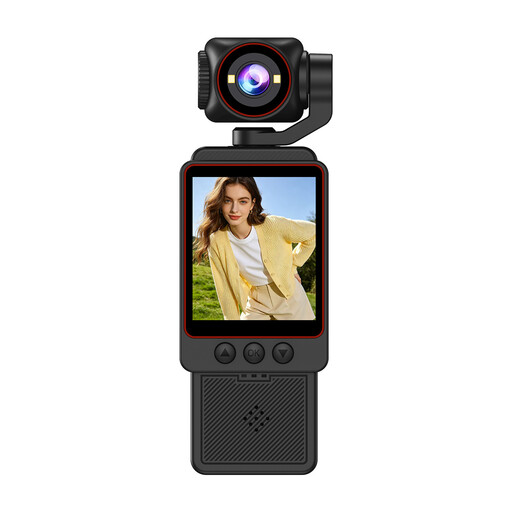
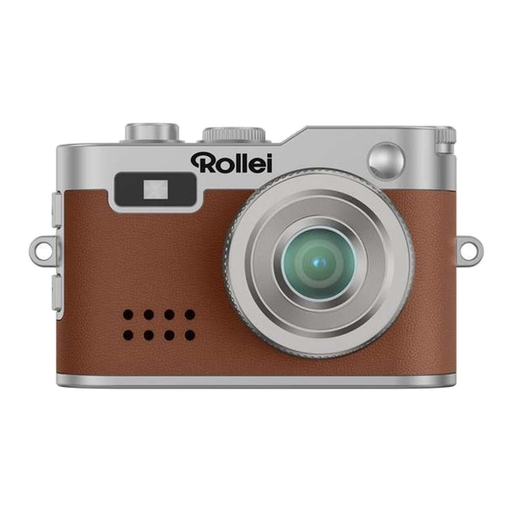
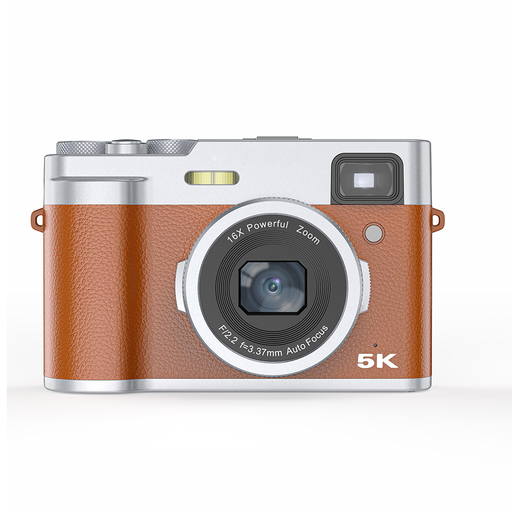
The Joybuy camera options below are a starting point for recording drawing lessons. One of the cameras listed also specifies a wired webcam function for live lessons on a computer.
 No image available
For recorded drawing lessons if you’re looking for a video camera described as 1080P HD. The product description also lists Wi-Fi transfer, fast focusing, noise reduction and long battery life; check whether these features suit the way you plan to record.
 No image available
For recorded lessons or live teaching on a computer if you want to use a wired webcam function. The product details list Full HD video, voice recording and a built-in LED light; test the picture and sound at your desk.
 No image available
For recorded drawing lessons if you’re looking for a digital camera with a 4K specification. The product name also lists 80 MP and 18x zoom; check which of these specifications are relevant to recording and the framing you want.
 No image available
For recorded lessons. The product name lists autofocus, a 2.8-inch screen and an optical viewfinder; check the framing from the planned position above your paper.
For the USB live video connection described by IPEVO for the VZ-R, you’ll use a computer. Alternatively, the camera can send video directly to a compatible screen via HDMI; in this mode, it needs a power supply. Check the connection options for the specific model.
Record a short test clip under the lighting you intend to use. Sony notes that different types of light can affect colour reproduction, and white balance settings can help correct unwanted colour casts. Check the result on the display you plan to use for your lesson.
No. The resolution specification alone doesn’t tell you whether a camera is suitable for the length of recording you have planned. Sony explains generally that 4K takes up more storage than HD and can make editing more challenging. Check the specific model’s recording time, power supply, memory card and audio function.
If other people can be identified in the footage, you generally need their consent to publish it. Section 22 of the KunstUrhG makes the distribution or public display of images subject to this requirement; the exceptions in Section 23 must be considered separately. Being recorded doesn’t automatically mean someone has given permission for publication.
For a consumer purchase in Germany, your statutory rights in the event of a fault are against the seller. The Verbraucherzentrale states that, in general, the period for new goods is two years from when you receive or take delivery of the product. A voluntary manufacturer’s guarantee is separate.