For a fixed overhead view with an adjustable frame, consider a mirrorless camera with an interchangeable lens. A webcam may be more convenient if you want to connect straight to your computer, while a camcorder has a built-in zoom. The key is to test it at your own desk: check that the white of the paper and fine shading are both visible, and that the framing, focus, lighting and recording process suit the way you work. Canon Deutschland and the Canon Academy explain why white balance and metering matter; a 4K specification alone won’t answer these questions.
Which camera is right for you?
Artists who want to capture subtle tones
If you want to show the white of the paper, pale sketch lines and dark shading clearly, assess the exposure, white balance and lighting together. Canon Deutschland explains how light sources affect the appearance of white, while the Canon Academy describes how light and dark areas in an image can affect metering.
Artists who need a fixed overhead view
If you want to film the whole sheet from above, make sure the camera, lens or webcam suits the mounting height and the space you have to work. Interchangeable lenses, camcorder zooms and webcams offer different approaches; the framing will depend on your particular setup.
Artists working on long sessions or live classes
If you want to record longer sessions without interruption or demonstrate your technique directly on a computer, choose a camera that suits your workflow. Panasonic describes features of the HC-VX3, while Logitech documents a sketch mode for calls on the MX Brio.
What to look for when buying
Mirrorless camera with interchangeable lens
A good fit if: You want to adjust the angle of view and working distance by choosing a lens, or capture close-up details later on.
Bear in mind: The camera body alone won’t determine the right framing or which lens is included. You’ll also need to plan for a mount and power supply.
Camcorder with built-in zoom
A good fit if: You want to record independently and adjust the framing from a fixed position without changing lenses.
Bear in mind: The zoom specification won’t tell you whether the whole sheet will fit in frame or whether close-ups will focus from your mounting height.
USB webcam
A good fit if: Live teaching or recording directly on your computer is your priority.
Bear in mind: Check where it will sit on your desk, how it connects to your computer and which recording software you’ll use. A sketch mode doesn’t automatically mean you’ll get an overhead view that fills the frame.
Compact gimbal camera
A good fit if: You want to capture moving cutaway shots as well as a fixed view of your desk.
Bear in mind: For a fixed overhead view, you’ll need to check that the fixed lens, framing and mount are all suitable.
| Priority |
What to check when buying |
Who it matters most to |
| Paper whiteness and graphite tones |
Test with real paper and the lighting you plan to use. Adjust the exposure and white balance, then check both light and dark areas of the drawing. |
If I want to show both the white paper and fine pencil lines, I’ll check both in the recorded image. Around 34% of consumers are likely to prioritise tonal range. |
| Whole sheet in frame |
Compare the paper size and mounting height with the angle of view of the specific lens or webcam. Test the focus from that position. |
If I want to show the entire sheet from the mounting height I have, the framing also needs to work with my hand in view. Around 33% of consumers are likely to prioritise the overhead view and full framing. |
| Longer recordings |
Check the power supply and storage in your chosen video mode and during a test recording. |
If I want to record longer drawing sessions in one go, I’ll plan for enough power and storage to suit the actual workflow. Around 20% of consumers are likely to prioritise recording time. |
| Computer and live demonstrations |
Check that your computer and software can display the camera feed in your chosen mode, with both the sheet and your hand visible. |
If I want to explain as I draw, I’ll need a video setup that works with my computer and software. Around 13% of consumers are likely to prioritise a direct connection to their computer. |
Common assumptions to avoid
-
Choosing based on 4K resolution alone
Resolution won’t tell you whether the white paper, different graphite tones and your chosen framing will be clear in your setup.
If possible, ask to test the camera with the paper, lighting and camera position you plan to use.
-
Assuming zoom or Show Mode guarantees the right overhead view
A zoom specification doesn’t prove that the camera will focus from your mounting height. Logitech describes the MX Brio’s Show Mode for showing sketches during a call, not as proof that it will work for every desk setup.
Check the whole drawing area, focus and freedom to move your hand from the planned position. Depending on your setup, you may need a different mount or, with a mirrorless camera, a different lens.
-
Assuming USB-C can power the camera while recording
For the HC-VX3, Panasonic distinguishes between power via USB-C and charging while the camera is switched off.
Check the manual for your specific model to see which power options are available in your chosen video mode. Test your planned setup with suitable storage, too.
For longer recordings, you may need to include an additional power supply or memory card in your setup.
Key brands to consider
Canon
The EOS R50 V is a video-focused mirrorless camera with an interchangeable lens and USB-C webcam functionality.
- Canon documents a vari-angle screen and a microphone input.
- The right view of your sheet depends on the lens you buy and how you mount the camera; the product information doesn’t confirm that it has been tested with pencil drawings.
Sony
The ZV-E10 II is a mirrorless camera with an E-mount. Sony lists a 16–50-mm lens for one German kit version.
- Changing lenses gives you the flexibility to plan different framings.
- The documented 4K-60p feature doesn’t guarantee a suitable working distance above your sheet or flicker-free video under every light.
Panasonic
The HC-VX3 is a camcorder with a built-in zoom, designed for recording video independently from your chosen position.
- Panasonic lists 24x optical zoom and 4K recording.
- The 25-mm wide-angle setting applies to specifically listed recording modes. Check that the framing and focus work from your mounting height.
Logitech
The MX Brio is a USB webcam for presenting sketches from a computer.
- Logitech describes a Show Mode and controls for white balance, ISO and shutter speed.
- The product information doesn’t confirm how well it captures graphite detail or whether it can show a full A4 sheet from every position.
DJI
The Osmo Pocket 3 is a compact gimbal camera for capturing moving cutaway shots alongside a fixed view of your desk.
- DJI documents mechanical three-axis stabilisation and a fixed lens with a 20-mm full-frame equivalent focal length.
- For a fixed overhead view, you’ll need to make sure the framing and mount are suitable, independently of the stabilisation.
Joybuy products for your drawing setup
The products below include webcams for recording on a computer and compact cameras for independent or additional viewpoints. Before buying, check that the framing and mount will work at your drawing desk.
 No image available
Full HD 1080p USB webcam with microphone
For recording on a computer: check the webcam’s framing at your desk and in your software.
The product title lists USB plug-and-play and use with a PC and laptop. The description specifies 1080p video, a 120° field of view, a rotating lens and a flexible tripod.
Joybuy
 No image available
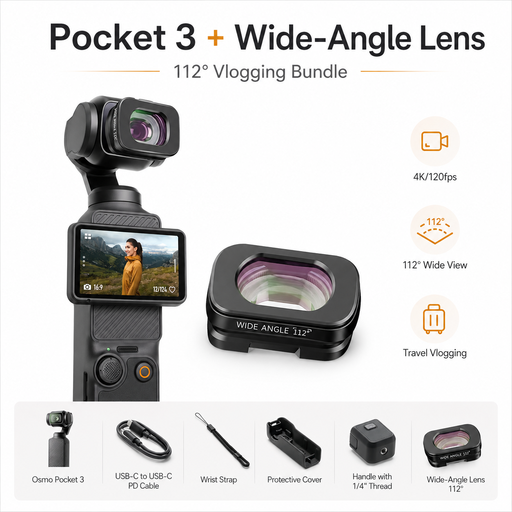
DJI Osmo Pocket 3 Standard Combo with ULANZI F35 112° wide-angle lens
For a compact additional viewpoint. Whether the camera will work as a fixed overhead camera depends on the framing and mount.
The product title lists 4K/120fps and a mechanical three-axis gimbal. The product description specifies a 112° wide-angle lens for the Osmo Pocket 3.
Joybuy
 No image available
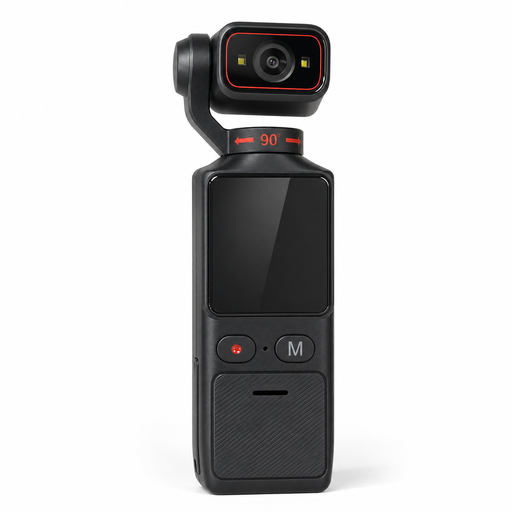
4K pocket camera with electronic image stabilisation and 180° rotating lens
If you’re looking for an adjustable viewpoint, check the lens orientation and framing at your planned location.
The product title lists Wi-Fi and a 1.69-inch touchscreen. The description specifies adjustable exposure and white balance, as well as USB-C, microSD card support and a 1/4-inch tripod thread.
Joybuy
 No image available
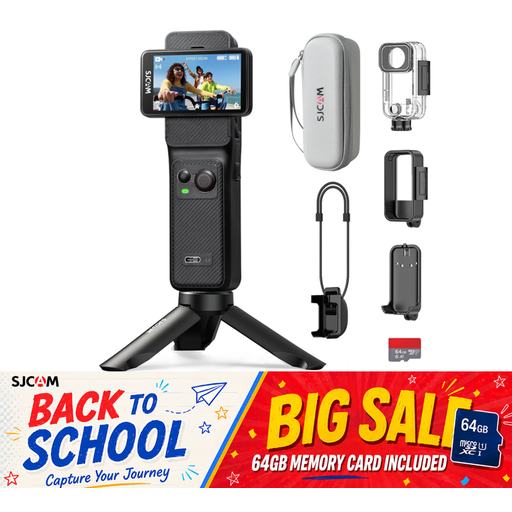
SJCAM C400 action camera with 64 GB memory card
For longer recording sessions, test the power supply and storage in your chosen video mode.
The product description specifies 4K recording at 30fps, a 154° wide-angle view, adjustable white balance and exposure compensation, and a 64 GB memory card. According to the description, recording time is up to 437 minutes with the grip and additional battery.
Joybuy
 No image available
Insta360 Link 2C Standard Bundle Graphite Black, 4K webcam
For showing sketches on a computer: test DeskView at your own desk and check compatibility with your computer.
The product description lists DeskView and Whiteboard Mode. According to the description, the product is currently incompatible with ARM-based Windows systems.
Joybuy
Frequently asked questions
How can I stop white paper looking grey or taking on a colour cast?
Record a short test using the paper you’ll actually be drawing on, then check the exposure and white balance separately. Canon Deutschland explains that light areas in an image can affect metering, and that light sources can make white appear differently. Also check that pale pencil lines remain visible; this information doesn’t provide a universal correction setting.
How can I prevent banding or changes in brightness under artificial light?
Test a recording under the exact lights you plan to use. Sony recommends changing the shutter speed to address flicker; which settings are available and effective will depend on the light, region and camera model.
Can I use a webcam instead of a camera that records independently?
A webcam may suit a class run from a computer. Logitech describes the MX Brio’s Show Mode for sharing notes and sketches. Before you buy, check what’s visible at your own desk and test recording with your software.
Who should I contact if something goes wrong with the product?
For your statutory consumer rights, the retailer is generally your point of contact; this is separate from any voluntary manufacturer’s warranty. The Verbraucherzentrale also explains that online purchases in Germany generally come with a 14-day right to cancel, although statutory exceptions apply.
Can I publish a video of a portrait of an identifiable person?
Not simply because you filmed the drawing yourself. Section 22 of the KunstUrhG generally requires the subject’s consent to distribute or publicly display an image of them; Section 23 sets out exceptions and limits. Whether a particular drawing depicts an identifiable person and qualifies for an exception can’t be determined without knowing the specific circumstances.


