What should you look for when buying?
USB document camera
A good fit if: You record on a computer and mainly want to show the work surface from above.
Consider: Your setup will need a USB connection and recording software. The sensor resolution alone doesn’t tell you what output the software you use will produce.
Webcam on a boom arm
A good fit if: You already record on your computer and can mount the webcam suitably above the table.
Consider: Show Mode or autofocus don’t guarantee that small details in your clay will look sharp from your working distance; Elgato lists the Facecam Pro as Legacy/EOL.
Compact camera
A good fit if: You want to record independently and switch between a table view and other angles without choosing an interchangeable lens.
Consider: You can’t change the lens later if it’s built in, and the minimum focusing distance alone doesn’t determine how large your piece will appear in the frame.
Mirrorless camera
A good fit if: You want to choose a lens and setup specifically for a range of close-up and wide-angle views.
Consider: Close-ups also depend on the lens you choose; a camera body without a lens isn’t a complete recording setup.
Start by deciding on your work surface, camera position and recording process. That way, you can compare the technical specifications against your planned table setup, rather than relying on a resolution figure alone.
| What to consider |
What to check before buying |
Who needs to consider this? |
| Overhead view and work surface |
Measure the area you need to cover and the mounting distance. IPEVO lists a maximum capture area of 34,2 × 25,5 cm and a 150 cm USB cable for the V4K PRO. |
If you want your hands and piece to stay in frame together, check the framing and camera position at your table. Around 29% of consumers prioritise a suitable overhead view when choosing a camera. |
| Close-up focus and framing |
Check the focus range and framing together. Elgato lists a focus range starting at 10 cm for the Facecam Pro; Canon gives a minimum focusing distance of 0,05 m for the PowerShot V1. Neither figure replaces checking the framing you want. |
If you want fine textures and small details in your work to be visible, the image at your intended working distance matters. Around 29% of consumers prioritise close-up details when buying. |
| Recording process and accessories |
Decide whether you’ll use a computer while recording. IPEVO lists USB-UVC and compatible software for the V4K PRO; the EOS R50 V body, sold separately, does not include a lens. |
If you want to record easily on a computer, or work more flexibly without a computer being involved throughout, compare the connections and what’s included. Around 24% of consumers put the recording process first. |
| Audio and lighting |
Plan the microphone position and lighting for your workspace. IPEVO recommends a speaking distance of 30–70 cm for the V4K PRO; Logitech lists exposure and white balance controls for the MX Brio. |
If you’re talking through the modelling process, it’s worth considering sound and picture together for your table setup. Around 18% of consumers prioritise clear explanations and controllable lighting. |
Joybuy products for video recording
This selection includes webcams for recording on a computer, as well as compact cameras for flexible video recording.
 No image available
Full HD 1080P Webcam with Microphone
For recording on a PC or laptop when you’re looking for a USB webcam with a built-in microphone.
USB plug and play; built-in microphone.
View at Joybuy
 No image available
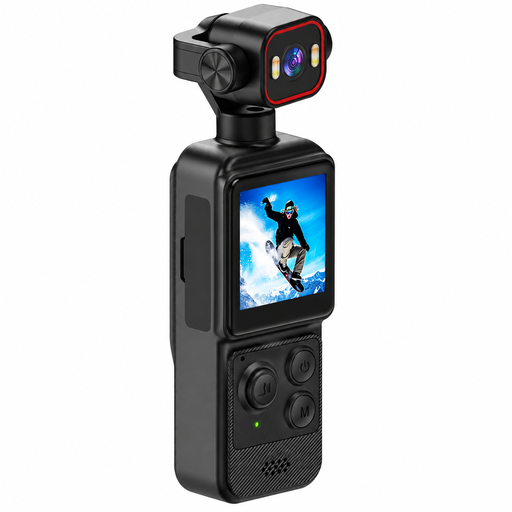
4K Mini Camera with Clip, 1.54-inch Display
A compact camera option for video recording if you’re considering a clip and built-in display.
140° wide-angle lens, app control and LED lighting. The battery is listed as 1200 mAh.
View at Joybuy
 No image available
Razer Kiyo V2 X Full HD Webcam
For computer-connected video recording if you’re looking for a USB webcam with autofocus.
1080p at 60 frames per second; 80° field of view.
View at Joybuy
 No image available
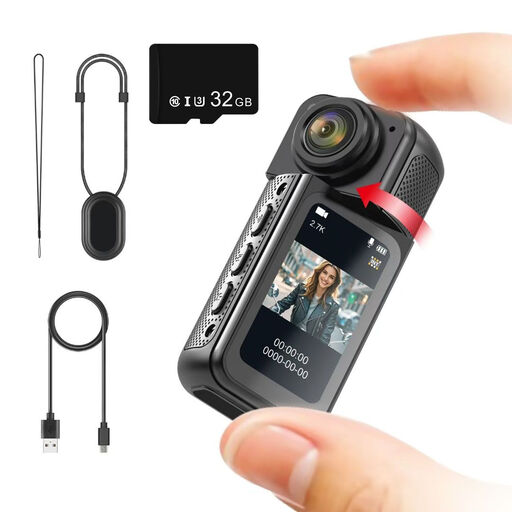
NAXSIR Mini Action Camera 2.7K
A compact camera option for video recording if a rotating lens and included memory card are important to you.
2.7K video, 180° rotating lens, magnetic mount and 1.47-inch IPS display. A 32 GB memory card is included.
View at Joybuy
 No image available
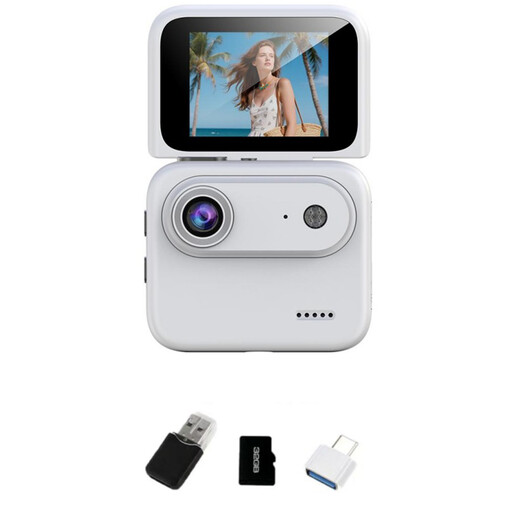
NAXSIR 4K Mini Action Camera with 32 GB TF Card
A compact camera option for video recording if you’d like to check your framing using a flip screen.
2.0-inch flip screen, 143° wide-angle lens and built-in image stabilisation; a 32 GB TF card is listed.
View at Joybuy
Frequently asked questions
How can I check whether my piece and both hands will fit in the frame?
Measure the area you need to cover and the possible camera height, then check the framing with your planned setup. IPEVO lists a maximum capture area of 34,2 × 25,5 cm for the V4K PRO; this figure doesn’t automatically apply at every mounting height.
Can I record with a USB document camera without a computer?
For the IPEVO V4K PRO, you should plan to use a computer with a USB connection and suitable recording software. IPEVO lists USB-UVC and compatible software; this doesn’t mean the model can record independently.
How should I set up my camera and workspace for recording?
Before recording, check that the mount and cable won’t get in the way of your hand movements, and that both picture and sound are coming through in your chosen software. IPEVO lists a 150 cm USB cable for the V4K PRO; Elgato lists USB 3.0 Type C for the Facecam Pro.
What if a product is faulty or an item bought online isn’t right for me?
For a faulty consumer purchase, the seller is generally responsible for the statutory guarantee; the Consumer Advice Centre states that this lasts for two years. Many online purchases are also generally covered by a 14-day right to cancel, starting from the conclusion of the contract or receipt of the goods. A voluntary manufacturer’s warranty is separate, so check the terms of your specific purchase.
Can I publish a video if other people are recognisable in it?
Under § 22 KunstUrhG, you generally need the consent of anyone shown in images that are shared or displayed publicly. If other people are recognisable or personal data is being processed, check the applicable legal basis before publishing; the BfDI explains the requirements for consent under data protection law. This isn’t a blanket statement about every video showing only hands and clay.


