Close-ups of watch movements
You want to show tiny components at a large size and can set up the camera, lens and lighting on your workbench. Both the magnification ratio and the space between the lens, the watch movement and your hands matter.


For tiny watch movement details, a mirrorless camera with a carefully chosen macro lens is a good option if you want to position the lens, frame and camera deliberately. For a fixed overhead view with a live feed on your computer, a USB document camera may suit your workflow better. A compact camera with a fixed zoom makes it easier to switch between an overview and close-ups. A short minimum focusing distance alone does not guarantee enough magnification or enough room for your hands, tools and lighting.
You want to show tiny components at a large size and can set up the camera, lens and lighting on your workbench. Both the magnification ratio and the space between the lens, the watch movement and your hands matter.
You mainly need a fixed view from above and a live feed on your computer, while keeping both hands free for repairs.
You switch between an overview and close-ups, or want to record longer repair steps. That makes the controls, power supply and maximum recording time important factors to consider.
A good fit if: You want to show tiny screws or watch movement details at a large size, and choose the lens and framing yourself.
Consider: You’ll need to budget for a macro lens in addition to the camera body. Check that there’s room for your hands and lighting at the workbench.
A good fit if: You need a fixed overhead view and a live feed in software, and can use a suitable computer while recording.
Consider: A computer-based recording setup is not proven to deliver 1:1 macro magnification. Test how a small watch component looks on screen.
A good fit if: You want to switch between a workbench overview and closer shots without changing lenses.
Consider: A short minimum focusing distance doesn’t tell you how large tiny components will appear in the finished image.
A good fit if: You also want to capture moving overviews or footage away from a fixed workbench.
Consider: The focusing range and digital zoom don’t prove that it’s suitable for tiny watch movement details. Check the framing before choosing.
| Criteria | What to look for when buying | Who it matters most to |
|---|---|---|
| Small movement components | Check the magnification ratio of the specific lens and the distance from the front of the lens; test the framing and focusing range with a typical watch component. | If I want to show tiny screws or movement details at a large size, I look for magnification and sharpness. Around 36% of consumers make this their main priority. |
| Clear workspace | Check the mounting position, usable working area and focusing distance with your hands, tools and lighting at the actual workbench. | If I want to film from above and use both hands for repairs, I need to be able to position the camera outside the work area. Around 29% of consumers put a clear workspace and overhead view first. |
| Longer recordings | Check the recording time in your preferred video mode, the power supply and storage, and whether recording is computer-based or standalone. | If I want to record a longer repair step in one continuous take, I plan the controls and power supply together. Around 21% of consumers who prioritise longer recordings put this first. |
| Lighting and focusing range | Test the work light and camera together; check focus across the relevant part of the movement, as well as reflections and flicker in the clip. | If I need consistent footage under the room lighting I already have, I want to get the lighting and focus right beforehand. Around 14% of consumers prioritise controllable lighting and consistent image quality. |
Sony says the ZV-E10 II kit includes a 16–50 mm zoom lens. The stated 1:1 magnification applies to the separately considered E 30 mm F3.5 Macro, not automatically to the kit.
Compare the exact contents of the box with the magnification ratio of the lens actually included.
For the Sony and Nikon macro lenses mentioned, the specified distance between the front of the lens and the subject is only a few centimetres at the closest focusing point. This can affect where you work and how you light the scene.
Try out your planned set-up with the watch component, your hands, tools and lighting before choosing a lens and mounting position.
DJI lists a focusing range starting at 0.2 m and digital video zoom for the Osmo Pocket 3. These specifications alone don’t prove 1:1 magnification.
Check how large a real watch component appears in the footage instead of relying on a zoom figure alone.
The ZV-E10 II is an E-mount mirrorless camera designed with video in mind. Sony states that the separately available E 30 mm F3.5 Macro offers 1:1 magnification.
The Z 30 is a video-capable Z-series camera; the NIKKOR Z MC 50 mm f/2.8 is a macro lens option that you need to choose separately.
The PowerShot V1 is a compact camera with a built-in zoom lens; the EOS R50 V is a mirrorless camera that lets you choose your own lens.
The V4K PRO is a USB document camera for viewing your work surface through a computer.
The Osmo Pocket 3 is a compact gimbal camera that could be considered as an additional camera for moving shots.
The Joybuy products below are mini action cameras for video recording and reviewing footage. The listed specifications don’t prove macro magnification. If you’re filming watch movement details, check the framing with a typical component before choosing a model.
 No image available
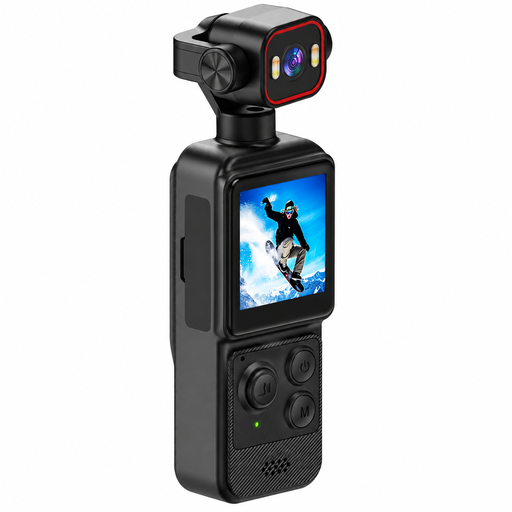
Could be considered for a moving overview; check how small watch components look in the actual footage.
Features listed in the product name: 4K, 1.54-inch display, 140° wide-angle lens, app control, LED lighting and a 1200-mAh battery.
 No image available
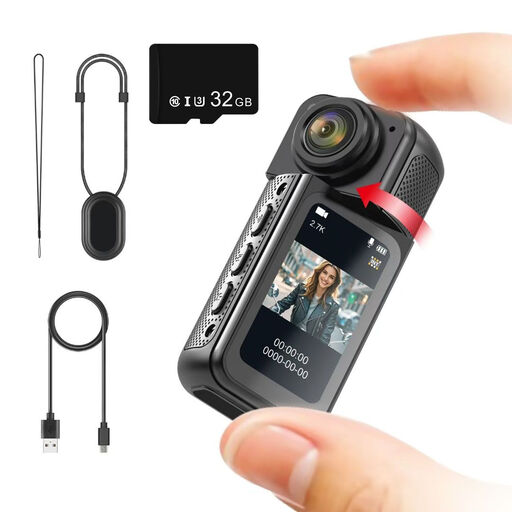
Could work for a moving overview; test whether the watch component you want to film looks large enough in the footage.
Features listed in the product name: 2.7K, 180° rotating lens, magnetic mount, 1.47-inch IPS display and an included 32 GB memory card.
 No image available
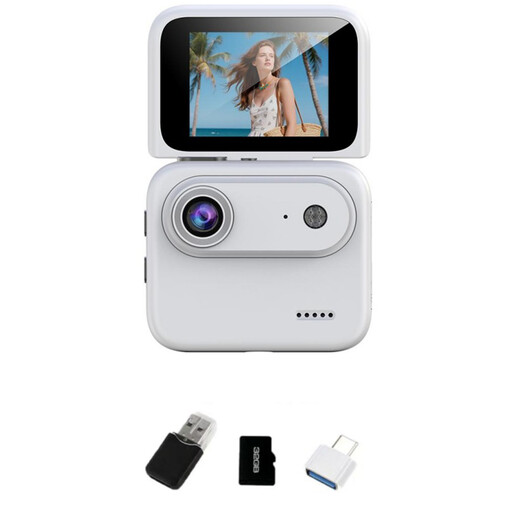
Could be worth considering for overview shots; you can only judge whether tiny components will be large enough by testing it with the actual subject.
Features listed in the product name: 4K, 32 GB TF card storage, 2-inch flip-up display, 143° wide-angle lens and built-in image stabilisation.
 No image available
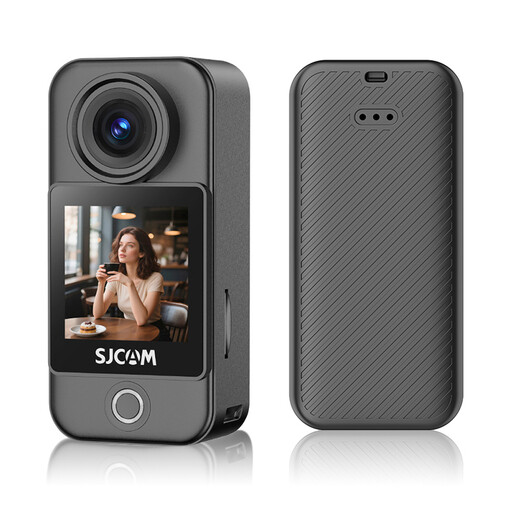
Could be worth considering for longer or moving overview shots; test it with a typical component to see whether small watch movement details are clear.
Features listed in the product name: 4K video, 6-axis gyroscopic stabilisation, 1.3-inch touchscreen and up to 172 minutes of recording time.
No. The minimum focusing distance alone doesn’t tell you that. Also compare the magnification ratio and the distance between the front of the lens and the watch movement: Canon UK lists a minimum focusing distance of 0.05 m for the PowerShot V1, while Sony Germany gives the separate E 30 mm F3.5 Macro a 1:1 magnification ratio and a distance of 2.4 cm from the front of the lens to the subject. Check the framing with a typical component.
You’ll need a suitable USB port, a computer and compatible recording or preview software. IPEVO specifies a USB Video Class interface for the V4K PRO; IPEVO’s V4K help guide describes software on a computer or laptop as part of the recording set-up. Check the requirements for the specific model and software.
For macro photography, you may need a suitable macro lens in addition to the camera kit. Also check whether your set-up requires a mount, lighting, a power supply and storage; the camera name alone doesn’t tell you which accessories are included in the specific kit.
For a consumer purchase, the seller is generally responsible for statutory consumer rights. These are separate from a voluntary manufacturer’s or retailer’s guarantee. In an article dated 13 August 2026, Verbraucherzentrale explains that the retailer is generally responsible for ensuring the goods are free from defects for a two-year period. The specific requirements will depend on your claim.
Under § 22 KunstUrhG, distributing or publicly displaying images of a person generally requires their consent; § 23 sets out exceptions, subject to further limits. The Federal Ministry of Justice publishes the relevant legislation. Whether a particular recording falls within these rules depends on its content and intended use.