Who films calligraphy in a home studio?

Calligraphers who need an overhead view

You want to show the page, your hand and the letters taking shape from above, without the camera getting in the way of your writing. The University of Hamburg describes document cameras as devices that can be positioned above documents.

Live teachers

If you explain your strokes on a computer, the camera connection and software need to suit the way you plan to stream. Depending on the camera, you may also need to plan for a separate audio setup.

Creative video makers

If you want to film close-ups or side views as well as the whole page, check whether interchangeable lenses or a camcorder’s zoom will give you the framing you want.

What should you look for when buying a camera for calligraphy?

Document camera

A good fit if: you want to show your paper and writing hand from above during a desk-based demonstration.

Worth considering: the example shown uses a USB connection and computer as part of the recording setup. Check that the capture area suits your paper.

Webcam on an overhead mount

A good fit if: you already record or stream on a computer and can position the camera independently above the paper.

Worth considering: the mount and audio setup need to suit your workspace. Elgato says you’ll need a separate microphone for the Facecam Pro.

Mirrorless camera

A good fit if: you want to create a range of close-up and side views as well as an overhead shot, and use suitable interchangeable lenses.

Worth considering: the lens, focusing distance, overhead mounting and power supply all need to work for your recording space.

Camcorder

A good fit if: you want to record your writing independently and adjust the framing without changing lenses.

Worth considering: the minimum focusing distance of the Canon LEGRIA HF G70 depends on the zoom setting. Check the framing from your planned camera position.

What you need What to check before buying Who is it important to?
Overhead view and writing area Test the page and your hand in the intended frame. For the IPEVO V4K PRO, compare the manufacturer’s stated capture area of 34,2 × 25,5 cm with your paper size and margins. If I want to show the whole page and my writing hand from above, I need suitable framing and enough room for the nib. Around 36 % of consumers put a full overhead view first.
Live use with a computer Check that the USB connection, operating system and recording software are compatible. For the Elgato Facecam Pro, factor in USB 3.0 and a separate audio setup. If I teach live on a computer, both the picture and spoken explanation need to work with my chosen setup. Around 29 % of consumers prioritise a reliable live workflow.
Fine strokes and changing views Test with your smallest lettering and planned framing; for a mirrorless camera, check the specific lens. According to Canon, the LEGRIA HF G70 has different minimum focusing distances depending on the zoom setting. If I want to show fine strokes or switch between close-ups, the focus and framing need to work at my actual writing desk. Around 21 % of consumers prioritise detail and flexible views.
Longer recording sessions Check the recording medium, power supply and model-specific conditions. Nikon states that the Z 30 can record up to 125 minutes of continuous footage; this manufacturer figure won’t necessarily apply to every setup. If I want to record a longer writing session without planning a changeover, I need to consider storage and power. Around 14 % of consumers prioritise longer recording times.

Common pitfalls when buying a camera for calligraphy

  • Assuming the highest resolution means every detail will be clear

    Whether fine strokes remain visible also depends on focus, working distance and framing. A high resolution figure on its own doesn’t show how your lettering will look in your specific setup.

    Before you finish setting everything up, record a test with your smallest lettering and the framing you plan to use.

  • Overlooking mounting and audio when choosing a webcam

    Camera specifications won’t tell you whether a particular overhead mount will suit your workspace. Elgato’s comparison table lists the Facecam Pro as having no built-in microphone.

    Before choosing, consider the camera position, computer connection and planned audio setup together.

  • Looking at the camera body alone when choosing a mirrorless camera

    The Canon EOS R50 V and Sony ZV-E10 II use different lens mounts. Whether a particular lens captures both the page and nib as you want depends on the lens and working distance.

    Compare the complete kit and test the intended focusing distance instead of looking only at the camera body’s video features.

Brands to consider

IPEVO

Document cameras for a fixed overhead view and computer-based demonstrations; the V4K PRO is one specific model.

  • According to IPEVO, the V4K PRO offers USB-A/UVC, a focusing range starting at 10 cm and a maximum capture area of 34,2 × 25,5 cm.
  • These specifications apply to this model. Check that the working area, connection and software suit your setup.

Elgato

PC-focused webcams for a separately mounted overhead setup; the Facecam Pro is the model covered here.

  • Elgato lists variable focus, 2160p60 and USB 3.0 for the Facecam Pro.
  • According to Elgato’s comparison table, this model has no built-in microphone. You’ll need to plan your mounting and audio separately.

Canon

The EOS R50 V is a mirrorless camera with interchangeable RF lenses, while the LEGRIA HF G70 is a camcorder with a fixed zoom lens.

  • Canon lists 4K 60p and interchangeable RF lenses for the EOS R50 V; for the HF G70, Canon lists 4K UHD/25p, 20x optical zoom and two SD card slots.
  • The right design for you depends on whether you want to change lenses or use a built-in zoom. These specifications aren’t an independent assessment of image quality.

Sony

The ZV-E10 II is an E-mount mirrorless camera for recording with interchangeable lenses.

  • Sony lists 4K 60p and, in the kit, an E PZ 16–50 mm F3.5–5.6 OSS II lens.
  • The kit details alone won’t tell you whether the working distance and framing will suit both the nib and the whole page.

Nikon

The Z 30 is a camera option for video recording and streaming.

  • Nikon lists 4K UHD/30p and up to 125 minutes of continuous footage.
  • This recording time is a manufacturer figure for this model and doesn’t guarantee the same duration with every recording setup.

Joybuy products

The following Joybuy cameras and webcams are worth considering for recording video in a home studio. Check that the framing, mounting and recording setup will work for calligraphy at your desk.
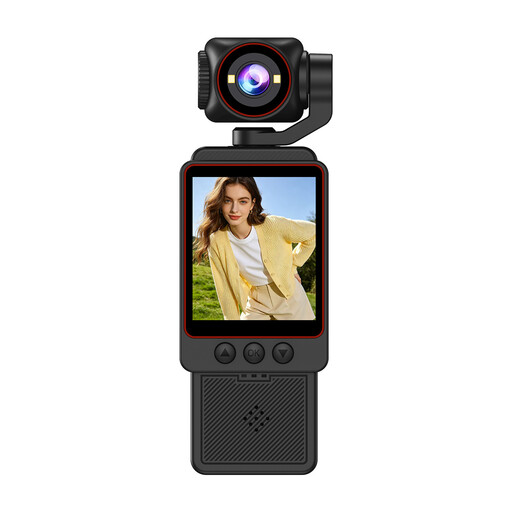
Compact video camera with 1080P HD video

Compact video camera, 1080P HD

Worth considering for straightforward video recording; test first to see whether the focus and framing capture your lettering clearly from above.

The product listing mentions Wi-Fi transfer, fast focusing and an SD card included. According to the product description, the camera isn’t waterproof, so keep it away from rain and damp conditions.

View at Joybuy
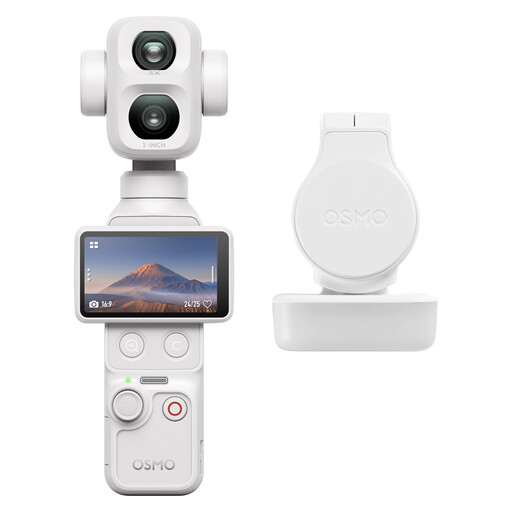
DJI Osmo Pocket 4P Standard Combo in white

DJI Osmo Pocket 4P Standard Combo (White)

An option for video recording with a stated 4K feature; check whether you can mount the camera to get the overhead view you want.

The product description mentions a touchscreen and built-in 3-axis gimbal stabilisation.

View at Joybuy
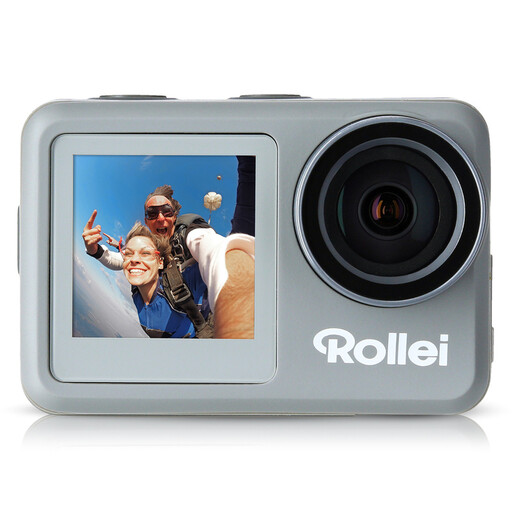
Rollei Actioncam 9s Plus

Rollei Actioncam 9s Plus

Worth considering for tripod-mounted video recording; test whether the framing works for both the page and your writing hand.

The product listing mentions 4K at 60 fps, a 1/4-inch tripod thread and a USB-C connection. The product description states up to 85 minutes for 4K recording, so plan accordingly for longer takes.

View at Joybuy
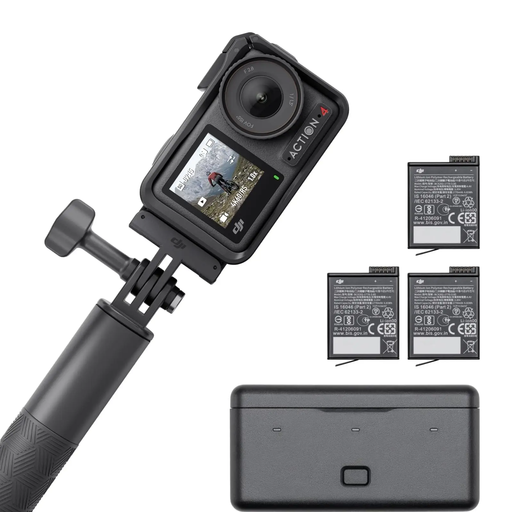
DJI Osmo Action 4 Adventure Combo

DJI Osmo Action 4 Adventure Combo

An option for video recording with the 4K/120fps listed in the product details; check the framing at your desk first.

The listing mentions a 155° field of view and three additional batteries. The wide field of view may affect how you frame a close-up of your writing area.

View at Joybuy

Insta360 Link 2C webcam in graphite black

Insta360 Link 2C Standard Bundle Graphite Black

This webcam is worth considering for a computer-based setup: the product listing mentions a DeskView mode. Check that the mounting and overhead view you want will work in your workspace.

The product listing mentions 4K, PC/Mac compatibility, autofocus and a microphone with AI noise reduction.

View at Joybuy

Frequently asked questions about cameras for calligraphy

Which type of camera is easiest to position above a sheet of paper?

For a fixed overhead view, a document camera is an obvious choice because its stand is designed for positioning above documents. Measure your paper and leave room for your hand; IPEVO lists a maximum capture area of 34,2 × 25,5 cm for the V4K PRO.

How can I stop the camera focusing on my hand instead of my writing?

Test the focus while writing from the camera position you plan to use. Canon says the LEGRIA HF G70 lets you choose manual focus using the lens ring or touchscreen; with a mirrorless camera, the focusing characteristics of the specific lens also matter.

Do I need anything besides the camera for a live demonstration?

It depends on your recording setup. The IPEVO V4K PRO uses USB and a computer; Elgato lists USB 3.0 as a system requirement for the Facecam Pro and doesn’t show a built-in microphone in its comparison table. Check that your computer and software suit your workflow, and consider whether you’ll need a separate microphone.

Who should I contact if something I bought online is faulty?

The seller is generally responsible for your statutory rights if an item is faulty; these are separate from any voluntary manufacturer’s guarantee. Online purchases also usually come with a 14-day right to cancel, which you must exercise with the retailer or other contracting party. Verbraucherzentrale explains the difference in its information on statutory rights and cancellation.

Can I publish a calligraphy video if another person is recognisable in it?

Under § 22 KunstUrhG, the person shown generally needs to give their consent before their image is distributed or displayed publicly. § 23 KunstUrhG sets out exceptions, which need to be considered on a case-by-case basis. This rule concerns publication; it doesn’t generally prohibit using a camera to film your own writing area.