For close-up coin videos filmed at a small desk, a compact HDMI monitor with focus tools is a good option, provided your camera outputs a compatible live feed in video mode. Check the HDMI format and camera settings before you buy. If the lighting changes, you’ll also need to consider the display’s position, exposure tools and a suitable power supply. Manufacturers’ claims about features and brightness don’t show how easy a monitor will be to see at your particular desk.
Who is a camera monitor for?
Collectors filming close-up details
If you want to check small details on a coin while filming, focus peaking and image magnification can help. Fotonomaden describes using an external monitor for macro photography; how large the coin appears in your shot depends on your setup.
Filming alone at a small desk
You need to position the monitor where you can see it clearly, without the mount, HDMI cable or power supply getting in the way of your coins and hands. So plan the display, mount and cable routing together.
Filming with an existing HDMI camera
If you want to connect a camera you already own, its HDMI output must match the signal supported by the monitor. Sony also explains that the “HDMI Info Display” setting on the ZV-E10 affects what appears on the camera and external screen.
What should you look for when buying?
First, check that your camera and monitor can exchange a compatible HDMI live feed in the video mode you plan to use. Then consider which focus and exposure tools you need, and whether the screen, mount and power supply will fit your setup.
| What matters |
What to check before buying |
Who is this important to? |
| Sharpness of small details on coins |
Focus peaking and image magnification on the specific model; possible position of the display. |
If I want to assess small details on a coin in the live view, I need a suitable framing and focus aids that are easy to access. Around 33% of consumers put sharpness of small details first. |
| HDMI live view |
Check that the HDMI connection, signal format and frame rate match the camera output and recording mode. |
If I connect my existing camera, I want to see a usable live view while recording. Around 27% of consumers put HDMI compatibility first. |
| Space and power supply |
Check the dimensions, mounting, cable routing and what’s included with the specific version you’re buying. |
If coins and hands need space on a small desk, I want to position the monitor so its cables and mount stay out of the working area. Around 20% of consumers prioritise clear desk space and setup. |
| Visibility and exposure |
Check whether the exact model has waveform, histogram or false colour; consider the display position if daylight may come through a window. |
If the light changes while I’m filming, I want to be able to check the image and exposure effectively. Around 20% of consumers prioritise visibility and exposure in changing light. |
Avoid common assumptions
-
Assuming “4K compatible” means it has a 4K display
A monitor may accept certain 4K signals without having a panel with native 4K resolution. Portkeys lists the PT5 II as having a native panel resolution of 1920 × 1080 pixels.
Check the supported input signals and native panel resolution separately. Also check which HDMI signal your camera outputs in the recording mode you want to use.
-
Measuring up the monitor but not your whole desk setup
The monitor, mount, HDMI cable and power supply all take up space. Atomos says the Shinobi II doesn’t have a built-in battery; what’s included may vary with other models and packages.
Before buying, check the mounting point, cable routing, power connection and what’s included with the version you’ve chosen.
Depending on the version, you may also need to budget for a suitable battery, power supply or mount.
-
Mixing up features across different versions
Viltrox distinguishes the DC-550 Lite from other DC-550 versions: according to the manufacturer, the Lite has no touchscreen and has a stated brightness of 400 cd/m².
Check the full model name against the details for the exact version, rather than assuming that specifications for a similarly named model also apply.
Brands to consider
Portkeys
The PT5 II is a compact HDMI monitor. The HD7H is a larger alternative if you have space for the display away from your work surface.
- Portkeys lists peaking, HDMI input and output, and a 1920 × 1080 panel with 500 cd/m² brightness for the PT5 II.
- According to Portkeys, the HD7H has a 7-inch display with a native resolution of 1280 × 720 pixels. These features don’t apply to the entire brand range.
Atomos
The Shinobi II is a compact HDMI monitor with focus and exposure tools, for use in a desk setup planned separately.
- According to Atomos, it has a 5.2-inch display with 1920 × 1080 pixels, a rated brightness of 1500 cd/m², plus peaking, magnification and waveform.
- The Shinobi II has no built-in battery. Only plan to use camera control features once you’ve confirmed they’re compatible with your camera.
FEELWORLD
The F5 PROX is a 5.5-inch monitor with exposure tools; check what’s included in the package for the specific version.
- FEELWORLD lists a rated brightness of 1600 cd/m², as well as peaking, waveform and false colour.
- According to the retailer, a battery and mains adapter aren’t included with every version on offer. The brightness figure is the manufacturer’s rating, not a visibility test at your filming location.
Viltrox
The DC-550 Lite is a 5.5-inch option with button controls; it’s different from the other DC-550 versions.
- Viltrox lists a resolution of 1920 × 1080 pixels and brightness of 400 cd/m² for the Lite version.
- According to Viltrox, the DC-550 Lite has no touchscreen. Don’t assume features of other versions apply to this model.
Desview
According to the manufacturer, the R5II is a 5.5-inch monitor with a touchscreen and focus and exposure displays.
- Desview lists peaking, zoom and a 1920 × 1080 panel.
- According to Desview, a battery and 12 V adapter aren’t included; these are manufacturer claims, not an independent assessment.
Joybuy picks for filming with a smartphone
The following products are listed as smartphone selfie monitors, so they’re only suitable if you’re filming your coin videos with a smartphone. They aren’t HDMI monitors for a separate camera.
 No image available
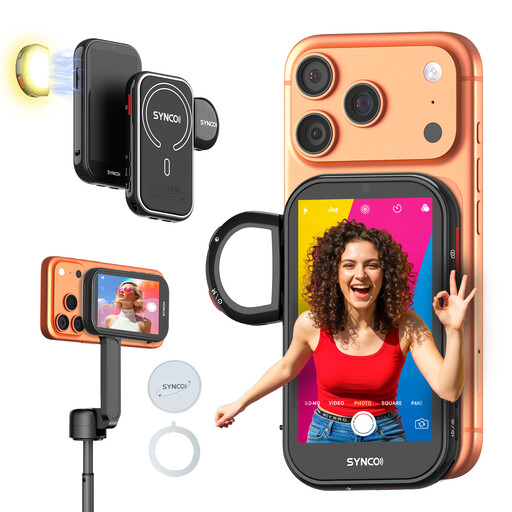
SYNCO Wireless AI Selfie Monitor Screen
If you’re filming your coin videos with a smartphone, this product is listed as a selfie monitor for smartphone filming.
View at Joybuy
 No image available
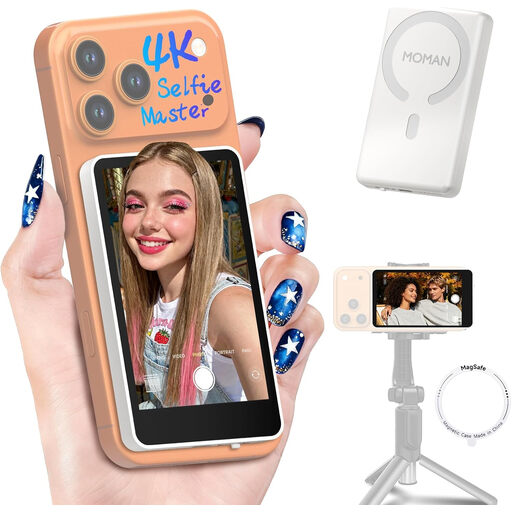
Moman M4 Phone Vlog Selfie Monitor (White)
For coin videos filmed with a smartphone, this product is listed as a phone vlog selfie monitor.
The product name mentions iPhone 7-18 and Android; check compatibility with your specific device.
View at Joybuy
 No image available
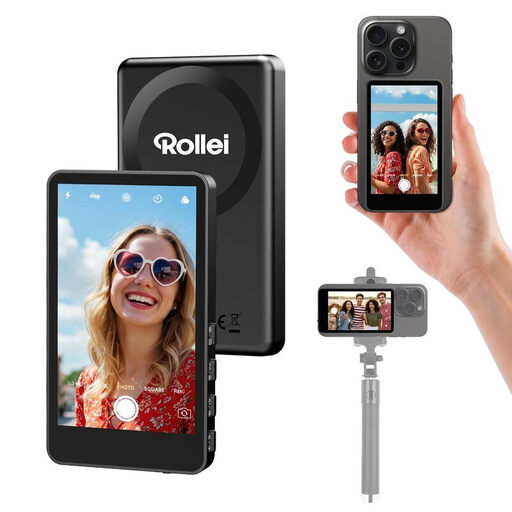
Rollei Easy Creator Selfie Monitor
If you’re filming your coin videos with a smartphone, this product is listed as a selfie monitor. Before buying, check that the mount is suitable for your smartphone.
View at Joybuy
Frequently asked questions
Will my camera still show an image when a monitor is connected?
It depends on the camera and its settings. For the Sony ZV-E10, Sony describes different displays on the camera and external screen, depending on the “HDMI Info Display” setting. Check your camera’s manual and test the video mode you plan to use.
Does a monitor with a 4K HDMI input also need a 4K display?
No. Portkeys lists specific supported 4K signals for the PT5 II, alongside a native panel resolution of 1920 × 1080 pixels. Check the input format and native display resolution separately.
What do I need for longer filming sessions at my desk?
Plan for a power source that’s suitable for the specific monitor, and make sure the cables are safely routed. Atomos says the Shinobi II has no built-in battery; whether a battery is included with the FEELWORLD F5 PROX depends on the version you choose.
Which marking is relevant for an electrical camera monitor?
According to information from the European Union, CE marking is only required for products covered by relevant harmonised EU legislation that requires it. Germany’s Federal Network Agency describes CE marking as a declaration made by the manufacturer under its own responsibility, not as an independent quality mark.
What are my rights if I buy online and need to return a faulty product?
The German Consumer Advice Centre explains that online purchases generally come with a 14-day right to cancel, although exceptions apply. The right to cancel a purchase is separate from your rights if goods are faulty; the seller is responsible for the statutory guarantee. A manufacturer’s warranty is separate.


