Solo crocheters who care about the details
If you film yourself, a well-positioned screen lets you check your hands, individual stitches and movements from where you’re working.


An external HDMI monitor can help you keep a closer eye on your stitches, hands and framing while filming a crochet video, especially if the camera screen is hard to see from your workspace. Choose a size and brightness to suit your viewing distance and the position of your window. Waveform or false colour can be useful tools for checking exposure in changing light, but they won’t make a monitor glare-free. Before buying, check your camera’s HDMI signal, the power supply and the mounting options.
If you film yourself, a well-positioned screen lets you check your hands, individual stitches and movements from where you’re working.
Exposure tools such as waveform or false colour can offer extra guidance when the light changes and it’s difficult to judge the image on screen alone.
For longer sessions at a table, you’ll want a screen that’s easy to see, with a suitable power supply and mount.
A good fit if: You can already see your hands, stitches and the frame edges clearly from where you’re working.
The trade-off: You won’t need an additional monitor, but an awkward viewing angle or bright ambient light can make the image hard to judge.
A good fit if: You want a live view that’s easier to see, plus extra focus or exposure tools, while the camera records.
The trade-off: The screen, power supply, mount and cables all take up extra space on your table.
A good fit if: You specifically want to record externally as well as monitor the image, and your camera output, recording format and storage media are compatible.
The trade-off: You don’t need the recording function just to monitor the image, and it brings extra format and media considerations.
| What matters | What to check before buying | Who should pay particular attention |
|---|---|---|
| Seeing stitches clearly | Check that the screen size suits your viewing distance, and look for focus magnification or peaking. | If you want to see fine stitches and hand movements while recording, the right screen size and focus tools matter most. Around 25 % of consumers prioritise checking the details. |
| Judging exposure | Check whether the specific model offers waveform, a histogram or false colour, and learn how to read the displays with your subject. | When window light changes, metering displays can help you assess your hands, yarn and bright areas near the window. Around 25 % of consumers prioritise exposure control. |
| Reading the screen by a window | Decide where to position the monitor and your viewing angle; don’t assume the manufacturer’s brightness figure guarantees visibility in your setup. | If you’ll be viewing the screen near a window, its angle and reflections matter just as much as its stated brightness. Around 20 % of consumers prioritise readability in their chosen position. |
| Checking the framing | Position the monitor where you’ll be working and check that your camera outputs a suitable live image. | When filming alone, you’ll want to see that your hands and project stay in frame as you work. Around 15 % of consumers put framing first. |
| Connection and power | Check the camera output, HDMI format and frame rate, monitor input, power supply, box contents and mounting options for the exact model. | If you want a straightforward tabletop setup, the signal, power and mounting options need to suit your camera and workspace. Around 15 % of consumers consider these requirements their top priority. |
A monitor may accept a 4K input signal but still have a Full HD panel. Supported frame rates also vary by model.
Check the panel resolution separately from the accepted HDMI formats and your camera’s frame rate.
A manufacturer’s display brightness figure doesn’t tell you how clearly you’ll be able to read the monitor from your table, or whether reflections will be a problem.
Plan the screen position and viewing angle first. Treat brightness figures as a feature of the model, not a real-world test of your setup.
Accessories vary between FEELWORLD F5 PROX bundles; the manufacturer specifically states that the standard accessories do not include a battery or mains adapter.
Check the box contents for the exact option on offer, and make sure the power supply and mount suit your setup.
Depending on the option you choose, you may need to buy a suitable power supply or mounting accessories separately.
With the Atomos Shinobi II, camera control depends on having a supported camera and suitable connections. Recording features are available on separate recorder models.
Check the full model name and its compatibility with your camera rather than assuming features are shared across a product range.
The F700 is a 7-inch option if you want to view the image from further away at your table.
The F5 PROX and LUT5 are two 5.5-inch options: one model offers focus and exposure tools, while the other has a particularly high stated display brightness.
The Shinobi II is a monitor for checking your image; the Ninja range is a separate option for external recording.
The LH5P II is a 5.5-inch option if you want to check certain camera control features as well as monitor your image.
The DC-550 family includes different options, which shouldn’t be treated as identical models.
This selection includes a smartphone vlogging monitor and HDMI monitors for a permanent tabletop setup. Before using one with a camera, check that its live image and output format match the monitor’s input. Larger screens need more space.
 No image available
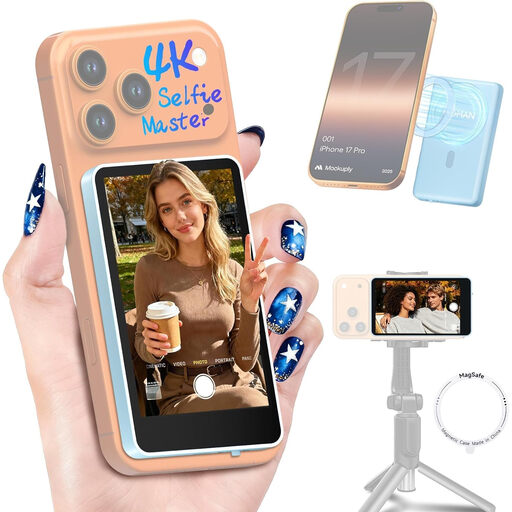
For checking your image when filming with a compatible smartphone and keeping an eye on its rear camera.
Features listed include real-time screen sharing, screen rotation, mirroring, brightness adjustment and a wireless remote control. According to the product description, the built-in 1300-mAh battery provides up to three hours of use. The product details state that it is not compatible with Google Pixel devices.
 No image available
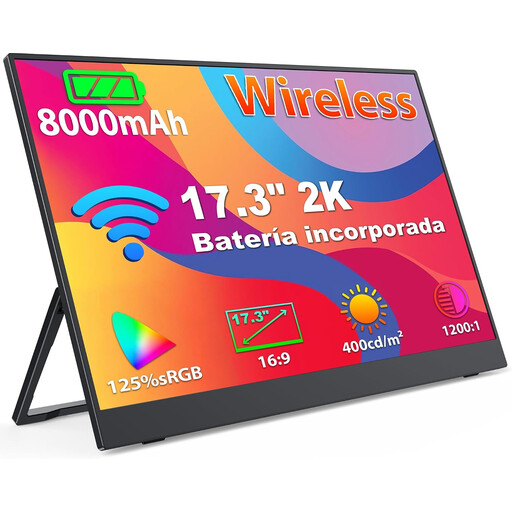
A larger display may suit a permanent tabletop setup if you want to view the image from a little further away.
The product is described as having a 17.3-inch 2K IPS display, HDMI and a built-in 8000-mAh battery. AirPlay and Miracast are also listed. For a camera connection, check the HDMI output format and frame rate.
 No image available
For a permanent tabletop setup where you want to view a large display from a little further away.
Features listed include a 32-inch VA display with 4K UHD and 60 Hz, HDMI, and a height-adjustable, tilting stand. The stated weight is 7 kg, so make sure you have a stable place for it.
 No image available
An option for a permanent workstation if you want a larger display and an adjustable stand.
The product is described as having a 27-inch 2560 × 1440 QHD IPS display, 60 Hz and 350 cd/m². HDMI and a height-adjustable, tilting, swivelling and pivoting stand are listed. Allow at least 10 cm of clearance for ventilation.
Not with an HDMI input alone. A standard monitor is for checking the image; to record externally, you’ll need a monitor-recorder with a recording format, camera output and storage media that are all compatible.
Compare your camera’s actual HDMI output, including its frame rate, with the monitor’s input. Position the screen where you’ll be working, then test the live image, focus tools and cable routing before recording a full session. Additional camera control is a separate feature that depends on the model.
Not with every model. Atomos lists a compatible NP-F battery or USB-C PD as power options for the Shinobi II. Check the permitted power supply and box contents for your chosen monitor; accessories vary between FEELWORLD F5 PROX options.
According to Germany’s Verbraucherzentrale, consumers who enter into a contract online generally have a 14-day right to cancel. Check the terms of your specific contract, and bear in mind that exceptions may apply.