When choosing a camera monitor for a drawing demonstration by a window, focus first on how easy it is to read from the position where you plan to use it, and what tools it offers for focus and exposure. Also check that the camera output, monitor input and cable are compatible, and that the screen, mount and power supply will fit your setup. A high brightness rating alone won’t prevent reflections or ensure you judge exposure correctly.
Who can benefit from an external camera monitor?
Artists filming on their own
If you’re drawing and filming at the same time, a well-positioned monitor lets you check your framing from your workspace without constantly going behind the camera. As well as screen size, consider how it can be mounted and viewed.
Artists working by a bright window
When daylight changes, how easy the monitor is to read and the exposure tools it offers for bright paper are important factors. The screen’s position and any reflections can also affect how clearly you can see it.
Filming with a long overhead setup
If the camera is positioned above your drawing table for extended periods, the monitor signal, mounting and planned power supply all need to suit your setup. Also consider whether you can see the screen clearly from where you’re drawing.
What should you look for when buying?
First, check how easy the screen is to see in your actual window-side setup. Then look at the focus and exposure tools, followed by the signal, mounting and power supply. This will help you judge a high brightness rating in the context of your own filming setup.
| What matters |
What to check before buying |
Who will find this most important? |
| Screen visibility in daylight |
Compare the screen size and stated brightness for the exact model; check whether you can angle the monitor away from the window or shield it. |
When filming by a window, I want to see the image and drawing clearly despite changing light; around 31% of consumers say screen visibility is their top buying consideration. |
| Focus and exposure |
Look for peaking or magnification to check fine lines, and waveform, false colour or zebras to monitor bright areas. |
I want to check focus on fine lines and bright areas of paper, rather than relying on a bright preview alone; around 25% of consumers put image monitoring at the top of their list. |
| Compatible camera signal |
Check HDMI output during video recording, and match the connector, supported resolution and frame rate to the monitor input. |
Before buying, I want to make sure my camera outputs a compatible signal while recording; around 25% of consumers prioritise connection compatibility. |
| Power and mounting |
Plan the available space and viewing angle for an overhead setup; check which battery option or external power supply is included with the specific kit. |
For longer overhead shoots, I want to position the monitor securely and plan its power supply; around 19% of consumers prioritise mounting and operation. |
Which buying misconceptions should you avoid?
-
‘4K HDMI’ doesn’t automatically mean a 4K display
For the Atomos Shinobi GO, the manufacturer lists a 4K HDMI input and a display resolution of 1920 × 1080 pixels. Input format and panel resolution describe different features.
Compare the supported input formats separately from the screen resolution.
-
Monitor brightness isn’t the same as correct exposure in your recording
A bright display can make the preview easier to see, but it won’t tell you on its own whether the paper is exposed correctly in your recording. For that, dedicated tools such as waveform, zebras or false colour are useful.
Position the monitor for a clear view, then judge exposure using the tools available.
-
The battery and camera cable may not be compatible or included
NEEWER also offers the F700 without a battery. Portkeys lists an HDMI-to-Micro-HDMI cable with the PT5 II; check that its connectors fit your camera before setting everything up.
Check what’s included with the specific kit and make sure both cable connectors suit your camera and planned setup.
Which brands are worth considering?
Atomos
The Atomos Shinobi GO is a compact HDMI monitor with a stated brightness and exposure tools that could be useful in a window-side setup.
- Atomos says the Shinobi GO has a 5.2-inch display with 1500 cd/m² brightness, as well as waveform, false colour and zebras.
- The control features and touch focus of the Shinobi II aren’t automatically available on the Shinobi GO. Check which model and features are supported by your camera.
NEEWER
The F700 is a larger HDMI monitor for setups where you’d like to check your drawing from a little further away.
- According to the manufacturer’s German website, the F700 offers a 7-inch screen, 2000 cd/m² brightness, and focus and exposure tools.
- The available kits differ in whether they include an NP-F750 battery. Check what’s included with the kit you choose.
Portkeys
The PT5 II is a compact HDMI option if you can position or shade the display appropriately indoors, by the window.
- Portkeys lists a 5-inch screen, 500 cd/m² brightness, peaking, waveform and false colour for the PT5 II; a sun hood is listed as an accessory.
- Its stated brightness is lower than that of the brighter models mentioned here. How easy the screen is to read in your setup will also depend on its position and reflections.
FEELWORLD
FEELWORLD offers compact HDMI monitors with a range of stated brightness levels, including the LUT5 and F5 PROX.
- FEELWORLD lists 3000 cd/m² brightness and HDMI signals up to 4K30 for the LUT5, and 1600 cd/m² for the F5 PROX.
- These figures refer to different models and come from the manufacturer; they aren’t independent measurements of screen visibility by your own window.
Joybuy products for monitoring your image
The products below range from a smartphone preview monitor to large HDMI displays. If you’re considering an external screen, check that the signal, cable, space and mounting will work with your drawing table setup.
 No image available
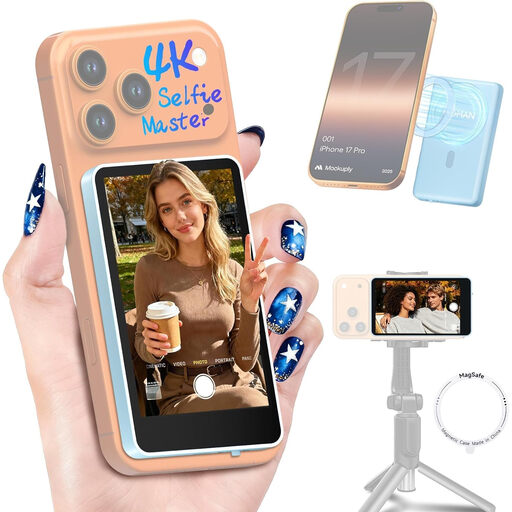
Moman M4 Phone Vlog Selfie Monitor (Blue)
For drawing videos filmed with a smartphone’s rear camera, when you want to view the live image at your workspace and control recording functions remotely.
For iPhone 7–18 and Android, according to the product name; the product details state that it isn’t compatible with Google Pixel devices. Screen rotation, mirroring and brightness control are also listed.
View at Joybuy
 No image available
Samsung M8 M80F (2025), 32-inch
This could work as a large external display if you can check it from a little further away and have enough space in your setup.
32 inches, 4K UHD, 60 Hz, 400 cd/m², HDMI input and webcam, according to the product details. Its large size means it’ll need plenty of room in an overhead setup.
View at Joybuy
 No image available
Lenovo ThinkVision P27q-30, 27-inch
A larger screen could suit you if you check the preview from further away from the drawing table and can make room for the display.
27 inches, 2560 × 1440 QHD, 60 Hz, IPS, 350 cd/m², plus HDMI and DisplayPort, according to the product details. At 27 inches, it takes up more room in an overhead setup than a compact camera monitor.
View at Joybuy
Frequently asked questions
Is the camera’s built-in screen enough for a drawing video?
Yes, if you can judge the framing and focus clearly on it from your workspace. An external monitor can help if the viewing angle or screen size makes it difficult to check your shot; Fotonomaden describes both situations from its own experience.
How can I check that my camera and monitor will work together?
Check your specific camera’s manual to see whether it outputs an HDMI signal while recording video, then match the connector, resolution and frame rate to the monitor input. Atomos lists support for up to UHD 4K30 or 1080p60 via HDMI 1.4 on the Shinobi GO; this doesn’t tell you what signal your camera outputs.
Will a very bright monitor help me expose my drawing correctly?
Not on its own: brightness affects the display, while waveform, zebras and false colour are dedicated tools for judging exposure in your recording. Position the monitor so you can see it clearly, and check bright areas of paper using the exposure tools available.
What should I plan for a longer drawing session?
Plan the viewing position, mounting and power supply together. NEEWER lists NP-F batteries, a DC input and Type-C power for the F700; according to the German product page, which batteries are included depends on the kit you choose.


