If your camera outputs a compatible HDMI live feed in your chosen recording mode, a clearly visible monitor with focus-assist features is a good starting point for checking your footage. Choose the screen size and mounting option to suit the space available at your embroidery table, and check the power supply and what’s included. A monitor-recorder is mainly worth considering if you also want to record externally.
Who can benefit from a camera monitor?
Embroiderers filming close-up details
If you’re filming small stitches from close up, you’ll want to check the focus and framing from your workstation. Fotonomaden explains that an additional monitor can make it easier to assess focus in macro shots.
Filming alone at the embroidery table
If you need to see the framing while you’re embroidering, your monitor, mount and cables should take up as little of the work area as possible. Whether the camera can display an image on an external screen while recording may depend on the model and recording mode. Sony Germany notes that available formats vary by model.
Filming longer sessions
If you’ll be using the monitor throughout a longer session, check the power supply and what’s included for the exact model variant. Atomos says the Shinobi II has no built-in battery; the power accessories included with the FEELWORLD F5 PROX may vary between packages.
What should you look for when buying?
Compact preview monitor
A good fit if: Your camera records the footage and you mainly want to check your stitches and framing. Portkeys lists the PT5 II as having a 5-inch display with 1920 × 1080 pixels and peaking.
Consider: Even a compact display, mount and cable need some space in your setup. Check that the HDMI signal is compatible with your camera.
Monitor with additional analysis tools
A good fit if: You want more than focus assistance, such as exposure displays or image magnification. FEELWORLD lists peaking, histogram and false colour for the F5 PROX; Atomos lists peaking and magnification for the Shinobi II.
Consider: Think about which tools you’ll actually use, and check the power supply and camera compatibility for the specific variant.
Monitor-recorder
A good fit if: You need to record externally as well as preview your footage. Blackmagic Design describes Video Assist as both a monitor and a recorder.
Consider: The recording format, camera signal and storage media you need must all be compatible with your chosen model. You don’t need the recording function just to check your footage.
| Buying priority |
What to check |
Who is this important to? |
| Keeping fine stitches in focus |
Check the viewing position from your seat, and whether the specific model has peaking or image magnification. |
If I’m filming small stitches from close up, I want to be able to judge focus and framing clearly. Around 36% of consumers would prioritise this level of detail. |
| HDMI live feed |
Check that your camera’s HDMI output in your chosen recording mode matches the monitor’s input format and connection. |
If I need an external image while recording, my camera’s signal has to be compatible with the monitor. This compatibility is a priority for around 29% of consumers. |
| Space and positioning |
Plan for the screen size, mounting point and cable routing at your own table. |
If I need a clear work surface for embroidering, I want to be able to see the screen from my seat without it hanging over the embroidery area. Around 21% of consumers would consider how well it fits their workspace first. |
| Power supply |
Check the power connection, compatible batteries and mains operation, as well as what’s included with the exact variant. |
If I’m filming longer sessions, I want to keep the monitor powered throughout and route the cables neatly. Around 14% of consumers would prioritise this. |
Avoid common buying mistakes
-
Assuming a 4K input means a 4K display
A monitor can accept a 4K signal but still have a panel with a different resolution. For the Portkeys PT5 II, the manufacturer lists 4K30p as a supported signal and 1920 × 1080 pixels for the display.
Compare the input formats, native panel resolution and camera output as separate specifications.
-
Assuming the standby image will also appear while recording
Whether a camera outputs an image over HDMI while recording video can depend on the model, recording format and settings.
Check the live feed with your camera in the recording mode you plan to use before finalising your setup.
-
Assuming every variant includes a battery and cables
What’s included and the power options available vary by model and package. Atomos says the Shinobi II has no built-in battery; the FEELWORLD F5 PROX is available in packages with different contents.
Depending on the variant, you may need a separate power supply or additional cables.
Check the connections and what’s included with the specific offer against the length of your planned sessions.
-
Expecting a preview monitor to record video as well
A monitor for checking your footage won’t necessarily record video independently. Blackmagic Design describes Video Assist as both a monitor and a recorder; according to its datasheet, the SD card in the Atomos Shinobi II is intended for firmware and LUTs.
First, check whether your camera records the footage itself or whether you actually need a separate video file. For external recording, the format and camera signal must be compatible with the device you choose.
If you want to record externally, you may need a suitable device and storage media.
Key brands to consider
Portkeys
The PT5 II is a compact HDMI preview option for a setup where the camera records the footage itself.
- Portkeys lists a 5-inch display with 1920 × 1080 pixels, peaking, and HDMI input and output.
- Support for a 4K30p signal doesn’t mean the display has native 4K resolution. It also doesn’t tell you how easy it will be to assess the focus of embroidery.
FEELWORLD
According to the manufacturer, the F5 PROX combines a 5.5-inch screen with focus and exposure displays.
- FEELWORLD lists peaking, waveform, histogram and false colour as features.
- The manufacturer’s 1600 nit specification alone doesn’t prove it will help you assess fabric colours in a workroom. Power accessories and the battery depend on the variant you order.
Atomos
The Shinobi II is worth considering if you need analysis tools as well as a preview, or camera control that’s confirmed to be compatible.
- The datasheet lists a 5.2-inch display with 1920 × 1080 pixels, peaking and magnification, plus power via NP-F or USB-C PD.
- According to Atomos, the Shinobi II has no built-in battery. Touch focus is available only with compatible cameras; the SD card listed is intended for firmware and LUTs, not as evidence of a video-recording function.
Blackmagic Design
Video Assist is relevant if you want to record externally as well as check your footage.
- Blackmagic Design describes Video Assist as a monitor and recorder with focus and exposure tools.
- Check the recording formats and supported camera output signals for the specific 5- or 7-inch model. The features aren’t the same across every variant.
Joybuy products for your embroidery setup
The Joybuy products below are HDMI monitors that give you a larger preview area at your embroidery table. Check separately whether your camera outputs a compatible live feed in your chosen recording mode.
 No image available
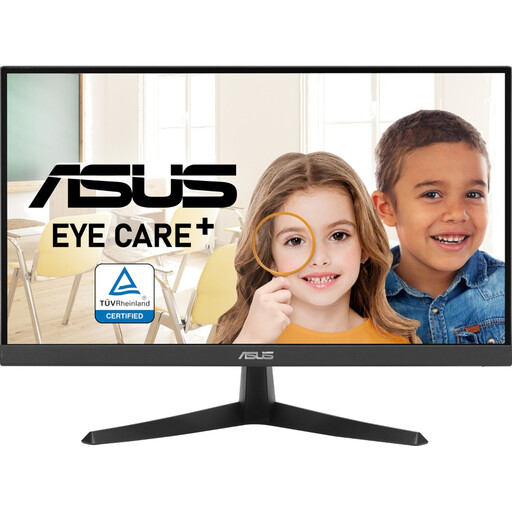
ASUS Eye Care VY229Q, 21.5-inch Full HD monitor
Could be worth considering if you want to add an external HDMI screen to your embroidery table setup. Compatibility with your camera depends on its output signal.
21.5 inches; Full HD with 1920 × 1080 pixels; IPS panel; HDMI and DisplayPort; VESA-compatible.
Allow space for the 21.5-inch display and a suitable mount.
View at Joybuy
 No image available
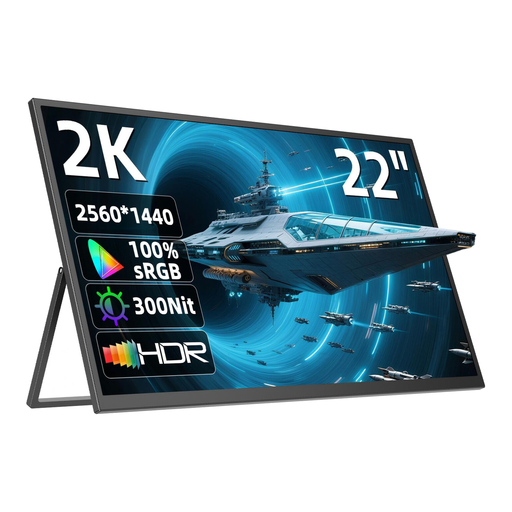
UPERFECT 22-inch 2K monitor
Could be a good fit if you want to place a portable monitor with an adjustable stand near your camera. First, check that its input is compatible with your camera’s live feed.
22 inches; QHD with 2560 × 1440 pixels; IPS panel; Mini-HDMI; adjustable stand and VESA-compatible mounting.
The 22-inch screen will need a suitable amount of space in your workspace.
View at Joybuy
 No image available
INNOCN CB27U1, 27-inch 4K UHD monitor
Could be worth considering if you have room for a large screen at your embroidery table and your camera outputs a compatible HDMI signal.
27 inches; 3840 × 2160 pixels; IPS panel; two HDMI 2.1 inputs; height-adjustable stand and VESA mounting.
Allow enough space for the 27-inch display or a suitable mounting option.
View at Joybuy
 No image available
MSI PRO MP275QPDGDE, 27-inch WQHD docking monitor
Could suit you if you want a larger preview area and have enough space at your embroidery table, or a suitable mounting option. Check that your camera’s output signal matches the monitor’s input.
27 inches; WQHD with 2560 × 1440 pixels; IPS panel; two HDMI inputs; VESA-compatible and height-adjustable stand.
The 27-inch display will take up a considerable amount of desk or mounting space.
View at Joybuy
Frequently asked questions
Will every HDMI monitor show my camera’s image while I’m recording?
No, you can’t assume this will work with every camera and setting. Sony Germany notes that available formats vary by model. Check your camera’s HDMI output in your chosen recording mode against the monitor’s supported input formats.
Does a 4K HDMI input mean the display is 4K?
No. For the Portkeys PT5 II, the manufacturer lists 4K30p as a supported input signal and 1920 × 1080 pixels as the display resolution. Check the input signal and native panel resolution separately.
How should I position the monitor at my embroidery table?
Position it so you can see the live feed from your working position without the mount or cables running over the embroidery area. Test the image during an actual recording, and plan the power supply and cable route too.
Do I need a monitor-recorder for embroidery videos?
You don’t need additional external recording just to check your footage if your camera records it itself. If you need a separate video file, check the recording format and supported camera output signal for the specific recorder. Blackmagic Design describes Video Assist as both a monitor and a recorder.


