Embroiderers filming close-ups
If you’re filming the needle and small stitches, you need to be able to check focus as you work. A preview positioned within easy view can help; FotoNomaden explains the benefits of focus checking for macro shots.


For fine embroidery stitches, an HDMI field monitor with focus-assist tools can make it easier to check the image, provided your camera outputs a suitable live view in the recording mode you want to use. First check the signal, then plan the screen position, cable routing and power supply so the embroidery area stays clear. A monitor-recorder is only worth considering if you also want to record externally.
If you’re filming the needle and small stitches, you need to be able to check focus as you work. A preview positioned within easy view can help; FotoNomaden explains the benefits of focus checking for macro shots.
If you’re setting up the camera above the table yourself, you need a visible preview without placing a mount or cable in the embroidery area. Plan the monitor angle and cable routing with your table set up as it will be during use.
For longer recordings, plan the power supply for both the camera and monitor, and decide whether a visual check is enough or whether you need to record externally. The available features vary by model and package.
First check that your camera outputs a suitable live view in the video mode you plan to use. Then choose the screen size, position and power supply to suit your table setup; recording and other extra features are a separate consideration.
| What to consider | What to check before buying | Who is it important to? |
|---|---|---|
| Focus on fine stitches | Check the image size, viewing angle and available focus-assist tools from your actual seated position. | If I need to see the needle and small stitches in focus while recording, I pay particular attention to focus checking. Around 26 % of consumers put this first. |
| Camera signal | Check the camera’s HDMI output in recording mode against the input format, resolution, frame rate and connection supported by the specific monitor. | If you’re using a camera you already own, you’ll want to be sure it provides a usable live view in your chosen mode. Signal compatibility comes first for around 26 % of consumers. |
| Clear embroidery area | Plan where to position the monitor, where to attach it and how to route the cable before choosing a screen size. | If I want to see the preview while embroidering but still move the fabric and my hands freely, a tidy setup matters. Around 21 % of consumers prioritise table space. |
| Power supply | Check separately for the camera and monitor which batteries, adaptors and cables are included in the specific package. | For longer embroidery sessions, I want to plan how to power the monitor without running extra cables across the work surface. This is the top buying priority for around 16 % of consumers. |
| Extra features | Consider exposure-assist tools and external recording separately; also check the recording format and the storage media you’ll need. | If I need exposure assistance as well as a preview, or specifically want to record externally, the model must meet that exact need. Around 11 % of consumers put extra features first. |
A monitor may accept certain 4K signals even though its own panel has a lower resolution. Portkeys lists a 1920 × 1080 panel for the PT5 II, as does Atomos for the Shinobi II.
Compare the supported input formats and panel resolution as two separate specifications.
What’s included can vary between product packages. Atomos says the Shinobi II has no built-in battery; FEELWORLD offers different packages for the F5 PROX.
Check the contents of the specific variant against your power and mounting plans.
Depending on the package, you may need to buy a battery, adaptor or suitable mount separately.
A monitor used for previews does not automatically record video. Blackmagic describes the Video Assist 5" 3G as an SD card recorder; according to Atomos, the Shinobi II is a monitor.
Before comparing models, decide whether you’ll record in-camera or also need a compatible external recorder.
You may need suitable storage media for external recording.
The PT5 II is a compact HDMI option for checking images at close range.
The F5 PROX combines a 5.5-inch preview with focus and exposure-assist tools.
The Shinobi II is a monitor for users who want focus-assist tools and, where supported, camera control.
The F500 PRO is a 5.5-inch HDMI option with several power connections in the German version listed.
The Video Assist range is worth considering if you specifically need a recorder as well as a preview.
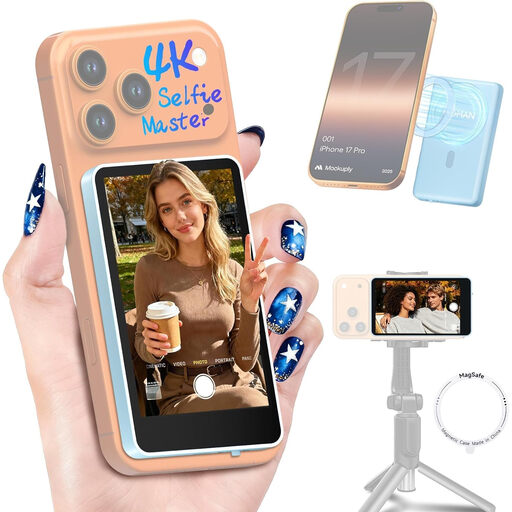
The products below include a smartphone preview monitor and portable HDMI screens. They are not all compact camera field monitors, so before using one at your embroidery table, check the connection, signal compatibility and space available.
 No image available
Designed to provide a preview when filming with a compatible smartphone; it is not an HDMI field monitor for a camera.
According to the product name, it is for iPhone 7–18 and Android. Product information says it is not compatible with Google Pixel devices; check support for your specific phone.
 No image available
A portable screen for an HDMI-based preview, provided the camera output and monitor input are compatible. At 16 inches, it will need plenty of room on a small table.
According to the product name: QLED, 2560 × 1600, Mini HDMI and VESA compatibility.
 No image available
It can serve as a larger screen for a compatible HDMI preview; check first that it will fit on your work surface and can be positioned as planned.
According to the product name: Full HD, matt IPS panel and Mini HDMI.
 No image available
For an HDMI preview, provided the camera signal is compatible with the monitor. At a small embroidery table, also check how much space it needs and how you plan to mount it.
According to the product name and description: 1920 × 1080, IPS panel, HDMI and USB-C.
 No image available
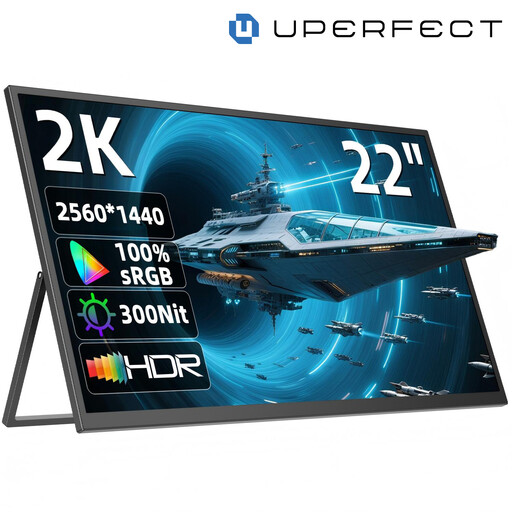
The larger screen could be an option for a compatible HDMI preview, but it takes up a lot of space on a small embroidery table. Check the signal and dimensions before setting it up.
According to the product name and description: 2560 × 1440, QHD IPS panel, Mini HDMI and adjustable stand.
No. The camera and monitor must support a signal in common. Compare your camera’s HDMI output in the recording mode you plan to use with the input formats and connection on the specific monitor. Also, a 4K input does not mean the monitor panel has 4K pixels.
Position the monitor so you can see it while embroidering, without the mount or HDMI cable getting in the way of your work surface, hands or fabric. Check the mount, viewing angle and cable routing with the table set up, then make a short test recording.
No. A preview alone does not mean the monitor records. Blackmagic Design describes the Video Assist 5" 3G as an SD card recorder; you should not assume the Atomos Shinobi II has a video-recording function. Check the recording format and storage media if you want to record externally.
Check what’s included with the specific variant: FEELWORLD offers different battery packages, while Atomos says the Shinobi II has no built-in battery. The Verbraucherzentrale distinguishes between your statutory rights against the seller and a voluntary manufacturer’s guarantee. Online purchases generally come with a 14-day right to cancel; faulty goods are covered by separate statutory rights.
No. The German Environment Agency states that waste electrical equipment must be collected separately from unsorted municipal waste. Check how to dispose of it separately in your local area.