Knitters filming close-ups
If you’re filming small stitches or individual steps, a clear preview makes it easier to check focus and framing from where you’re sitting. Check whether the specific model offers focus-assist features.


An additional camera monitor is worth considering if you struggle to see your hands and stitches clearly on your camera display from your knitting spot. If the existing screen works well enough, you don’t need another one. Before you buy, check your camera’s live view while recording, and plan how you’ll position the monitor and manage its cables and power supply. A monitor-recorder only makes sense if you also want to record externally.
If you’re filming small stitches or individual steps, a clear preview makes it easier to check focus and framing from where you’re sitting. Check whether the specific model offers focus-assist features.
If you want to connect a monitor to your camera, first check whether it outputs the HDMI live view you need while recording in your chosen video mode.
If space is limited, position the screen, mount, cables and power source so they don’t get in the way of your hands or knitting.
| What matters to you | What to look for | Who it matters most to |
|---|---|---|
| Focus and framing | Check the native panel resolution and available focus-assist features, and make a test recording. | If I want to check fine stitches and framing from my knitting spot, seeing the details clearly is my top priority. Around 36% of consumers prioritise this. |
| Live view while recording | Check that your camera model, HDMI output format and frame rate match the monitor input, and test what happens when you start recording. | If you want to make sure the camera image appears in the recording mode you’ll actually use, HDMI compatibility is key. Around 29% of consumers prioritise a reliable live view. |
| Space, mounting and power | Check the position, mounting connection, cable routing, supported power supply and what’s included with the specific version. | If your hands and knitting need room on a small desk, look for a secure setup that keeps your workspace clear. Around 21% of consumers prioritise space and power. |
| Visibility in daylight | First check the screen position and glare; compare brightness specifications only for specific models. | If you plan to use the monitor near a bright window, check whether you’ll be able to see the preview clearly there. Around 14% of consumers prioritise visibility in changing light. |
A monitor may accept a 4K signal and still have a 1920 × 1080-pixel panel. The input signal and native display resolution are two different things.
Check the supported HDMI formats separately from the panel resolution. Portkeys specifies a Full HD panel and UHD input up to 30p for the PT5 II.
The HDMI image or internal recording may change when you start recording, depending on your camera model and settings.
Test the specific video mode, including the start of recording, then check the saved file.
A preview monitor lets you check the picture; a monitor-recorder can also record it. You may need a separate capture device to send an HDMI signal to a computer.
First decide whether you only want to check the picture, record externally or stream via a computer. Sony specifies a video capture device, a computer and suitable cables for HDMI livestreaming with the relevant cameras.
Accessories and power supplies may vary between offers for the same model. Don’t assume that a battery or mount listed for one set is included with another version.
Before ordering, check the exact version and its stated contents against your planned setup.
The PT5 II is an option for a compact HDMI preview with focus-assist features, especially if you have limited space at your knitting spot.
The F6 PLUS is worth considering if touch controls and an adjustable display are useful for your knitting setup.
The Shinobi GO offers an HDMI preview, while the Shinobi II adds model-dependent control features. This may be useful if you need a higher manufacturer-stated brightness or camera control.
The German F500-PRO offer is an option if a battery is listed as included in the set and a bright display is important to you.
The Video Assist range is worth a look if you want to record externally as well as preview your footage.
This Joybuy selection includes portable external displays you can consider for checking your picture. The key is to make sure your camera output, connections and power supply suit your setup.
 No image available
A larger external screen, if your camera output and connections are compatible.
18.5 inches, 1920 × 1080 Full HD, matt IPS display, 120 Hz, Mini-HDMI, USB-C and VESA-compatible.
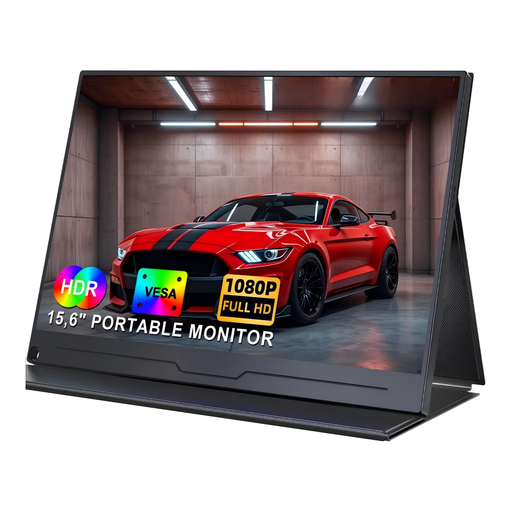 No image available
A possible external preview screen, provided you can connect your camera to the display.
15.6 inches, IPS Full HD resolution of 1920 × 1080 pixels, USB-C and VESA-compatible.
 No image available
Worth considering for checking your picture externally, as long as the connections and camera signal are compatible.
15.6 inches, 100% sRGB, built-in adjustable stand, VESA-compatible and Mini-HDMI.
No. HDMI output and the display during recording depend on your camera model, video format and settings. Check these against the monitor input and make a test recording. Canon lists display modes for certain models that don’t allow internal recording.
No. An HDMI preview monitor isn’t automatically an HDMI-to-USB capture device. Sony specifies a video capture device, a computer and suitable cables for HDMI livestreaming with the relevant cameras. Also check whether your camera supports USB streaming.
Position the screen away from your hand movements, secure the mount and keep cables clear of your knitting. Check the power connections and what’s included with the exact version: the German NEEWER F500-PRO set described includes an NP-F750 battery.
The seller is generally responsible for your statutory consumer rights, which are separate from a voluntary guarantee. The Verbraucherzentrale says online purchases in Germany usually come with a 14-day right of withdrawal from the date you receive the goods. Check the specific contract terms and any exceptions.
Under § 22 KunstUrhG, you generally need the consent of anyone depicted before distributing or publicly displaying their image. Data protection requirements may also apply if people can be identified. Try to frame the camera so that others aren’t captured, and get separate consent before publishing.