Miniature builders filming close-ups
When you’re showing small components, you’ll want to see whether each step is in focus. Fotonomaden reports that an extra monitor can make it easier to judge focus in macro shots.


First, check that your camera outputs a suitable HDMI live feed in the video mode you’re using. The monitor should then make it easier to check the focus on small components from your filming position. If the light from the window changes, screen visibility and exposure tools are important considerations, while a larger display takes up more room. The brightness quoted by the manufacturer alone won’t tell you how easy the screen will be to see by your window.
When you’re showing small components, you’ll want to see whether each step is in focus. Fotonomaden reports that an extra monitor can make it easier to judge focus in macro shots.
You want to assess the picture and exposure even when light is streaming in or changing. Screen visibility, viewing angle and exposure tools are all important factors to consider.
You need a preview that’s visible from your building table, and you’ll need to fit the monitor, mount, HDMI connection and power supply into your setup.
| What matters | What to check before buying | Who should consider it? |
|---|---|---|
| Focusing on small components | Check whether the model offers peaking or image magnification, and whether you can use these tools from where you’ll be working. | If you want to check that the building step you’re showing is in focus, easy-to-use focus tools matter. Around 25% of consumers put this first. |
| Compatible live feed | Compare your camera’s HDMI output, resolution and frame rate in the video mode you’ll use with the monitor’s supported inputs. | If you want to connect the monitor to a particular camera and use a particular video mode, you’ll need a compatible live feed. For around 25% of consumers, signal compatibility is the main consideration. |
| Screen visibility in window light | Consider the brightness rating, reflections and viewing angle at your intended location. Maximum brightness alone doesn’t prove how easy the screen will be to see there. | If you want to keep an eye on the picture and display beside a bright window, the position and viewing angle matter. Around 20% of consumers prioritise screen visibility. |
| Exposure in changing daylight | Check whether waveform, histogram or false colour tools are available and can be set up for the camera signal you’re using. | If the light from the window changes, you’ll want to assess the exposure on your model and hands. Around 20% of consumers prioritise exposure tools. |
| Mounting and power supply | Check the mount, cable route, power connection and what’s included with the specific variant. | If the monitor needs a fixed place on your building table, the mounting and power supply need to work with your setup. For around 10% of consumers, a straightforward tabletop setup is the main consideration. |
Maximum brightness doesn’t tell you how reflections, monitor position and viewing angle will work together where you film.
If possible, check screen visibility with your planned setup, and consider how easily you can adjust the display’s position.
For a preview, the HDMI output signal in your camera’s selected mode must match the monitor input. Additional control features such as touch-to-focus are only available with certain camera models.
Start by checking the output signal and connection requirements. If you want to use the control features, check compatibility separately too.
Depending on your setup, you may need a suitable cable or additional control accessories.
The battery is explicitly not included as standard with the Feelworld LUT7 offer.
Check what’s included with the variant you’ve chosen, and make sure you have a suitable power supply.
For the offer mentioned, you’ll need to allow for a separate battery or another suitable power supply.
The Shinobi range includes both compact and larger camera monitors. The Shinobi II is a 5-inch model designed for setups where space is limited.
The LUT7, LUT5 and F5 PROX models differ in display size and, among other things, their manufacturer-quoted brightness levels.
The LH5P II is a compact HDMI monitor for setups where you might want control features as well as a preview.
The Indie 5 is designed for setups that need SDI connections as well as HDMI.
The R7III is a 7-inch alternative for checking your footage at the building table.
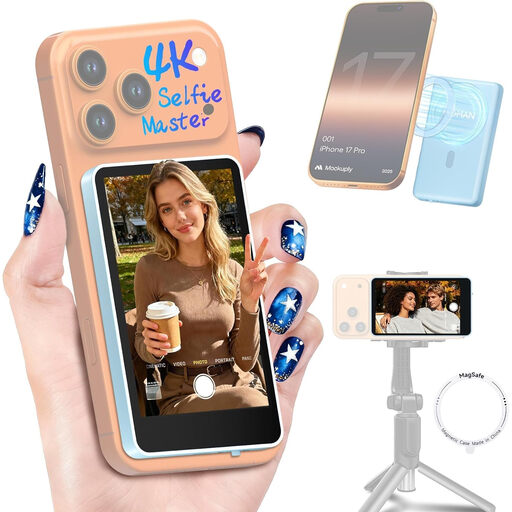
The option below is intended for filming with a compatible smartphone, not for connecting an HDMI camera.
 No image available
Described as a preview screen for filming with a compatible smartphone; it isn’t listed as an HDMI monitor for a camera.
The product description mentions real-time screen mirroring, screen rotation and brightness control. It also states that the model isn’t compatible with Google Pixel devices.
No. The connection name alone doesn’t confirm compatibility. Compare your camera’s HDMI output in the video mode you plan to use with the monitor’s supported input formats. Any additional control features require a separate check of your camera model.
Position it so you can see the preview from your building table, then check the focus and framing before you start filming. Peaking or a magnified view can make checking easier. A test shot will help you confirm that the component you’re showing is actually in focus.
That depends on the specific offer and variant you choose. The battery is explicitly not included as standard with the Feelworld LUT7 offer, so check what’s included and what power supply you’ll need before buying.
For a consumer purchase, you have statutory rights against the seller. These are separate from any voluntary guarantee. The Verbraucherzentrale lists repair or replacement as possible remedies.
Electrically powered monitors are subject to the applicable EU product rules. A CE mark is required where those rules require it for the specific device. The European Union points out that the CE mark isn’t a test certificate issued by a central EU body. End-of-life electrical equipment mustn’t go in household waste; take it to an authorised collection or take-back point instead.