Filming details at the workbench
If you’re filming small track connections and components, a clearly visible preview can make it easier to check focus, especially if your camera display is awkwardly positioned.


An external HDMI monitor can help when filming a model railway if the camera display is difficult to see from your workbench and you want to check the focus on small components. First, check that your camera and monitor can display a compatible live feed in your planned recording mode. Then consider where you’ll position the screen, how much space it will take up and how you’ll power it. If you can see the camera display clearly, it may be all you need for a preview.
If you’re filming small track connections and components, a clearly visible preview can make it easier to check focus, especially if your camera display is awkwardly positioned.
If your camera is above or beside the layout, you should be able to position the monitor where you can see it from your seat, without taking up too much of your limited workspace.
For longer recording sessions, it’s important to have a suitable power supply and check exactly what’s included, so the battery, power adapter and cables work with your planned setup.
A good fit if: you can check the framing and focus clearly from where you work.
The trade-off: You won’t need an extra screen or cables, but checking the image may be more difficult if your camera is in an awkward position.
A good fit if: you want an easy-to-see preview and focus tools for small details, and your camera and monitor use a compatible signal.
The trade-off: Even a compact monitor needs space for its mount, cables and power supply.
A good fit if: you want to check exposure or bright reflections as well as focus, and will actually use the additional displays.
The trade-off: More analysis tools don’t guarantee a better finished recording. Check the power supply requirements and what’s included, too.
| Consideration | What to check before buying | Who it matters most to |
|---|---|---|
| Live HDMI feed | Check the camera model, recording format, HDMI output, frame rate and monitor input against the relevant manuals, then test your planned mode. | If I need a live feed on the monitor while filming, I want to be sure the camera settings and input signal are compatible. Around 33% of customers say HDMI compatibility is their main consideration. |
| Focusing on small details | Check focus peaking, magnification if available, the panel’s native resolution and how easy it is to read from your intended seat. | If I’m filming small rails and components, I want to check the focus without relying on a camera display that’s awkwardly positioned. Around 27% of customers say checking focus is their main consideration. |
| Space and viewing position | Plan for the screen’s dimensions, mounting point and viewing angle, as well as space for the HDMI and power cables. | If the layout and tools already take up a lot of room, I want to see the monitor from my seat without overcrowding the work surface. Around 20% of customers say positioning and visibility are their top priorities. |
| Power and what’s included | Check the exact model’s power connection and requirements, along with the battery, power adapter, cables and mount included with your chosen version. | If I’m filming for longer building sessions, I want to know whether the power supply will last and what’s actually included in the box. Around 20% of customers prioritise continuous operation and what’s included. |
Portkeys lists support for certain 4K input signals on the PT5 II, while the panel has a native resolution of 1920 × 1080 pixels. Input signal and display resolution describe different things.
Compare the supported HDMI signals and native resolution separately against your needs.
FEELWORLD lists different battery inclusions for different versions of the F5 PROX. The product name alone won’t tell you which power supply is included in a specific offer.
Check what’s in the box against your planned recording time and power requirements.
Depending on the version, you may need to buy a battery or power adapter separately.
Sony’s documentation for the ILCE-7C, for example, lists different HDMI settings for simultaneous internal recording and HDMI output only. These settings won’t necessarily apply to other cameras.
Test your own camera in your planned recording format before relying on an external monitor.
Portkeys describes the PT5 II as a compact HDMI option for previews at the workbench.
FEELWORLD positions the F5 PROX for filmmakers looking for a 5.5-inch HDMI display with focus and exposure tools.
According to Atomos, the Shinobi II combines a 5.2-inch display with focus peaking, magnification and other monitoring tools.
NEEWER describes the F500 PRO as another 5.5-inch HDMI monitor option with focus and exposure tools.
The HDMI monitors below are larger display options for a fixed preview setup. Compare their dimensions with your workspace and check your camera’s signal formats: an HDMI input alone doesn’t confirm compatibility with your planned recording mode.
 No image available
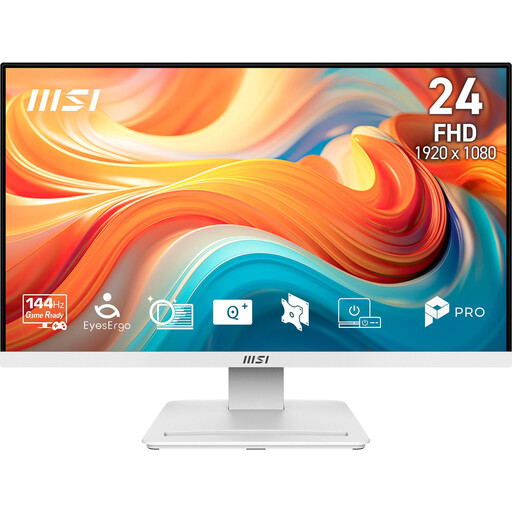
This could work as a fixed HDMI preview if you have enough space for a 23.8-inch display.
Full HD resolution, a VA panel, 144 Hz and 1 ms MPRT are listed in the product name. An HDMI 2.0 input and VESA 100 × 100 mm are also listed as features.
 No image available
This display could be suitable for a fixed preview if you have space for a 24-inch screen.
Full HD resolution and an HDMI input are listed. Height adjustment and pivot functionality may be useful when positioning the screen.
 No image available
A 32-inch display needs plenty of space for a fixed preview setup.
4K UHD resolution, 60 Hz and a webcam are listed in the product name, and an HDMI input is also specified. Check your camera’s signal formats before using it.
You can’t be sure without knowing the camera model and recording format. Compare your camera’s HDMI output in the mode you’ll actually use with the monitor’s input signals. For example, Sony documents different settings on the ILCE-7C for simultaneous internal recording and HDMI output only. These settings can’t be assumed to apply to other cameras.
Try focus peaking on the small components during a test recording, then check the actual footage. A histogram can also help you assess exposure where there are bright reflections: Canon explains that clipped tones on the right may indicate lost detail in bright areas.
For a consumer purchase in Germany, the seller is generally responsible for the statutory warranty. The Verbraucherzentrale says that new goods are generally covered for two years, and distinguishes these rights from a voluntary manufacturer’s guarantee.
Under § 22 KunstUrhG, you generally need the consent of anyone shown before distributing or publicly displaying an image of them. Whether an exception applies depends on the specific circumstances. If in doubt, film in a way that doesn’t identify anyone you live with, or get their agreement before publishing.
The Bundesnetzagentur lists checks including the CE marking, product identification, manufacturer details and a German instruction manual with any necessary warnings. Check the specific offer; this guidance doesn’t confirm that a particular model or offer has already been assessed.