Origami teachers filming on their own
If you’re folding and checking the recording at the same time, you need to be able to see the preview clearly from where you’re working. Fotonomaden reports that an extra monitor makes it easier to check focus.


You may not need an external monitor at all. If you can clearly check the creases and framing on your camera’s screen from where you’re working, that may be all you need. If the preview is hard to see, a well-positioned HDMI monitor can help – as long as your camera outputs a live image in the recording mode you plan to use. Remember to allow for a mount, cables and power; a high brightness rating alone doesn’t prove that a monitor will offer an advantage at a desk with controlled lighting.
If you’re folding and checking the recording at the same time, you need to be able to see the preview clearly from where you’re working. Fotonomaden reports that an extra monitor makes it easier to check focus.
When you’re working at a small table, the screen, mount and cables mustn’t get in the way of the paper, your hands or your movements.
If you want to connect an external monitor, check your camera’s HDMI output in the recording mode you’ll actually use. Sony Germany points out that the HDMI display and available settings depend on the camera model.
Best if: you can check focus and framing from where you’re folding.
Consider: You won’t need another device or power supply, but visibility will depend on the screen and its position.
Best if: your camera outputs a suitable live image in the video mode you’ve chosen and you want to see the preview beside or above your folding area.
Consider: You’ll need a suitable place for the mount, HDMI cable and power supply.
Best if: you want to operate the camera from your workspace and your specific camera model is supported.
Consider: Control features vary by model and aren’t necessary if you only need to check the image.
Best if: you also want to record externally, as well as view the preview.
Consider: The camera output, recording format and storage medium must all be compatible with the specific recorder.
When filming origami at a small work table, the key considerations are seeing fine creases, keeping the work area clear, getting a working HDMI live feed, checking exposure and managing power.
| What you need | What to check before buying | Who is it important to? |
|---|---|---|
| Check fine creases are in focus | Check whether the specific model offers focus peaking or image magnification; make a test recording of a paper edge. | If you want to check small creases while filming, being able to assess focus is especially important. Around 31% of consumers put this first. |
| Clear sightline and workspace | Check where you’ll mount it, the viewing angle, the mount and the cable route with your setup assembled. | If you don’t want the screen or cables to get in the way of the folding area or your hand movements, a clear workspace is essential. Around 25% of consumers prioritise this. |
| HDMI live feed | Check the camera output, connector type, supported resolution and frame rate while recording. | If you want to use the monitor with your existing camera, the live feed must work with your recording settings. Around 19% of consumers prioritise HDMI compatibility. |
| Assessing paper exposure | Check which exposure tools the model offers and view a test recording under your intended lighting. | When filming white paper, you’ll want to assess exposure in the preview without mistaking monitor tools for automatic changes to the recording exposure. Around 13% of consumers put this first. |
| Power and what's included | Check which power supply and accessories are included with the exact version. | If you’re planning longer teaching sessions, the power supply needs to suit your setup. Around 12% of consumers consider this their top priority. |
According to Atomos, the Shinobi GO supports compatible UHD 4K signals, but its screen resolution is 1920 × 1080 pixels. The input signal and screen resolution are two different things.
Check your camera’s supported signals separately from the monitor’s native resolution.
Sony describes HDMI display options that depend on the camera model and the settings used while recording video.
Before you buy, test the video output and on-screen displays with the camera settings you plan to use.
An unsuitable cable may need replacing, while changing your camera settings could mean an extra setup step.
FEELWORLD says that the F5 PROX comes with different accessory options; Atomos describes USB-C-PD as an optional power supply for the Shinobi GO.
Check what’s included with the version you’ve chosen and plan the cable route across your table.
Depending on the version, you may also need a battery, a suitable power supply or mounting accessories.
FEELWORLD says the F5 PROX combines a 5.5-inch screen with focus and exposure tools. Within the range, the LUT5 is more geared towards high screen brightness.
Atomos describes the Shinobi GO as a compact HDMI preview monitor; the Shinobi II adds control features for supported cameras.
NEEWER describes the F500 PRO as a 5.5-inch monitor with HDMI input and output, and several power options.
Portkeys says the LH5P II is designed for people who want to control compatible cameras from the monitor as well as view an HDMI preview.
Viltrox describes the DC-550 Pro II as a 5.5-inch HDMI monitor with exposure tools and additional control features.
The external monitors below vary in size and connections. They’ll only work for filming origami if your camera output and the monitor input are compatible in the recording mode you plan to use. Larger screens also need more space on your work table.
 No image available
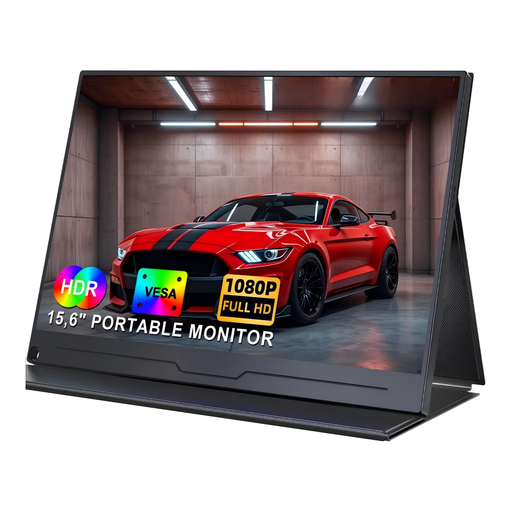
It’s only suitable as an external preview if your camera outputs a compatible HDMI signal; the 15.6-inch screen needs table space.
FHD IPS screen; HDMI and USB-C; smart cover stand and VESA mounting option.
 No image available
To use it as a camera preview, your camera must output a compatible video signal via USB-C; the 15.6-inch screen needs workspace.
1080p IPS screen; USB-C video connection for devices that support video output; VESA mounting.
 No image available
It’s only suitable as an external preview if your camera and monitor can transmit a compatible signal; the 15.6-inch screen takes up space on a small table.
15.6-inch screen; HDMI and USB-C; adjustable stand and VESA mounting option.
 No image available
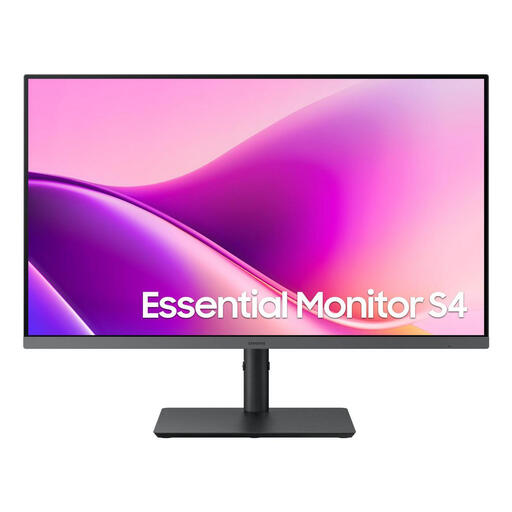
The 27-inch screen needs considerably more space than a compact camera monitor; check that you can position it suitably on your table.
FHD IPS screen; HDMI; height-adjustable stand and VESA mounting.
 No image available
Choose this 27-inch screen only if you have space for it and its HDMI input is compatible with your camera’s signal.
IPS screen with 3840 × 2160 pixels; HDMI 2.1; height-adjustable stand and VESA mounting.
No. Checking the sockets alone isn’t enough. Match the connector type, supported resolution and frame rate, then test the HDMI live feed while recording with the camera settings you plan to use. Sony Germany points out that display and recording options depend on the camera model and its settings.
Place it within your line of sight but out of the way of your movements, then check the mount and cable route with your setup assembled. Atomos lists a 1/4-inch-20 mounting point for the Shinobi GO; whether a mount will fit depends on your specific setup.
Depending on the model and version, you may need a battery or mains adaptor, an HDMI cable and a mount. FEELWORLD lists different accessory options for the F5 PROX, so check what’s included with the specific version.
Your statutory rights against the seller are separate from any voluntary guarantee. The consumer advice centre explains the difference. Keep the product listing and proof of purchase, and check any additional guarantee terms separately.
No. The German Federal Ministry for the Environment says that electrical and electronic waste should be returned to authorised collection points. There are conditions for retailer take-back without a new purchase, including a maximum external device size of 25 cm for retailers that are required to offer this service. The German Environment Agency recommends removing old batteries that can be taken out easily and returning them separately to a suitable battery collection point.