Related products at Joybuy
The following Joybuy products are desktop monitors with HDMI, not dedicated compact camera monitors. At 24 to 27 inches, they need considerably more space than a monitor around 5 inches; before buying, also check that your camera output is compatible with the monitor.
 No image available
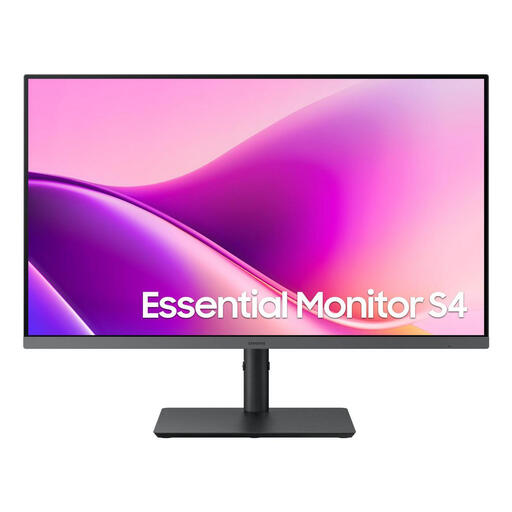
Samsung Essential Monitor S4 S43UF, 27 inches
This desktop monitor with HDMI can only be used as a preview if it supports the camera signal; its 27-inch size needs space on or beside a small table.
Specifications stated in the product name: FHD, IPS, 100 Hz and USB-C.
View at Joybuy
 No image available
Gigabyte GS27QCA, 27 inches
This curved desktop monitor is an HDMI option if it supports your camera signal and you have enough space; it isn’t a dedicated compact camera monitor.
Specifications stated in the product name: QHD, 180 Hz, 1 ms, AMD FreeSync and HDR.
View at Joybuy
 No image available
KOORUI MB24V29FS4, 24 inches
This desktop monitor takes up more space than a compact camera monitor. HDMI is listed; check that the monitor supports your camera output before planning to use it for preview.
Specifications stated in the product name: FHD, IPS, 120 Hz, HDMI and VGA.
View at Joybuy
 No image available
TCL Gaming Monitor 25G54, 25 inches
This desktop monitor takes up more space on a small table than a compact camera monitor. HDMI is listed; check that it can display your camera’s signal.
Specifications stated in the product name: Mini LED, Full HD, 144 Hz, IPS and 450 Nits.
View at Joybuy
 No image available
INNOCN CB27U1, 27 inches
This 27-inch desktop monitor needs space and isn’t a dedicated compact camera monitor solution. HDMI is listed; check that it supports your specific camera signal.
Specifications stated in the product name: 4K UHD, 3840 × 2160, IPS, 120 Hz and USB-C with 90 W PD.
View at Joybuy
Frequently asked questions
Do I actually need an external monitor for a paper-cutting lesson?
Not necessarily. If you can assess the camera display clearly from your cutting area, it may be all you need. An external monitor could be useful if you want to position the live image more conveniently or use the focus and exposure aids available.
Why does the camera display go dark when I connect HDMI?
This can be down to the display and recording settings on your specific camera model. Sony Support describes cases where, depending on the format, proxy recording and HDMI display settings, the image appears on only one of the two displays. Check your camera manual for the video mode you plan to use.
Will a camera monitor record my lesson?
Not automatically: an HDMI input or SD card slot alone doesn’t mean the device can record. Atomos says the Shinobi GO’s SD card is for updates and LUTs; Blackmagic Design specifically lists an SD card recorder for the Video Assist 5" 3G. Also check that the supported format matches your camera output.
What extra items should I plan for my setup?
Depending on the monitor and filming space, you may need a suitable power source, a mount and an HDMI cable. Check what’s included with the specific product and plan the cable route so it doesn’t cross the cutting area.
Can I put an old camera monitor in household waste in Germany?
No. Waste electrical equipment must be collected separately and taken to an authorised collection point. The German Environment Agency lists local collection points and recycling centres as free return options; conditions apply to returns through retailers.


