First, check that your camera outputs a live feed in the recording mode you’ve chosen and that the monitor can receive it. Make sure the preview is clearly visible from your workstation, too. For detailed modelling work, a compactly mounted monitor and focus or exposure aids can be useful. A larger display is easier to view from further away, but you’ll need a suitable place for it and an appropriate power supply.
Who is a camera monitor suitable for?
Teachers demonstrating fine shaping techniques
If you want to assess small edges and the focus of the live image, focus peaking and a clearly visible preview can help. Sony describes focus peaking as highlighting sharp edges. Check how well it works with your subject and setup.
Filming with limited table space
You want to see the preview from your modelling position without placing the monitor, mount and cables in the way of your movements. Screen size and mounting options affect where you can position the device in relation to your hands.
Teachers filming longer takes
For a longer demonstration, the power supply should suit your planned setup. Batteries, power adapters and what’s included in the box can vary by model and package.
What should you look for when buying?
First, check your camera’s live-feed signal and where you can position the preview. Then compare focus tools, exposure aids and power options to find what suits your lesson.
| What matters |
What to check |
Who is it important to? |
| Live-feed compatibility |
Compare your camera’s HDMI output and output format in recording mode with the monitor’s supported input signals. |
If you want to make sure your camera outputs a compatible live feed before your lesson, connecting the two is your first priority. Around 31% of consumers name compatibility as their main concern. |
| Focus on fine details |
Check whether the exact model offers peaking or image magnification, and try the display with your own subject beforehand. |
I want to see small edges and shaping details in the preview, rather than relying on framing alone. Around 25% of consumers prioritise checking the focus on small details. |
| Viewing position and space |
Check the screen size, mounting options, viewing angle and cable routing with your complete table setup. |
If you want a clear view of the preview without obstructing your hands or overhead view, positioning the monitor on your small table is what matters most. Around 19% of consumers put this combination of space and visibility first. |
| Exposure on bright areas |
Check the specific model for waveform, histogram or false-colour display options, and assess the preview under your intended lighting. |
I want to judge exposure more accurately while filming areas of light-coloured clay and shadow. Exposure control is the main concern for around 13% of consumers. |
| Power supply |
Check which power sources are compatible, what accessories you need and what’s included with the exact package. |
If you want to film longer takes without unexpected interruptions, the power supply should suit your setup. This is the main priority for around 12% of consumers. |
Your camera’s built-in display
A good fit if: you can already see the framing and focus clearly from your modelling position.
Trade-off: You won’t need an extra mount or power supply, but visibility depends on your camera’s position and display.
Compact HDMI monitor
A good fit if: your camera provides a compatible HDMI live feed and you want to check details or exposure close to your rig.
Trade-off: You’ll need to fit the mount, cables and a suitable power source into your small table setup.
Larger field monitor
A good fit if: you can view your work surface from further away and have a separate place to position the monitor.
Trade-off: A larger display takes up space. The Portkeys HD7H accepts an input of up to UHD 4K30p, but that doesn’t mean it displays in 4K: Portkeys specifies a panel resolution of 1280 × 720 pixels.
Avoid common misconceptions
-
Confusing a 4K input with a 4K display
A monitor can accept a 4K signal and still display it on a lower-resolution panel. Portkeys specifies a 1280 × 720-pixel panel for the HD7H.
Compare input formats and native panel resolution separately, particularly if you want to assess the fine edges of clay.
-
Assuming a battery and mount are included
What’s in the box can vary between packages. FEELWORLD explicitly offers the F5 PROX in packages with and without a battery.
Check what’s included with the exact package against your planned table setup.
Depending on the package, you may need to buy a compatible power source or mounting parts separately.
-
Automatically choosing the brightest display for an indoor table
A high brightness figure quoted by the manufacturer doesn’t, on its own, prove that the monitor offers an advantage in a controlled lighting setup for a clay lesson.
First check the viewing position, focus tools and lighting at your workstation, rather than treating manufacturers’ brightness figures as a practical comparison test.
Key brands at a glance
FEELWORLD
The F5 PROX and LUT6 are HDMI monitors with focus and exposure aids.
- FEELWORLD lists peaking, waveform, histogram and false colour for the F5 PROX.
- The F5 PROX is available in versions with and without a battery. The LUT6’s high brightness specification doesn’t prove that it offers a particular advantage on a table with controlled lighting.
Atomos
The Shinobi GO is a compact HDMI monitor for checking your image close to the camera rig.
- Atomos specifies a 5.2-inch, 1920 × 1080-pixel panel with exposure aids for the Shinobi GO.
- Check that your camera’s HDMI signal is compatible and find out which power source you’ll need. The manufacturer describes the Shinobi GO as a monitor, not a recording device.
Portkeys
The PT5 II and HD7H offer different display sizes and panel resolutions.
- Portkeys specifies a 1920 × 1080 panel for the PT5 II, along with peaking and waveform.
- According to Portkeys, the HD7H has a 7-inch panel with a resolution of 1280 × 720 pixels. Supporting an input signal of up to 4K30p doesn’t mean it has a 4K panel.
NEEWER
The specific F500-PRO package described is a 5.5-inch HDMI monitor supplied with a battery.
- NEEWER lists peaking, waveform, false colour and NP-F, DC and USB-C power options.
- The NP-F750 battery is included with the package described; other packages don’t necessarily include the same accessories.
Joybuy products for an external preview
The products below are larger desktop monitors that could serve as an external preview if your camera output, monitor input and a separate position for the screen are all suitable. They aren’t compact camera monitors, so check signal compatibility and the space your setup will need.
 No image available
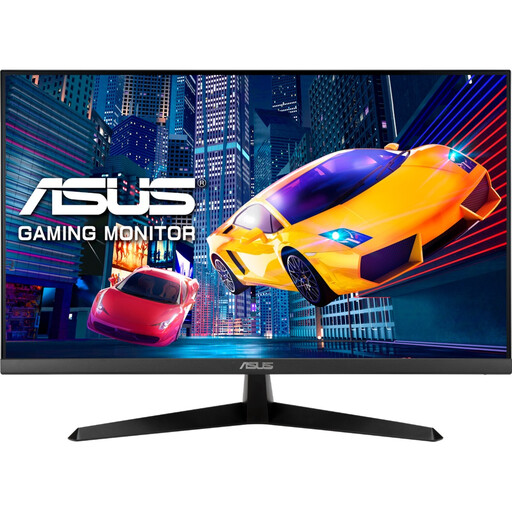
ASUS Eye Care VY279HGR, 27 inch, Full HD
Could work as a larger external preview if you have a separate place for it and your camera signal is compatible with the input.
IPS panel, 1920 × 1080, HDMI and VESA 100 × 100.
The 27-inch format takes up a lot of space on a small modelling table. VESA mounting could let you position it separately.
View at Joybuy
 No image available
KTC H24B9S, 24 inch, Full HD, IPS
Could provide a larger external preview if you have space for a separate monitor beside your small table and the connections are compatible with your camera signal.
24 inch, 1080P Full HD and IPS panel.
The 24-inch format takes up a lot of space on a small table, so check where you plan to position it before buying.
View at Joybuy
 No image available
Acer Vero B248YGbemiqprcuzx, 24 inch, business monitor
Its height-adjustable stand and pivot function could be useful when choosing a separate position for the monitor.
The product name specifies a 5 MP IR webcam and a microphone.
The 23.8-inch format needs a suitable place on or beside your modelling table.
View at Joybuy
 No image available
MSI PRO MP275QPDGDE, 27 inch, WQHD docking monitor
Could work as a larger external preview if you have a separate space for it and your camera signal is compatible with the monitor’s connections.
WQHD, IPS panel, 100 Hz, USB-C with 98 W PD, Daisy Chain, KVM and integrated webcam.
The 27-inch format and stand dimensions of 614 × 578,9 × 223,9 mm take up a lot of space on a small modelling table. VESA mounting could let you position it separately.
View at Joybuy
Frequently asked questions
Is “4K HDMI” enough to make my camera work with the monitor?
No. What matters is whether your camera’s HDMI output format in the recording mode you plan to use matches the input formats supported by that specific monitor. Portkeys specifies an input of up to UHD 4K30p for the HD7H, but its panel resolution is 1280 × 720 pixels.
How do I set up a monitor on a small modelling table?
First, choose a position where you can see the preview without the monitor or mount getting in the way of your hands. Then check the mounting points and route the HDMI and power cables so they don’t obstruct your overhead view or your work with the clay.
Do I need to buy a battery or power adapter separately?
It depends on the exact model and package. FEELWORLD offers the F5 PROX with or without a battery; the German NEEWER F500-PRO package described includes an NP-F750 battery. Also check which power source is compatible with your planned setup.
Can I film participants who can be recognised and publish the video?
There’s no general answer without details about the people, the recording and how you plan to use it. If personal data is processed, the Federal Commissioner for Data Protection and Freedom of Information advises that a legal basis under Article 6 of the GDPR is required. If you rely on consent, it must meet the applicable requirements.


