Weavers working by a bright window
When the daylight changes, you’ll want to see the camera feed from where you’re working and assess the exposure.


First, choose a monitor with an input that supports your camera’s video signal and a screen you can see clearly from your usual position. In strong window light, a bright display and exposure tools are worth considering. To check fine threads, look for useful positioning, magnification and focus peaking. Then make sure the power supply, mounting options and items included suit your setup, rather than comparing brightness figures alone.
When the daylight changes, you’ll want to see the camera feed from where you’re working and assess the exposure.
If you need hands, threads and patterns to look clear and sharp on screen, focus and framing tools matter more than screen size alone.
If you want to add a monitor to your camera, mount and power supply, check how your camera settings affect its HDMI output too.
First, check that the camera output and monitor input are compatible. Then consider how easy the screen is to see from where you work, along with focus tools, mounting and power.
| What matters | What to check before buying | Who is it important to? |
|---|---|---|
| Screen visibility in window light | Assess the screen from your actual working position; check for exposure tools such as waveform or false colour. | When the daylight changes, I want to assess the image without relying on the brightness figure alone. Around 31% of consumers put screen visibility and exposure first. |
| Threads and hand movements on screen | Check peaking, magnification and framing markers, as well as screen position and viewing angle. | When I demonstrate fine weaving techniques, I want to keep an eye on the threads and my hands on screen. Around 25% of consumers prioritise focus and framing. |
| Camera compatibility | Check your camera model, HDMI output during recording, signal format and compatible cable connectors. | With my existing camera setup, I need a video signal that the monitor can actually accept. Around 25% of consumers focus above all on camera compatibility. |
| Mounting and power supply | Check the mount, cables, power source and what’s included with the specific version. | For a permanent weaving space, I want to position the monitor appropriately and power it while recording. Around 19% of consumers prioritise setup and power. |
FEELWORLD lists a 4K@30Hz signal input for the LUT5 and a native display resolution of 1920 × 1080 pixels. The input signal and panel resolution are two different specifications.
Compare the supported input format with the screen resolution separately, and consider what you need the monitor for.
Manufacturers’ brightness figures don’t show how reflections and viewing angles will affect visibility at your particular window-side spot.
Take screen position and the exposure tools you need into account when choosing.
NEEWER offers the F700 in versions with no battery, one battery or two batteries.
Check what comes with the version you’ve chosen against the cables and power supply your setup requires.
The LUT5 and F5 PROX ranges include 5.5-inch HDMI monitors for image monitoring.
The compact PT6 is described as being suited to controlled indoor setups, with HDMI and image monitoring tools.
The F700 is designed for setups that need a 7-inch screen and different power options.
The Shinobi range includes preview monitors; the Shinobi II also offers camera control for supported cameras.
Video Assist is an option if you need to record externally as well as preview the footage.
The products below range from smartphone monitors to desktop displays. For a weaving demonstration, a model will only work if it can display the video signal from your recording device.
 No image available
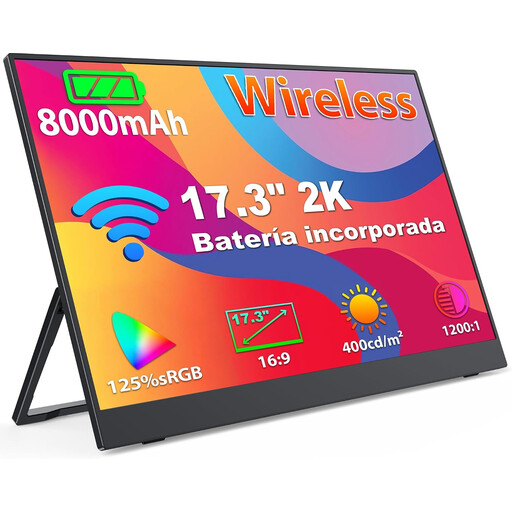
It could work for a demonstration using a compatible smartphone if the phone can output its camera feed through the wireless screen mirroring described.
The product name lists a 1440p IPS panel and support for AirPlay and Miracast; check that the connection you need works with your device.
 No image available
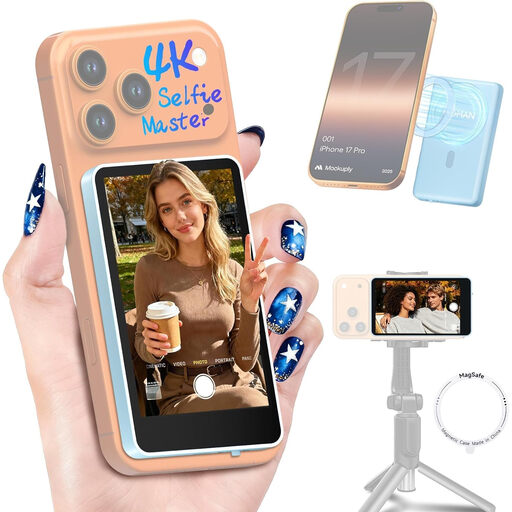
For a demonstration filmed on a supported smartphone, the description lists a real-time view from the rear camera and a remote control.
It’s described as compatible with iPhone 7–18 and Android; according to the product details, Google Pixel devices aren’t compatible.
 No image available
For a permanent workstation, a large display with an HDMI input and an adjustable stand could be a good fit; check that the camera output matches the input.
The product is described as having a VA panel and webcam. The product description warns against exposing the monitor to direct sunlight.
 No image available
This model could suit a permanent weaving space if an anti-glare surface and adjustable screen position are important to you. Check that the connections work with your camera setup.
The product name lists an IPS display with 2560 × 1440 pixels, 60 Hz and 350 cd/m², as well as HDMI and DisplayPort.
Not necessarily. Check that the HDMI output mode during recording matches the monitor’s supported input formats. Sony notes that, for certain cameras, recording and proxy settings can affect which image appears on an external display; this doesn’t necessarily apply to every model.
Position the monitor within your field of view and, if available, use peaking or magnification for details, and waveform or false colour to check the image signal. Before your demonstration, check a test recording on a suitable playback device.
No, it depends on the model and your setup. NEEWER lists NP-F batteries, a DC connection and Type-C power for the F700; check which power options are suitable and what’s included with your version.
When you enter into a distance-selling contract as a consumer, you generally have the right to cancel. The statutory cancellation period is 14 days and, for a typical purchase of goods, starts when you receive them, subject to the applicable legal requirements and exceptions. Statutory rights relating to faulty goods are separate from a voluntary guarantee; for movable goods, the standard limitation period is generally two years from delivery.