People filming alone at the gaming table
If you explain game moves while your camera is positioned above or beside the table, an easy-to-reach preview lets you check the framing and focus from your seat.


If your camera outputs a supported live HDMI feed in your chosen recording mode, a compact monitor with easy-to-reach focus and exposure tools is often all you need for previewing. Choose a screen size, mount and power supply that suit your seating position and the limited space on your gaming table. A monitor-recorder is mainly worth considering if you also want to record externally.
If you explain game moves while your camera is positioned above or beside the table, an easy-to-reach preview lets you check the framing and focus from your seat.
You need to find space for the monitor, camera mount, cables and power supply without blocking the playing area. The right screen size depends on your particular setup.
If you want to record externally as well as save footage to your camera, it’s worth understanding the difference between a monitor used purely for previewing and a monitor-recorder.
First decide whether you only need a preview or also want to record. Then consider the camera signal, your line of sight from your seat, and the space and power available at the table.
| What matters | What to check before buying | Who is this important to? |
|---|---|---|
| Framing and focus | Check your line of sight from your seat, the screen’s position and orientation, and the focus-assist tools available on the specific model. | When I’m explaining a game on my own, I want to check the framing and focus from my seat without losing sight of the cards or pieces. This is the main concern for around 31% of consumers. |
| HDMI compatibility | Check that your camera model, HDMI output in your chosen recording mode, cable and monitor input formats are compatible. | If I want to keep using my existing camera, its live feed in recording mode must be compatible with the monitor; having the right connection alone isn’t enough. Around 25% of consumers put signal compatibility first. |
| Space and power | Plan where to mount the monitor and how to route the cables; check the power source and what’s included with the exact product variant. | In a cramped room, I need a secure position for the monitor that doesn’t obscure the game or leave cables trailing across the playing area. Around 19% of consumers prioritise positioning and power. |
| Readability and exposure | Consider reflections where you plan to use the monitor and check which exposure tools the specific model offers. | If the light from a window or lamp changes, I want to be able to read the preview and assess the exposure where I’ll actually be using the monitor. Readability and exposure control are the main concern for around 19% of consumers. |
| External recording | Check whether your camera records well enough on its own; if not, compare the recorder’s recording format, storage media and signal path with your setup. | An extra external recording only matters to me if the camera’s recording on its own doesn’t meet my needs. Around 6% of consumers put external recording first. |
Portkeys lists certain supported 4K input signals for the PT5 II, while its display has a resolution of 1920 × 1080 pixels. Input format and native display resolution are two different specifications.
Check your camera’s output format against the monitor’s supported inputs. Assess the display resolution separately.
NEEWER offers the F700 without a battery, with one NP-F750 battery or with two. According to its technical specifications, the Atomos Shinobi II has no built-in battery.
Check what’s included with the specific variant and make sure you have a suitable power source. Depending on the package, you may need to supply batteries or other power accessories separately.
A monitor-recorder serves a different purpose from an HDMI monitor designed purely for previewing. Blackmagic lists the Video Assist 5″ 3G as an SD card recorder supporting up to 1080p60; other models in the range have different specifications.
First decide whether you really need an additional external recording. If you do, check that your camera output, recording format and storage media are compatible.
External recording also requires suitable storage media and extra work to manage the files.
Atomos limits Touch-to-Focus on the Shinobi II to supported camera models. A working HDMI preview doesn’t confirm that camera control is compatible.
If you want to control your camera from the monitor, check your exact camera model and the required connection against Atomos’s compatibility list.
The PT5 II is a compact HDMI preview option for a setup close to the gaming table.
The F700 gives you a larger preview if you can position the monitor beside the gaming table.
The F5 PROX is a mid-sized HDMI preview monitor with a high stated screen brightness.
The Shinobi II is worth considering if you want a compact preview and explicitly supported camera control.
The Video Assist range is worth considering if you want your preview monitor to also record externally.
The portable displays below are worth considering for use as an external preview, provided your camera output, HDMI connection and signal format are compatible. Their screen sizes will need room on or beside the gaming table.
 No image available
It’s worth considering for external preview if your camera outputs a compatible HDMI signal; the 15.6-inch screen needs space on the table.
FHD at 1920 × 1080 pixels, IPS, USB-C and HDMI. The smart cover stand and VESA mounting option give you a choice of ways to position it.
 No image available
The larger display could work well for previewing from further away, provided you can position it securely without taking up space in the playing area.
FHD at 1920 × 1080 pixels, matte IPS display, USB-C and Mini HDMI. According to the product description, support for up to 120 Hz depends on the device and cable; VESA-compatible.
 No image available
For use as an external display, it needs a compatible camera signal; make sure you have enough room for the 15.6-inch screen.
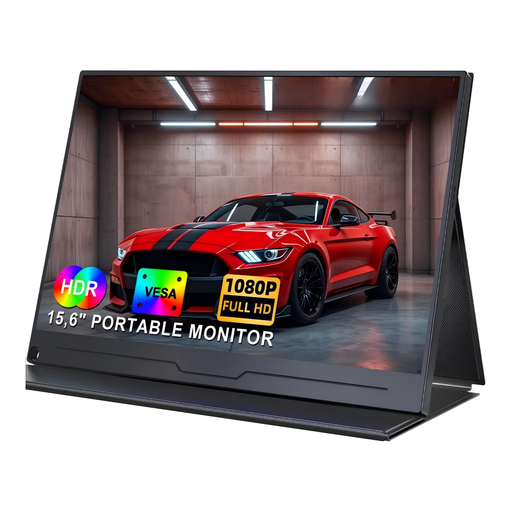
FHD at 1920 × 1080 pixels, IPS, HDR, USB-C and HDMI. The VESA mounting option gives you another way to position it.
 No image available
It can be used for external preview if the camera output and connection are compatible; allow for the space needed by the 15.6-inch display.
FHD IPS display with stated 100% sRGB coverage, USB-C and Mini HDMI. Built-in adjustable stand and VESA compatibility.
No, having the right connection alone isn’t enough. Compare the HDMI signal in your chosen recording mode with the formats supported by the monitor. Canon describes different combinations of external display and in-camera recording for the EOS R6; you can’t assume the same applies to other camera models.
Try positioning it by the camera mount or to the side of the table, and check the view from your usual seat. Route the HDMI cable away from the playing area, and make sure the mount, cable length and power source suit your setup.
Only if you also want to record externally. For monitoring the picture as you film, a preview monitor is enough, as long as the camera signal is compatible. The Blackmagic Video Assist 5″ 3G adds an SD card recorder; check that its supported formats match your camera.
Make a test recording and check that the preview stays on, the cards and game moves are in frame, and the display is easy to read where you plan to use it. Make sure you have a suitable power source too; the battery inclusions vary by version of the NEEWER F700.
According to information from Your Europe, purchases from a professional seller in the EU are generally covered by a legal guarantee of at least two years from receipt; this is separate from a voluntary commercial guarantee. For online purchases, the Council of the European Union generally states that you have a 14-day right to withdraw, subject to legal exceptions. The seller and terms and conditions determine what applies to your specific purchase.