What should you look for when buying?
First, check the live feed in recording mode and make sure you’ll be able to see the screen from your crochet spot. Then choose a screen size, monitoring tools and power supply that suit your setup.
| What matters |
What to check before buying |
Who is this important to? |
| Checking fine stitches and focus |
Check the native panel resolution, peaking or magnification, and how easy the screen is to read from your seat; then review the recording itself. |
When I film close-ups, I want to check the focus on small stitches in my chosen frame without assuming the monitor display is identical to the finished recording. Around 28% of consumers prioritise checking fine stitches. |
| Keeping the live feed on while recording |
Check that your camera model, HDMI output, signal format and frame rate match the monitor input; test while recording. |
When I film with a camera I already own, I need the live feed to remain visible in the recording mode I’ve chosen. Around 22% of consumers put a reliable display while recording first. |
| Fitting the screen into your crochet setup |
Match the viewing distance and available space to the screen size; check the mount and cable routing in your planned setup. |
At my dedicated crochet table, I want to see the screen while keeping enough room for my hands, yarn and camera. Around 22% of consumers prioritise finding the right position. |
| Powering longer sessions |
Check the power connection for the specific model and what’s included in the package you choose; route cables safely. |
For longer recordings, I want a power supply that suits my table setup, rather than having to look for a socket while filming. Around 17% of consumers prioritise power for their planned recording time. |
| Assessing exposure when the light changes |
Check whether the model offers a histogram, waveform or false colour; compare the display with a test recording in your room’s lighting. |
When the light at my crochet spot changes, I want to check exposure rather than relying on the display’s maximum brightness alone. Around 11% of consumers prioritise assessing changes in exposure. |
Monitors with HDMI input at Joybuy
This Joybuy selection includes larger desktop monitors with HDMI input that may work as a preview screen at your crochet spot, provided your camera outputs a suitable HDMI signal in recording mode. Allow for the space they’ll take up, and check the signal path for your specific camera.
 No image available
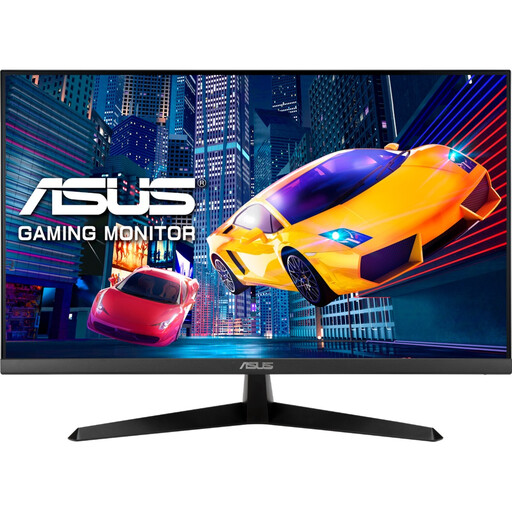
ASUS Eye Care VY279HGR 27-inch Full HD monitor
Can work as a large preview screen if your camera outputs a suitable HDMI signal; its 27-inch screen needs a corresponding amount of space at your crochet spot.
27 inches; IPS panel; 1920 × 1080 pixels; HDMI and D-Sub.
Joybuy
 No image available
KTC H24B9S 24-inch Full HD monitor
An HDMI preview can help when filming, provided your camera output and monitor are compatible; allow enough room for the 24-inch screen.
24 inches; IPS panel; 1920 × 1080 pixels; 144 Hz; HDMI and DisplayPort.
Joybuy
 No image available
acer Vero B248YGbemiqprcuzx 24-inch business monitor
A suitable larger preview for your workstation if your camera outputs a compatible HDMI image while recording; bear in mind the space the monitor will take up.
24 inches; HDMI; Full HD LCD display. The product title also mentions a 5 MP IR webcam with microphone.
Joybuy
 No image available
MSI PRO MP275QPDGDE 27-inch WQHD docking monitor
Can work as a larger HDMI preview screen if your camera outputs a compatible signal; you’ll need enough space at your crochet spot for the 27-inch screen.
27 inches; IPS panel; 2560 × 1440 pixels; 100 Hz; HDMI; USB-C with 98 W PD.
Joybuy
Frequently asked questions
Is an HDMI connection enough to guarantee I’ll always see a picture while crocheting?
No. The connection alone doesn’t guarantee a live feed in the recording mode you want to use. Check that your camera’s output format and frame rate match the monitor input, and test while recording. Sony describes different behaviour for certain camera models and settings; this isn’t a general statement about all cameras.
What should I consider when choosing screen size and resolution?
Choose a screen size that suits your viewing distance and available space, and check the native panel resolution separately from the supported HDMI input signal. A monitor that accepts a higher-resolution signal won’t necessarily display it at the same resolution.
Can I record my crochet videos with a camera monitor alone?
Not simply because it has an HDMI input or SD card slot. Atomos says the Shinobi II’s card slot is for updates and LUTs, whereas Blackmagic Design specifically describes the Video Assist 5" 3G as recording to an SD card. So check whether you only need a preview or also want to record externally.
What should I check about power and accessories for longer recording sessions?
Check the power supply for the exact model, the compatible mount and what’s included in the specific package. According to Atomos, the Shinobi II has no built-in battery; battery options may vary between the NEEWER F700 and FEELWORLD F5 PROX offers.
What should I look for in an electronic monitor sold in Germany?
Check the details of the specific offer and the accompanying product documentation. For products within its remit, the Bundesnetzagentur lists requirements including CE marking, device and manufacturer identification, and declarations of conformity. A general product description alone doesn’t prove that a specific offer complies.


