What should you look for when buying?
At a fixed painting desk, first make sure the monitor suits your camera connection and viewing position. Additional features come later.
| What matters |
What to check before buying |
Who should pay particular attention |
| Focus in close-ups |
Check whether the specific model offers peaking or image magnification, and test its HDMI live view in the camera mode you’ll actually use. |
If you want to check your brush tip and fine details without constantly interrupting your workflow, focus should be a priority. Around 31% of consumers rank it as their main concern. |
| Framing and space |
Plan your viewing position, mount and cable routing in advance; compare the display’s dimensions with the space available. |
If your camera is above the painting desk, you’ll need a clear view from your working position without restricting your hands or painting area. Around 25% of consumers put framing and space first. |
| Exposure and colour preview |
Check whether the specific model offers a histogram, waveform or false colour, and assess the preview under your usual lighting. |
If you want to assess how your illuminated miniature looks in a tutorial, the tools available and your actual lighting both matter. Around 19% of consumers prioritise exposure and colour preview. |
| Connections and power |
Match your camera’s output format and frame rate to the monitor input; check the HDMI connector type, cable routing and suitable power source. |
For longer painting sessions, you’ll want to run your camera and monitor without unexpected signal or power interruptions. Around 19% of consumers prioritise connections and power. |
| Recording or transmission |
Decide before buying whether you need a local preview, separate recording or a second viewing point; check format limits and the receiving device. |
If an additional video file or image monitoring by another person is part of your workflow, the features you need will determine your choice. Around 6% of consumers prioritise recording or image transmission. |
Suitable displays on Joybuy
Portable external displays for a larger preview at your painting desk – only suitable if your camera has a compatible video output and the monitor has a compatible input.
 No image available
UFYQL M156F04 portable monitor, 15.6 inches
Suitable as a larger preview at your painting desk only if your camera outputs a suitable live image to a compatible monitor input.
15.6 inches, FHD 1080P, IPS, USB-C and HDMI; the product name also mentions a stand and VESA mounting.
Joybuy
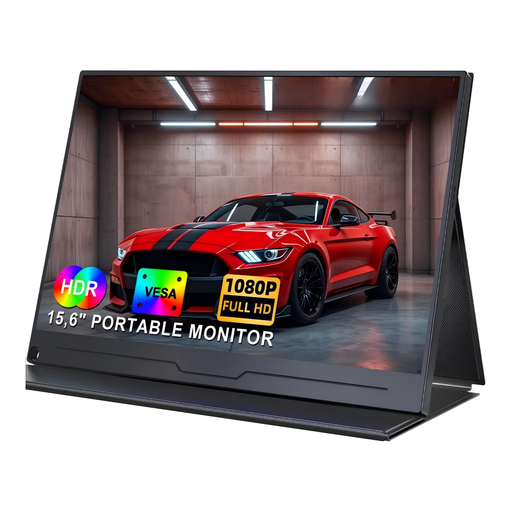 No image available
UPERFECT portable monitor, 15.6 inches, 1080P, IPS
It’s only suitable as an external preview if your camera has a compatible video output; check the connection and signal before mounting it.
15.6 inches, 1920 × 1080, IPS and USB-C; the product name also mentions HDR.
Joybuy
 No image available
UPERFECT portable monitor, 15.6 inches, 100% sRGB
It’s only suitable for camera preview if the camera output and monitor input use the same supported video signal.
15.6 inches and 1920 × 1080; the product name lists 100% sRGB, USB-C, an adjustable stand and VESA mounting.
Joybuy
Frequently asked questions
How can I check whether my camera outputs a usable HDMI image?
Connect your camera and monitor, then test the exact video settings you plan to use. Sony Germany notes that on certain models, camera settings such as proxy recording and recording format can affect the external display, so check your specific camera model.
Does a 4K HDMI input mean the monitor displays 4K?
No. Atomos lists support for certain 4K signals on the Shinobi II, but the display has a resolution of 1920 × 1080 pixels. Check the input format, frame rate and native screen resolution separately.
Will an HDMI monitor automatically control autofocus or recording?
No. An HDMI image connection alone doesn’t provide camera control. Atomos says that controlling the Shinobi II requires an additional USB-C connection, or a different control cable for certain Z-CAM cameras. Check your camera, firmware and the feature you want individually.
What should I plan for longer painting sessions?
Check the power source, cable routing and mounting requirements for the specific model. According to Atomos, the Shinobi II has no built-in battery and can be powered using a suitable NP-F battery or USB-C-PD, among other options. A monitor-recorder also needs suitable recording media.
When is a monitor-recorder a better choice than a simple preview monitor?
A monitor-recorder is a good choice if you want to record separately as well as monitor the image. According to Blackmagic Design, the Video Assist 5-inch 3G records to an SD card and supports formats up to 1080p60. Check that this limit suits your recording format.


