Overhead folding tutorials
You want to show the paper, your hands and each folding step together in the frame. The camera position and focus at your work table will influence which setup is right for you.


Start by choosing a stable camera position that shows the paper, your hands and each folding movement. Then check the focus at the actual distance from the paper. For recording at your computer, you could use a webcam or a smartphone you already own. A mirrorless camera gives you more choice of lenses, but takes more work to set up. A camcorder could suit you if you want to record independently over longer periods – but zoom or 4K alone won’t guarantee sharp close-ups.
You want to show the paper, your hands and each folding step together in the frame. The camera position and focus at your work table will influence which setup is right for you.
You want to record or stream while folding, and prefer a camera that fits into a computer-based workflow.
You switch between showing whole sheets and small folding details, and are happy to match your lens, lighting and accessories to one another.
First, check the framing and focus at your actual folding spot. Then consider the lighting, recording workflow and any extra components you’ll need to complete your setup.
| Priority | What to check before buying | Who is it important to? |
|---|---|---|
| Overhead view and close focus | Frame the paper and both hands at the planned mounting position; check the viewing angle and focusing distance. | If I want to show every folding step clearly, the frame needs to keep both my hands and the paper in view. Around 36% of consumers prioritise an overhead view and close focus. |
| Lighting and detail | Test with the paper and lighting you’ll use; look out for shadows and banding in the image. | If I want fine creases and the surface of the paper to be clearly visible, I’ll check the lighting with a test recording. Around 29% of consumers prioritise lighting and visible detail. |
| Recording workflow and duration | Test your recording software, camera, power supply and storage media with the workflow you plan to use. | If I want to record a complete tutorial, I need to know that the preview will turn into a saved recording. Around 21% of consumers prioritise a computer-based workflow or recording duration. |
| Total cost and expandability | Check what’s included and put together any mount, lenses or storage media you’ll need for your planned recording. | If I want to use equipment I already own or expand a system over time, I need to know what else my setup requires. Around 14% of consumers prioritise the total cost. |
Insta360 describes DeskView as a temporary, perspective-corrected view of a table, and distinguishes it from a dedicated overhead mount.
Before buying, check at your own table whether the corrected view will be enough or whether the camera needs to sit directly above the paper.
If you want a true overhead view, you may also need a suitable mount.
Canon’s listed contents for the separately sold EOS R50 V body do not include a recording lens. For close-ups, the lens needs to suit the working distance from the paper.
Put together the body, a suitable lens and your planned setup, then test the intended framing of the paper.
A suitable lens and, depending on how you mount the camera, additional mounting or lighting components may also be needed.
Resolution and zoom don’t tell you whether the paper and your hands will both be in frame and in focus from your planned camera position.
Make your decision based on a test recording at your actual working distance, rather than relying on resolution or zoom figures alone.
The features listed apply to the relevant model ranges and variants. They can help you assess possible setups, but you’ll still need to check the working distance, framing and what’s included.
The Facecam Pro is a webcam option for filming at your work table with a computer connection.
The Link 2 is a webcam option for views of your table when you don’t have a fixed overhead mount.
The ZV-E10 II is a video-focused APS-C mirrorless camera with a choice of E-mount lenses.
The EOS R50 V and XA60 offer different options: an interchangeable-lens camera or a camcorder with a fixed zoom lens.
The Z 30 is a compact interchangeable-lens option for recorded video tutorials.
This selection includes webcams for computer-based recording, as well as other video cameras. Check that each one suits your framing and preferred camera position at your folding space.
 No image available
Described as a USB webcam for video and streaming on a PC or laptop, it’s a computer-based option worth checking for your folding space.
Features listed include 1080p video, a 120° lens, a rotatable lens and a flexible tripod. Check whether you can use these to set up the framing you need at your table.
 No image available
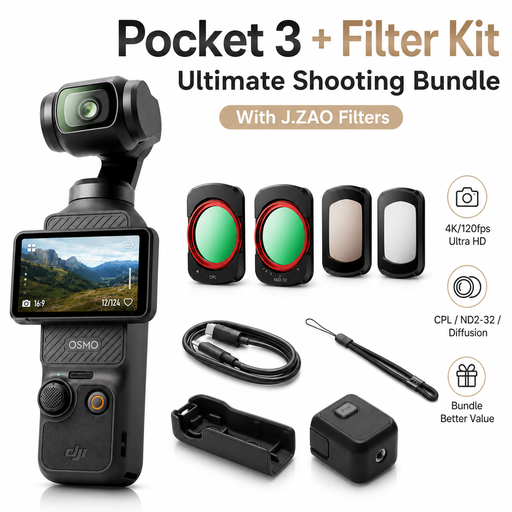
The Osmo Pocket 3 is described as a handheld gimbal camera for video recording. If you want a fixed view of your paper, check the position and framing with your planned setup.
Listed features include a 1-inch CMOS sensor, 4K/120fps video, a 3-axis gimbal and a handle with a 1/4-inch thread. The bundle also includes four filters, including an adjustable ND2-32 filter.
 No image available
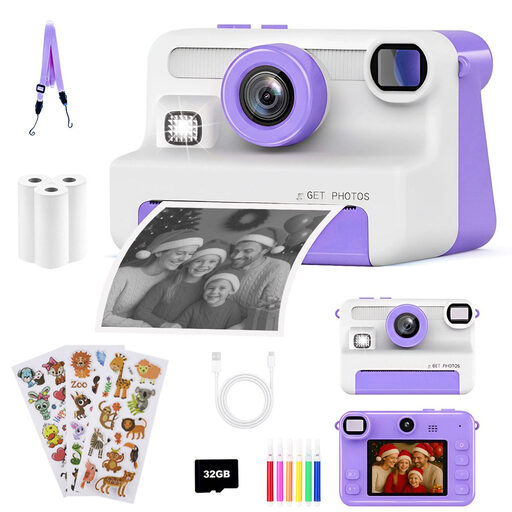
Described as a digital camera with video recording. Before choosing it, check that it’s suitable for the mounting position and framing you need at your work table.
Features listed include 1080p video, 30MP, a 2.4-inch display and 8x zoom. According to the description, it comes with a pre-installed 32 GB card and three rolls of instant film.
 No image available
Described as a webcam for streaming and video calls on a PC or laptop. Check whether the mount can position the camera at the angle you want for folding.
Features listed include 4K video, a 99° field of view, and a mount that tilts by 180° and rotates by 360°. The description also lists plug-and-play operation and support for Windows and macOS.
 No image available
Described as a webcam for PCs, streaming and desk recording. Check the framing and supported recording modes of the variant on offer.
The title lists 4K and a Sony IMX363 sensor; the description also lists 1080p at 60 fps. Other specifications include PDAF autofocus, a 75° field of view, USB-A/USB-C and a desktop tripod.
No. If you already have a suitable smartphone, you can use it to test your framing, focus and lighting first. OBS documents ways to use a smartphone as a computer camera; you’ll need to check whether your particular device is suitable.
Record a few minutes of an actual folding session, then check the saved file for visible creases, focus, shadows and sound. OBS recommends making a short test recording before you start.
Start with a test recording under the light you plan to use. For regions with a 50 Hz power supply, Sony recommends considering a shutter speed of 1/50 s or 1/100 s. This won’t guarantee flicker-free results with every LED light or camera model.
For a distance contract with a consumer, there is generally a right of withdrawal under § 312g BGB. § 355 BGB generally sets a 14-day period; statutory exceptions and rules on when the period starts must be taken into account. For ordinary movable goods, § 438 BGB generally provides for a two-year limitation period from delivery for the defect claims specified there. This is separate from any voluntary manufacturer’s guarantee.
Yes. If people are identifiable in your recordings, the exception for activities carried out purely for personal or family purposes does not provide blanket permission to publish them. The German Data Protection Conference describes this exception as applying to activities with no professional or commercial connection. You should assess the specific use separately if your videos include identifiable third parties.