Artists with a camera already
You want to film while you draw and need video controls that work with your exact camera model – not just a photo shutter remote.


First, choose a remote that can start and stop video recording with your exact camera model – a photo shutter remote alone won’t do the job. A compatible Bluetooth remote keeps your drawing surface clear. If you’d also like to check the framing remotely, a supported camera app or, if you have an iPhone, a paired Apple Watch could be a good option.
You want to film while you draw and need video controls that work with your exact camera model – not just a photo shutter remote.
You want to control the recording without touching your camera or drawing surface, or running a cable across your pastel artwork.
You use your iPhone as a camera and want to control recording and framing remotely with an Apple Watch you already own.
| What you need | What to check before buying | Who is this important to? |
|---|---|---|
| Starting and stopping video | Check the instructions for the specific camera and remote combination to see whether it supports video controls. | If I want to film while drawing, I want to start and stop recording from a distance. Around 31% of consumers put video control at the top of their list. |
| Compatibility | Check the camera’s full model name against the accessory documentation. | If I want to keep using my existing camera, I want to avoid buying an accessory that doesn’t work with it. Around 31% of consumers prioritise compatibility with their recording device. |
| Keeping the drawing surface clear | Check whether you can operate it wirelessly and reach it from where you’ll actually be sitting at the table. | If there’s hardly any space on my small table, I don’t want to run a cable across my drawing or reach for the camera. Around 25% of consumers prioritise keeping their workspace as clear as possible. |
| Remote preview | Check whether the camera app offers a suitable preview or whether an Apple Watch you already own can control your iPhone. | If I can’t check the framing directly on the camera screen while drawing, I want to see a preview from where I’m sitting. Around 13% of consumers prioritise this kind of remote control. |
A button that takes individual photos won’t necessarily start and stop video recording.
Before buying, check the documentation for your exact camera and remote to confirm that the video function you need is supported.
Even a Bluetooth remote will only work with cameras that support that specific accessory and its functions.
Check your camera’s full model name against the manufacturer’s compatibility information and list of supported functions.
Depending on your device, a supported camera app or a paired Apple Watch may already offer the remote control you need.
First, check whether your existing devices can control video recording and, if needed, provide a remote preview.
The BR-E1 is an option for Canon cameras specifically listed as compatible. Canon Camera Connect may be an alternative for supported models.
The ML-L7 may be suitable for supported Nikon cameras, including the Z 30, which Nikon specifically lists.
The RMT-P1BT is relevant for Sony cameras that support Bluetooth remote control.
The Remote is an option if you already have a GoPro camera that is specifically listed as compatible.
An Apple Watch you’ve already paired can act as a remote for your iPhone camera.
This selection includes remotes and smartphone or camera mounts for different devices. Before buying, check that the combination works with your recording device and supports the video controls you need.
 No image available
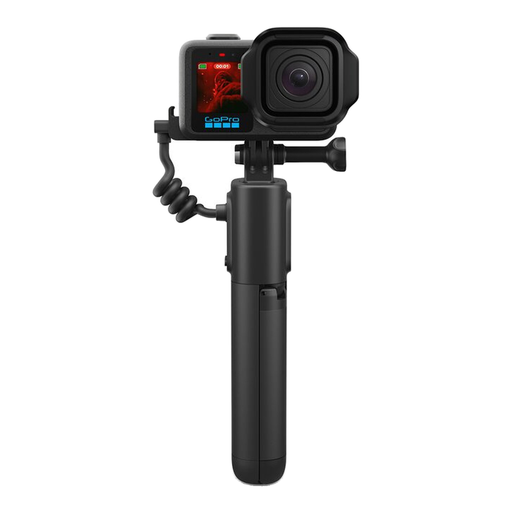
For compatible GoPro cameras, if you want to use a wireless remote along with a camera grip.
5800 mAh, USB-C and Bluetooth; the product description gives a range of up to 30 m. Check compatibility with your GoPro model.
 No image available
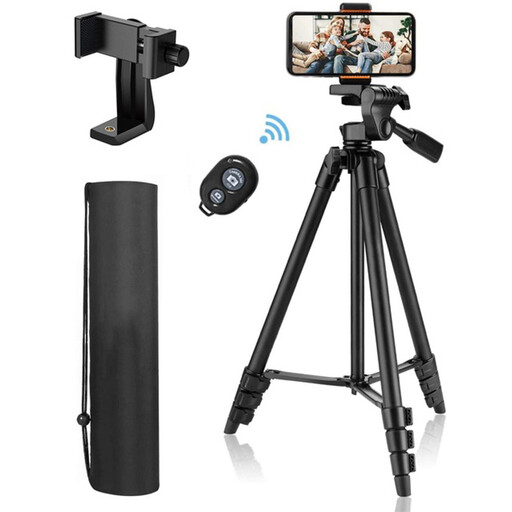
For smartphone photography and filming, if you want to mount your device and take photos or videos wirelessly.
The description lists iOS and Android devices, an adjustable-height stand, a 3-way tilt head and a phone holder for devices up to 9 cm wide.
 No image available
For the Osmo cameras listed in the product description, if you want to start recording remotely.
Compatible models listed include the Osmo Action 4, Osmo Action 5 Pro, Osmo 360 and Osmo Action 6. The description says it can be worn on your wrist or attached to handlebars.
 No image available
For smartphone photography and filming, if you want to combine a remote with a mount and a folding tripod.
The description lists iPhone and Android compatibility, as well as two cold shoe mounts.
 No image available
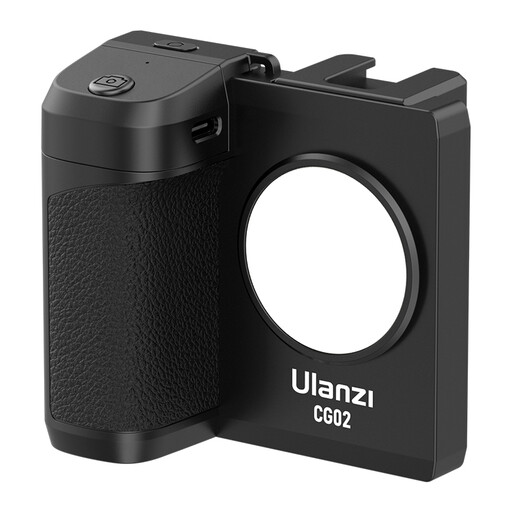
For smartphone photography and filming, if you want to control the camera wirelessly while holding your phone in a grip.
The description lists iPhone and Android compatibility, a three-level fill light and a cold shoe mount.
No. Bluetooth connectivity or a photo shutter button doesn’t mean you can control video. Check the instructions for the specific camera and remote combination to make sure it can start and stop video recording.
For supported cameras, Sony recommends enabling Bluetooth and Bluetooth remote control in the camera menu, then pairing the remote. The menu steps may vary by model.
Not necessarily. Apple says you can use an Apple Watch you’ve already paired to control your iPhone camera remotely and view the preview. Set your iPhone up securely and check the connection at your table.
Recording your own drawing doesn’t automatically mean you’re allowed to film other people or publish that footage. The State Commissioner for Data Protection and Freedom of Information in Rhineland-Palatinate points out that footage freely available on the internet may fall outside the purely private sphere. How a particular video is treated depends on its subject and how it is used.