Joybuy products for smartphone photography
This selection includes smartphone holders and tripods with remote controls for photographing origami with your smartphone. These products are not a substitute for a remote release designed for a camera with its own connection.
 No image available
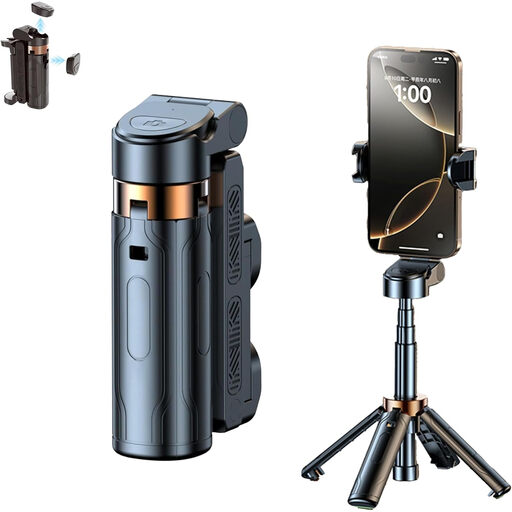
Verbex K60 Black selfie stick with tripod and Bluetooth remote control
For hands-free smartphone photography, the product description lists a phone holder, tripod function and remote control.
The listed features include a Bluetooth remote control and zoom control. This product isn’t listed as a compatible remote release for a separate camera.
View at Joybuy
 No image available
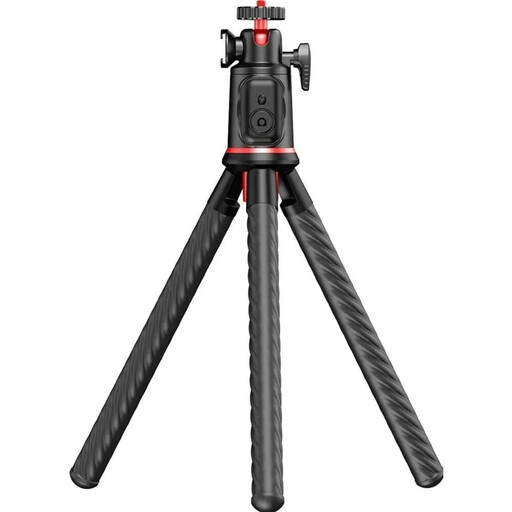
3-in-1 Bluetooth selfie stick with tripod and remote control
The product description lists a detachable Bluetooth remote for smartphone photos and videos, plus a phone holder with a tripod function.
For hands-free smartphone photography by a window, the stand can hold your phone. Before use, check that the holder fits your device.
View at Joybuy
 No image available
Rollei Easy Creator MonkeyPod Flexible Mini
For smartphone or camera photography, the product description lists a tabletop tripod, a ball head and a Bluetooth remote with a snapshot button.
Specifications include a 1/4-inch thread and a maximum load capacity of 2 kg. Set up the tripod securely and check remote compatibility before relying on it to trigger a separate camera.
View at Joybuy
 No image available
Ulanzi JJ02 phone tripod with Bluetooth remote control
The product description lists a wireless remote for your smartphone camera, plus an extendable stand with a phone holder.
This model is described as suitable for hands-free smartphone photography. Before buying, check that the holder fits your smartphone.
View at Joybuy
Frequently asked questions
Do I need a separate remote release for close-up origami photography?
No. If your camera supports a compatible remote shooting app, you can try that first. Canon describes Camera Connect for many Canon cameras; Nikon limits remote shooting with SnapBridge to compatible models. A stable setup and careful focusing are still important, even when you’re using remote control.
How do I set up a release for taking pictures by a window?
Set up your camera securely and check remote shooting with your specific camera model before arranging your shot. With a cable release, the connection must be compatible; for an app or Bluetooth control, the camera must support that option. A remote release won’t stop your subject from moving.
What extra parts might I need for a remote release?
It depends on the model and the camera connection. Fujifilm says certain cameras need an additional adapter for the RR-100; for the Rollei Wireless Remote Release 28146, Rollei says you need to select a compatible camera cable separately. Check the connection, compatibility list and what’s included before buying.
What should I check about a wireless remote from a product perspective?
Check the details for the specific product rather than assuming that a wireless connection means it meets a particular standard. In its market surveillance guidance, the Federal Network Agency lists checks including correct CE marking, manufacturer details, German instructions with any required information, and a declaration of conformity.
What are my rights if a remote release bought online is faulty?
Your statutory rights against the seller are separate from any voluntary guarantee. For online consumer purchases, you also generally have a 14-day right to cancel; the Verbraucherzentrale explains this in its information dated 13 August 2026. The cancellation period and your rights regarding faulty goods are separate matters.


