What should you look for when choosing one?
Cable release
Suitable if: your camera supports the release’s connection and you’re staying by the tripod.
Bear in mind: The connection and cable length limit your choice and freedom of movement. Canon specifies an 80 cm cable and a two-stage, lockable button for the RS-80N3.
Standalone wireless release
Suitable if: you want to step away from the camera while arranging your subject and your model supports the relevant technology.
Bear in mind: Infrared and radio systems have different requirements. Canon gives the RC-6 a range of up to 5 m in front of the camera; for the Hähnel Captur for Nikon, check the listed cameras and choose the right version.
Camera smartphone app
Suitable if: your camera supports remote control through a compatible app and you’d rather not use a separate release.
Bear in mind: Support and features vary by model. Check compatibility and set up the connection before you start shooting.
The proportions below refer to consumers choosing a remote shutter release for this type of photography.
| Consideration |
What to check before buying |
Who should pay particular attention |
| Camera compatibility |
Check the full camera model and, where relevant, its firmware against the manufacturer’s list, along with the required connection or wireless system. |
To avoid buying the wrong release, check it against your exact camera model. Around 36% of consumers say compatibility is their main concern. |
| Taking a photo without touching the camera |
Check whether the release lets you operate the camera without touching it, and whether you need a lock for longer exposures. |
If your camera is steady on a tripod, you’ll want to avoid disturbing the set-up when taking a photo. Around 29% of consumers say image stability is their main concern. |
| Freedom of movement |
Check the range, whether line of sight is required, and the receiver, power supply and camera compatibility. |
If you’re adjusting the object or lighting as you shoot by a window, a release that works from further away may be useful. Around 21% of consumers say freedom of movement is their main concern. |
| Set-up and accessories |
Check the app features already available; for a separate device, check what’s included, the battery type and any required connection cable. |
If you want to keep extra set-up and accessories to a minimum, start by checking whether your camera has remote control features. Around 14% of consumers say set-up and accessories are their main concern. |
Joybuy products for smartphone photography
The products below are smartphone tripods or grips with remote controls. They’re described for smartphone photography and aren’t listed as remote shutter releases for a separate camera.
 No image available
Verbex K60 selfie stick, black
For smartphone photography with a remote control and a mounted smartphone holder; not listed as a release for a separate camera.
The product name mentions a floor tripod and zoom remote control.
View on Joybuy
 No image available
3-in-1 Bluetooth selfie stick with tripod
For smartphone photography with a remote control and a stand for your phone; not listed as a remote shutter release for a separate camera.
The product name mentions an extendable tripod and a 360° rotating smartphone holder.
View on Joybuy
 No image available
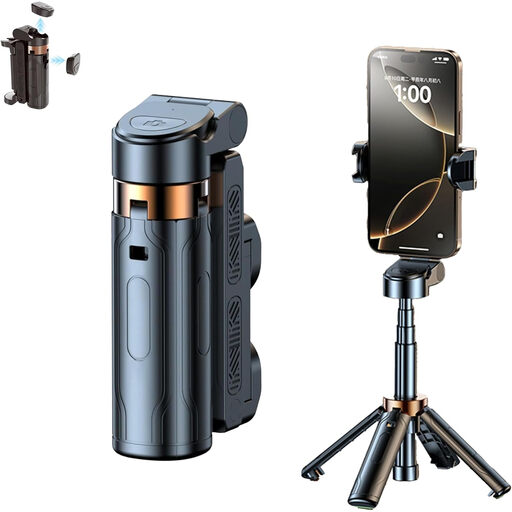
Magnetic smartphone grip with remote control and fill light, black
For smartphone photography with a detachable remote control; its focus on smartphone photography doesn’t indicate support for a separate camera.
The product name mentions a 1/4-inch tripod thread.
View on Joybuy
 No image available
KINSI adjustable-height smartphone tripod with Bluetooth remote control
For smartphone photography with a remote control and a stand for your phone; not listed as a release for a separate camera.
The product name describes a foldable, adjustable-height tripod.
View on Joybuy
 No image available
Ulanzi JJ02 3-in-1 smartphone tripod
For smartphone photography with a remote control and several ways to position your phone; not listed as a remote shutter release for a separate camera.
The product name mentions an extendable mini tripod and two cold shoe mounts.
View on Joybuy
Frequently asked questions
Do I need to buy a radio remote shutter release to photograph glass paperweights by a window?
No, not necessarily. If your camera supports a compatible cable release and you’re staying by the tripod, you can take a photo without touching the camera. Check whether your camera model also offers a suitable app for remote control.
How do I set up the remote shutter release for a photo?
First, check whether your camera supports the connection or the app or wireless feature used by the release. Canon says the RS-80N3 has a two-stage button that activates autofocus when pressed halfway, as well as a lock for longer exposures.
Will a remote shutter release remove reflections from glass?
No. A remote shutter release lets you take a photo without touching the camera, but it won’t change reflections on the glass. Nikon says its circular polarising filter reduces reflections from glass; adjusting the lighting can also help when taking the photo.
What should I check for product safety when buying a radio remote shutter release?
As part of its market surveillance, the Bundesnetzagentur (Federal Network Agency) lists the CE marking, product traceability and correct manufacturer details among the things to check. These general checks don’t confirm that a particular product has been assessed or is compliant.
How should I dispose of batteries from a wireless release?
Take used batteries to collection boxes in shops or to local authority collection points. The Umweltbundesamt (German Environment Agency) lists these as suitable places to dispose of used batteries and rechargeable batteries responsibly.


