What to look for when buying
First decide whether you want the camera to show your worktable throughout, highlight fine details, stream a live class or record independently of a computer. This will determine the camera position, connection and accessories you need.
| What you need |
What to check when buying |
Who is this important to? |
| Show the whole book and both hands |
Check the working area and mounting height at your table; consider how adjustable the arm is and how much space it needs. |
If I want to keep the book and both hands in view while binding, I need a suitable overhead angle. Around 31% of consumers prioritise seeing the whole scene. |
| Show stitches and folds clearly |
Compare the focus distance with your planned lens-to-subject distance, then check a test shot using your intended framing. |
When working on small stitches, I want to see what my hands are doing without losing sight of the book as a whole. Around 25% of consumers put fine details first. |
| Stream live video and instructions |
Check the USB connection and teaching software; test the microphone position and audio with a short stream. |
If I’m explaining the steps live, the camera needs to work with my computer and pick up my voice clearly. Around 19% of consumers prioritise live teaching. |
| Record without a computer |
Check the memory card format and power supply, and plan a secure overhead position for the camera. |
For independent recording, I don’t want to need a computer permanently connected at my small worktable. Around 13% of consumers prioritise recording independently. |
| Show the paper and tools |
Test the lighting with light-coloured paper and the tools you’ll actually use; check the exposure and white balance in a test shot. |
If I want paper and tools to look natural under my existing lighting, I check the finished image rather than relying on the resolution alone. Around 12% of consumers prioritise how materials look. |
Relevant brands at a glance
The models and product ranges listed below differ in positioning, connectivity and recording options. Brand information is no substitute for checking how a camera will work with your own table setup.
Logitech
Reach is described as offering an adjustable overhead view connected to a computer; the MX Brio has a temporary desk mode for filming from the monitor.
- Logitech lists an adjustable arm and up to 1080p at 60 fps for Reach.
- The MX Brio’s Show Mode doesn’t mean you can freely position the camera vertically above the table.
IPEVO
The V4K PRO 120 is a USB document camera designed for a larger capture area.
- IPEVO specifies A3 capture and a 120° lens.
- Check your own setup to see whether small binding steps remain clear at your chosen camera height.
Sony
The ZV-1 II, also known as the ZV-1M2, is a compact camera for recording your own videos.
- Sony specifies a fixed lens with an 18–50 mm full-frame equivalent range and a focus range starting at around 5 cm from the lens.
- This doesn’t tell you whether an overhead mount is suitable or included.
Canon
The PowerShot V10 is a compact camera for recording videos independently.
- Canon specifies 4K video, microSD compatibility and a built-in stand.
- The stand doesn’t guarantee that the camera is suitable for an unobstructed overhead view of both hands.
Insta360
The Link range includes desk views for computer use; the available modes vary by model.
- Insta360 distinguishes the temporary DeskView mode from an overhead view using a separate mount.
- According to Insta360, the overhead mode with a separate mount isn’t available across all Link models.
Joybuy products
The Joybuy products below are compact cameras and webcams for mobile or computer-based recording. Whether a camera is suitable for a free overhead view while bookbinding depends on the mount and framing you can achieve at your own table.
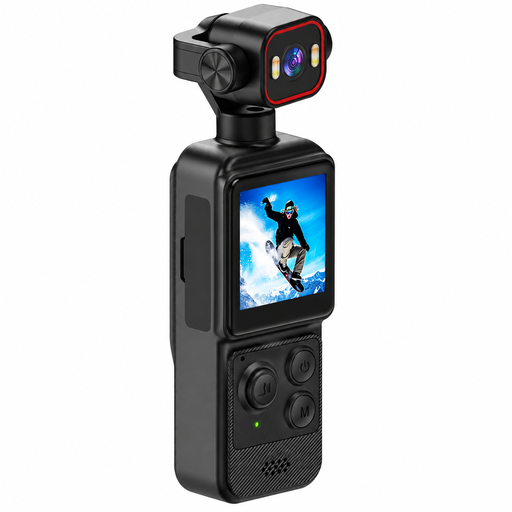 Image unavailable
4K mini action camera with clip
For mobile recording, provided the clip can be securely attached to your intended setup.
The title specifies a rotating lens, a 140° wide-angle lens and a 1.54-inch display. The description lists LED lighting, app control, microSD support and a 1,200 mAh battery.
View at Joybuy
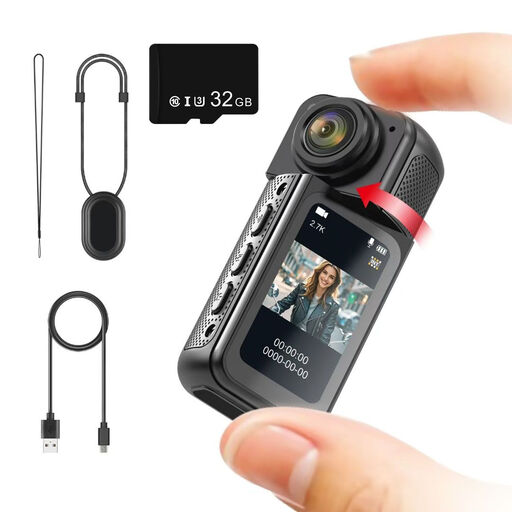 Image unavailable
NAXSIR 2.7K mini action camera
For hands-free angles, provided the magnetic mount is suitable for the surface you plan to use.
The camera has a 180° rotating lens and a 1.47-inch IPS display; according to the product name, a 32 GB memory card is included.
View at Joybuy
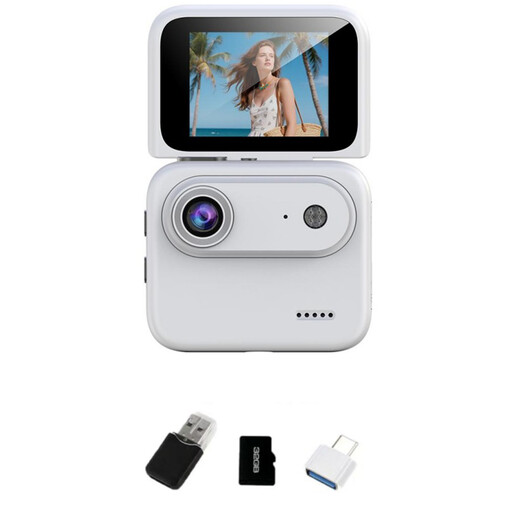 Image unavailable
NAXSIR 4K mini action camera, white
For recording videos independently, provided you can set up a suitable position above the table.
The product name specifies an included 32 GB TF card, a 2.0-inch flip screen and a 143° wide-angle lens; the description lists image stabilisation and a 1/4-inch mounting thread.
View at Joybuy
 Image unavailable
AOC webcam with microphone
For computer-based streaming, provided the viewing angle and mount capture your worktable.
The specifications list 4K video, a 99° field of view, a built-in microphone, a mount that tilts by 180° and swivels by 360°, and a USB-A to USB-C adapter cable.
View at Joybuy
 Image unavailable
Philips SPL6308S/00 2K QHD webcam
For computer-based recording, provided the clip-on mount can be positioned to suit your table.
The description specifies QHD recording at 2560 × 1440 at 30 fps; the product name lists a noise-reducing microphone and a clip-on mount.
View at Joybuy
Frequently asked questions
Is a short minimum focus distance enough to show binding stitches clearly?
No. Sony specifies a focus range starting at around 5 cm from the lens for the ZV-1 II, but that doesn’t tell you how large a stitch will appear in the finished image. Check the focus, framing and a test shot from your planned distance.
How can I position the camera without blocking my hands?
Start by marking out your work area and positioning a suitable mount above it. With overhead shots, tripod legs may creep into the frame, so check the entire view and make sure the setup is stable with your chosen camera.
What should I check before a longer lesson?
Make a short test recording with your final framing and audio setup. If your camera records independently, also check the memory card and power supply. For USB cameras, check the connection and the recording or video-conferencing software you plan to use.
Is a manufacturer’s warranty the same as your statutory rights?
No. Verbraucherzentrale distinguishes the statutory rights you have against the seller from a manufacturer’s voluntary guarantee. Check the terms separately rather than assuming an advertised guarantee is the same as your statutory rights.
Can I show other people’s book pages or class participants in a published lesson?
Not automatically. Under § 51 UrhG, a published work may be used as a quotation only to the extent justified by the specific purpose of the quotation; simply using it as teaching material doesn’t give you general permission. If you record online participants, you must also consider their image and audio data separately; the Datenschutzkonferenz sets out requirements for video conferences and their recording.


