Puzzle group at the camping table
You want to look at clues on a screen everyone can see and pass the tablet around. In that case, a suitable screen size and comfortable handling matter more than maximum processing power.


If you usually play under cover at a camping table, a lighter everyday tablet should be enough, as long as it runs the games you want and everyone can see the clues clearly. If you often play outdoors, protection ratings, screen visibility and power supply matter more; tougher devices can be considerably heavier. A manufacturer’s figures for brightness or battery capacity alone don’t tell you how long you’ll actually be able to play or how easy the screen will be to read where you’re sitting.
You want to look at clues on a screen everyone can see and pass the tablet around. In that case, a suitable screen size and comfortable handling matter more than maximum processing power.
You often play outdoors and want to understand the protection ratings and screen visibility stated for the specific model before you buy.
You’re planning longer sessions away from a charging point and weighing up the power supply against the tablet’s weight.
A good fit if: The tablet may regularly be exposed to moisture, dirt or knocks while you’re solving puzzles.
The trade-off: A smaller screen is easier to hold, but gives a group less space to view together. Protection ratings apply only to the specific model and the conditions described.
A good fit if: A larger shared screen and a manageable power reserve are important for longer sessions.
The trade-off: Oukitel lists an 11-inch screen, 20,000 mAh and a weight of around 996.7 g for the RT8. Battery capacity doesn’t guarantee a particular playing time, and the manufacturer’s pages list different Android versions.
A good fit if: You mainly play in a tent, awning or at a dry table, and prefer a larger screen.
The trade-off: The models considered here don’t have comparable IP68 certification. Check app compatibility, the exact variant and the accessories included.
| Priority | What to check before buying | Who it matters most to |
|---|---|---|
| Games without reliable Wi-Fi | Check compatibility with the specific app, the content it needs and the amount of free storage available; test the game offline before you set off. | If you’re relying on a particular puzzle app, try installing it and using the features you need in advance. Around 31% of consumers prioritise being ready to play without a connection. |
| Protection from moisture and dirt | Check the protection rating and conditions for the exact model variant, and weigh these against its weight and screen size. | If you often play outdoors, you’ll want to know the limits of the device’s protection before exposing it to changeable weather. Around 25% of consumers prioritise protection for this kind of use. |
| Viewing puzzle clues together | Compare screen size and weight; a brightness figure alone doesn’t guarantee good visibility in direct sunlight. | If several people will be looking at clues or passing the tablet around, a larger screen may matter more than a particularly compact device. Around 19% of consumers prioritise a screen they can view together. |
| Sessions away from a nearby socket | Check the details for the exact variant, charging options and weight; don’t convert mAh directly into hours of play. | For longer sessions away from a socket, you’ll need to consider how you can manage the power supply and whether you’re happy to carry the extra weight. Around 25% of consumers prioritise a power reserve. |
Google Play labels “The Room” as an offline game; this doesn’t automatically apply to other puzzle apps. Samsung lists an IP68 rating for the Galaxy Tab Active5 and specifies that its water test uses clear water. For the Wi-Fi model of the iPad (A16), Apple lists an 11-inch screen, 500 nits and a weight of 477 g. Manufacturer specifications like these are no substitute for comparing devices under the conditions in which you’ll actually play.
The manufacturer lists 20,000 mAh for the Oukitel RT8 and a combined 10,100 mAh for the Galaxy Tab Active5 Pro. These figures don’t allow you to make a direct comparison of playing time with escape room apps.
Plan how you’ll power the tablet during your sessions and check which charging options are available for the exact model.
The offline label in the store applies to the app it identifies. Downloads and additional content need to be available in advance; a lack of free storage may prevent installation.
Install and open each app you want before you set off, then test the features you need without a connection.
In a Joybuy listing for the Galaxy Tab S10 FE, the title and specifications section showed different model numbers. The manufacturer’s pages for the Oukitel RT8 also give conflicting Android versions.
Before choosing, compare the full model number, operating system version and key specifications with the manufacturer’s information.
The Galaxy Tab Active5 and Active5 Pro are worth considering if you’re looking for a tougher tablet for outdoor use.
The iPad (A16) is an option for puzzle games in a sheltered spot, provided the apps you want are available for iPadOS.
The Tab M11 is a standard Android tablet with a large screen, making it better suited to a sheltered place to play.
The RT8 may be worth considering if you’re looking at a large rugged tablet with a high stated battery capacity.
The selection below includes models described as rugged as well as tablets for a sheltered place to play. Check app compatibility and offline features for the specific variant. For relevant radio equipment, the German Federal Network Agency points to CE marking and the need for accompanying documentation in German; check both on the specific listing.
 No image available
The rugged label makes this model an option for outdoor puzzle sessions; the protection rating in the product title is no substitute for checking the conditions it covers.
The title lists Android 15, 128 GB of storage, a 6,600 mAh battery and 24 GB of expandable RAM, including 18 GB of virtual memory.
 No image available
The stated screen size may be useful when sharing puzzle clues, but bear in mind that a larger tablet can be less convenient to pass around.
The product title lists 256 GB of storage, a 10,000 mAh battery and IP69K. Check the protection conditions for the specific variant rather than assuming the rating covers every type of use.
 No image available
The 11-inch screen can make it easier for everyone to see the clues when you’re using the tablet in a sheltered spot.
The title lists Android 15, 256 GB of storage, a 10,000 mAh battery and 16 GB of RAM, including 8 GB of virtual memory. The description mentions access to Google Play; check that your specific games are compatible and work offline.
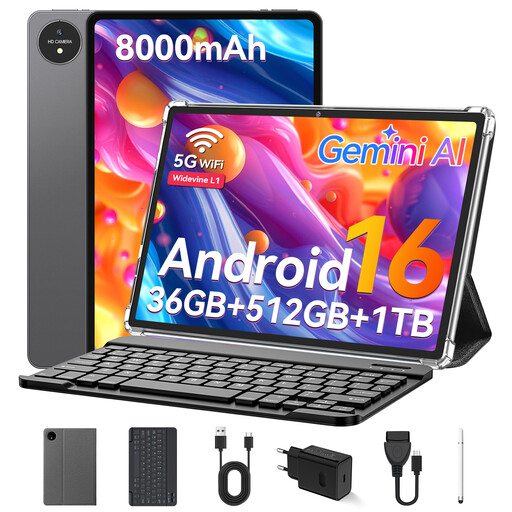 No image available
The 11-inch screen is worth considering for puzzle sessions in a sheltered spot; the product title also lists a keyboard as included.
The title lists 32 GB of RAM, 512 GB of storage and an 8,000 mAh battery. The description mentions access to Google Play; check that the apps you want work with the variant on offer.
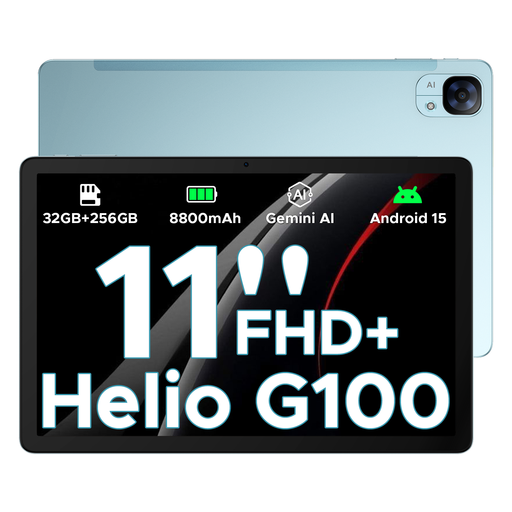 No image available
The 11-inch screen may suit a group looking at clues together in a sheltered spot; the screen specification alone doesn’t tell you how easy it is to read in direct sunlight.
The product title lists Android 15, 256 GB of storage, an FHD+ screen with a 90 Hz refresh rate and an 8,800 mAh battery. Check that your chosen games are compatible with the specific version.
No. You’ll need to check each app individually. Google Play labels “The Room” as an offline game; download it before your trip and test the features you need without a connection. The label for one app doesn’t automatically apply to other games.
Install and open the games you want while you still have a reliable connection, and check that there’s enough free storage. Google lists insufficient storage as one possible reason why app installations fail.
No. Samsung describes the Galaxy Tab Active5’s IP68 test as using clear water under the stated conditions; the rating isn’t a blanket guarantee for every liquid or type of use.
If you bought it from a business seller, they’re responsible for defects under the statutory warranty. The Verbraucherzentrale generally gives this a period of two years and distinguishes the statutory warranty from a voluntary guarantee. Online purchases are also generally covered by a 14-day right to cancel, starting when you receive the goods.
Devices placed on the market in Germany must meet the relevant EU requirements. The German Federal Network Agency explains the CE marking requirement and the need for accompanying documentation in German; a CE mark on its own doesn’t prove that a specific product listing is fully compliant.