Which tablet size is right for you?

Offline language learners

If you want to use texts and word definitions at your pitch without a connection, test your reader offline before your trip. LingQ describes offline use of its iOS and Android app, while Readlang describes itself as a web-based reader. This doesn’t confirm that every feature of every reader is available offline.

Readers who need screen space and learning aids

If you use small text, fixed-page layouts or vocabulary aids alongside your reading, it’s worth comparing how they look on different screen sizes. Also check that the device feels comfortable to hold in your usual reading position.

Readers who often spend time outside the tent

If you often read in a spot that may be dusty or damp, check the protection rating for the exact model variant and understand its limits. A stated level of protection isn’t a blanket guarantee for every camping condition.

What should you look for when buying?

Compact everyday tablet

A good fit if: You mainly read continuous text and want a device that’s easier to hold for longer and pack away. Try the specific model and how your text looks on it first.

The trade-off: The smaller screen may feel cramped with fixed PDF pages and learning aids displayed at the same time. Compact screen specifications don’t prove that it’s easy to read in sunlight or protected from the weather.

Larger everyday tablet

A good fit if: Your text uses fixed pages or illustrations, or you need extra room for vocabulary aids. Try viewing a typical page on the specific device.

The trade-off: A larger screen takes up more room in your luggage. According to Apple, the Wi-Fi model of the iPad (A16) weighs 477 g.

Purpose-built outdoor tablet

A good fit if: You often read outdoors where there may be dust or splashes, and your particular reader works on the model. Samsung lists an 8-inch display and IP68 for the Galaxy Tab Active5 5G.

The trade-off: Make sure the smaller screen suits your text. Samsung specifically excludes the beach and swimming pool; IP68 isn’t a blanket guarantee for every camping situation.

Priority What to check before buying Who is this particularly important to?
Using a reader without an internet connection Check the operating system and whether you can access your reader; test texts, look-ups and saved learning progress in aeroplane mode. If I want to read and look up words at my pitch without a reliable connection, testing my reader offline matters to me. Around 28% of consumers put reader access and offline functionality first.
Reading text in your usual spot Display a typical page using your own text size in similar lighting; compare the screen size and weight of the specific variant. If my texts contain small print, fixed pages or learning aids, I want to check how they look on the device beforehand. Readability of text and learning aids is the top priority for around 22% of consumers.
Planning your reading and recharging Check the charging port and what’s included; test your usual brightness and usage, and only charge with a suitable charger. If I want to read away from a readily available power socket, I’d rather plan my reading time and how to recharge safely. Around 22% of consumers prioritise power supply.
Protection for frequent outdoor reading Consider the conditions where you’ll read and check the protection rating, including any exceptions, for the exact variant. If I regularly read somewhere without shelter, I want to know exactly which conditions the device’s protection covers. Weather protection is the main priority for around 17% of consumers.
Holding and carrying your tablet Check the dimensions and weight of the exact model, then try holding it in your usual reading position with the case you plan to use. If I want to hold the tablet for longer and travel with limited luggage, the text still needs to be right for me. Ease of handling comes first for around 11% of consumers.

Common buying misconceptions

  • Any installed language app works fully offline

    Readers vary in how they provide access to texts and translations. LingQ’s statement about offline use doesn’t apply to Readlang or any other service.

    Before setting off, test your text and the word features you need in aeroplane mode.

  • A brightness rating guarantees comfortable reading in direct sunlight

    A screen specification doesn’t account for every reflection or lighting condition at your pitch. Xiaomi’s figure of 600 cd/m² for the REDMI Pad 2’s outdoor mode, for example, isn’t an independent test of readability in every setting.

    If possible, check your own page in similar lighting and choose a shady spot to read if needed.

  • IP68 means complete protection from the weather

    Samsung lists IP68 for the Galaxy Tab Active5 5G under the conditions specified for that model, and specifically excludes the beach and swimming pool. This doesn’t mean the Galaxy Tab A11 has the same protection.

    Read the protection details and exceptions for the exact variant; a sheltered spot to read is still a sensible choice.

  • The device weight is the same as the weight you’ll travel with

    Apple’s weight figure applies to the Wi-Fi model of the iPad (A16). You may also need to account for a case and charging accessories. Samsung lists a USB-C cable as included with the Galaxy Tab A11.

    Check what’s included and which accessories you actually plan to take before comparing how easy the device is to carry.

Notable brands and model ranges

Samsung

The Galaxy Tab A11 is a compact Android tablet for everyday use, while the Galaxy Tab Active5 5G is a specifically protected outdoor option.

  • Samsung lists an 8.7-inch display for the Galaxy Tab A11, with 64 or 128 GB storage options.
  • Samsung lists an 8-inch display and IP68 for the Galaxy Tab Active5 5G.
  • Samsung specifically excludes the beach and swimming pool for the Active5 5G. The features of this model don’t automatically apply to the A11.

Apple

The iPad (A16) is a larger iPadOS option if your particular language-learning reader works on iPadOS and you need more screen space.

  • Apple lists a weight of 477 g, a 10.86-inch display diagonal measured as a rectangle and 500 nits for the Wi-Fi model.
  • These manufacturer specifications don’t prove that it’s comfortable to read one-handed or guarantee a particular level of readability in sunlight.

Xiaomi

The REDMI Pad 2 is an 11-inch Android option. You can compare how text looks in its different display modes in your usual reading spot.

  • Xiaomi lists a resolution of 2560 × 1600 pixels, with 500 cd/m² in standard mode and 600 cd/m² in outdoor mode.
  • These mode specifications aren’t an independent test of reflections or battery life, and don’t guarantee readability at every pitch.

Lenovo

The Tab One is a compact Android option for continuous text and lighter luggage.

  • Lenovo’s model overview lists 8.7 inches, 1340 × 800 pixels and 480 nits.
  • Lenovo notes that configurations may vary by region. Check the exact model number and specification before buying.

Joybuy tablets for language-learning readers

The Joybuy products below include compact Android tablets, as well as larger Android and Windows tablets. Before buying, check that your particular reader works on the device and find out what conditions apply to outdoor use.

Microsoft Surface Pro 12 Snapdragon Plus, 24 GB RAM, 1 TB, Platinum

Microsoft Surface Pro 12 Snapdragon Plus, 24 GB RAM, 1 TB, Platinum

The 12-inch format may suit you if you’d like more room to display your text; this doesn’t confirm that your reader is compatible.

Specifications listed include 2,196 × 1,464 pixels and a weight of 686 g.

According to the product information, don’t use it near water, open flames or extreme heat, and avoid prolonged exposure to direct sunlight.

Joybuy
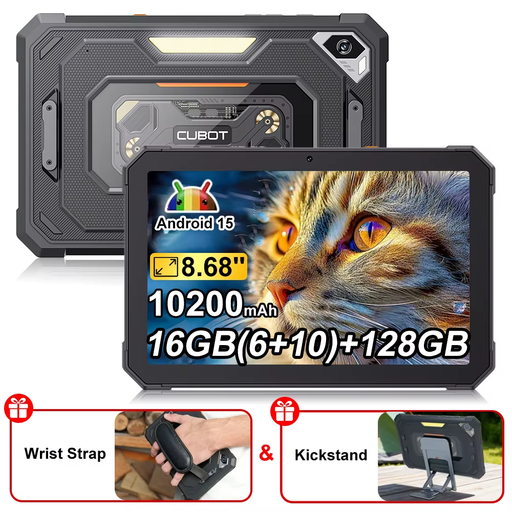
CUBOT Tab KingKong Mini, Android 15, 8.68 inches, 128 GB

CUBOT Tab KingKong Mini, Android 15, 8.68 inches, 128 GB

If your reader has an Android app and you mainly read continuous text, the compact 8.68-inch format may be worth considering.

The product name specifies Android 15, 128 GB storage and a 10,200 mAh battery. Battery capacity doesn’t indicate a specific reading time.

Joybuy

UXD Android 16 tablet, 13.4 inches, 256 GB

UXD Android 16 tablet, 13.4 inches, 256 GB

The larger screen may suit you if you’d like more room to display text; it doesn’t guarantee compatibility with a particular reader or offline functionality.

Specifications listed include a 13.4-inch FHD IPS display with 1920 × 1200 pixels and 256 GB storage. According to the product name, the 20 GB RAM comprises 8 GB plus 12 GB of virtual RAM.

Joybuy
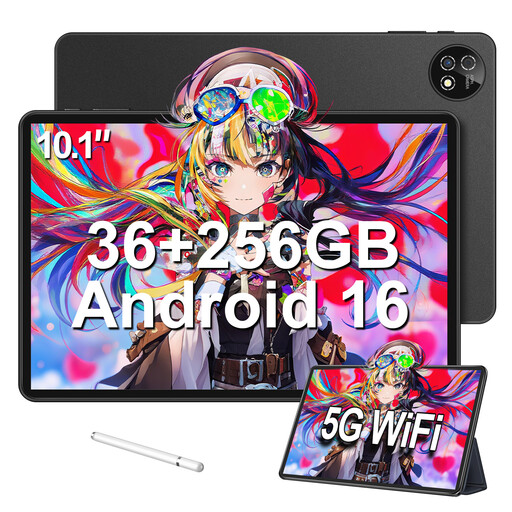
10.1-inch touchscreen tablet with Android 16, 256 GB, set with keyboard, mouse and protective case

10.1-inch touchscreen tablet with Android 16, 256 GB, set with keyboard, mouse and protective case

The 10.1-inch format may give you a larger view than a compact tablet; check that your reader runs on the device.

The product name specifies 256 GB storage and 36 GB RAM (6+30), plus a set with a keyboard, mouse and protective case.

According to the product information, keep it away from moisture, extreme temperatures and strong impacts.

Joybuy
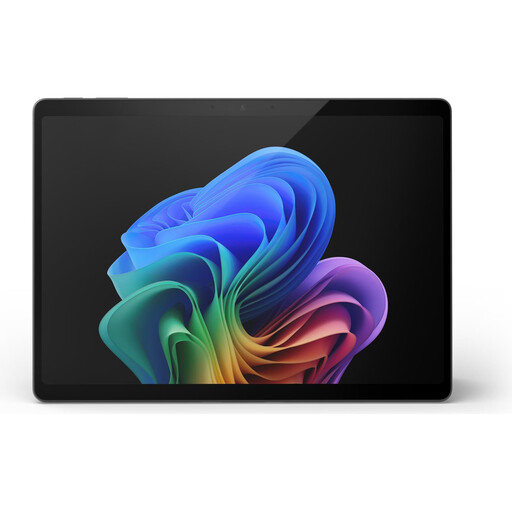
Microsoft Surface Pro 11, 13 inches, Snapdragon X Elite, 16 GB RAM, 512 GB

Microsoft Surface Pro 11, 13 inches, Snapdragon X Elite, 16 GB RAM, 512 GB

The 13-inch format may be worth considering if you’d like a larger text display, provided your reader works on the device.

According to the product information, use the tablet only indoors in a dry, well-ventilated environment, and protect it from water and moisture. This limits its suitability for reading outdoors at a campsite.

Joybuy

Frequently asked questions

Can I use any language-learning reader offline at a campsite?

No, there’s no general answer. LingQ describes offline use of its iOS and Android app, while Readlang describes a web-based reader with word translation. Before your trip, check whether you can access texts, look up words and use your saved learning progress without a connection on the specific service you use.

Do I need a SIM card for my tablet?

Not necessarily, if you’re reading content you’ve downloaded in advance. Whether translations or syncing need a connection when you’re out and about depends on your reader. Test these features before deciding whether to get a mobile data model.

How can I charge a tablet safely while camping?

Use a suitable charger and charge the device in a safe place. The German Environment Agency advises against using lithium batteries that are damaged, deformed or swollen.

What does the EU energy label tell me about a tablet’s battery life?

The European Commission’s relevant labelling rules apply to covered slate tablets placed on the EU market from 20 June 2025. The stated battery life is measured under standardised conditions and may vary depending on the app, screen brightness and network conditions; it isn’t a guaranteed reading time at your campsite.

What are my rights when buying online in Germany?

For a typical online purchase of goods from a trader, you generally have a 14-day right to cancel from the date of delivery; exceptions and possible return costs should be taken into account. Your Europe explains the right to cancel online purchases. This is separate from the statutory legal guarantee for faulty goods or items that don’t match their description, as described by the Council of the European Union; it isn’t a voluntary manufacturer’s warranty.