Choose a tablet based first on the app and format you’ll use to read your book club’s chosen edition. If Wi-Fi is likely to be unreliable, it’s essential to test your download before you set off. A compact device may be all you need for continuous text, while a larger display can make fixed-layout PDFs easier to read. If you’re concerned about rain and dirt, check the protection offered by the specific model and understand its limits rather than relying on an ‘outdoor’ label alone.
Who is a tablet at the campsite suitable for?
Book club readers without reliable Wi-Fi
If you want to open the chosen edition in the right app before setting off and carry on reading at the campsite, test the download beforehand without an internet connection. The divibib GmbH Onleihe help centre notes that offline use with Onleihe 3 currently isn’t reliable on all devices.
Readers enjoying longer texts outdoors
If you’ll be holding your tablet while reading, check that the text size and display are comfortable to read in your usual lighting conditions. A compact display and a dedicated outdoor mode are two different approaches; Xiaomi says the Redmi Pad SE 8.7 has an outdoor mode with increased brightness.
Readers with fixed-layout editions
A larger display can be useful for PDFs with a fixed page layout or illustrations. The Onleihe help centre explains that PDF e-books may be less suitable for mobile devices with smaller displays because of their page layout.
What should you look for when choosing one?
First, check that the specific edition works in the app you plan to use. Then compare the format and handling with the way you like to read, and plan for protection and charging to suit the conditions at the campsite.
Compact tablet for continuous text
A good fit if: you’ll be holding the device for long periods and your edition is comfortable to read on a smaller display.
The trade-off: You’ll see less of a fixed PDF page at a time.
Larger tablet for PDFs and notes
A good fit if: your edition has fixed pages, illustrations or lots of annotations, and you can prop the device up.
The trade-off: A larger format takes up more space when carrying and holding it.
Rugged tablet for changeable weather
A good fit if: you regularly read outside your tent in wet or dirty conditions and device protection is a priority for you.
The trade-off: Samsung lists an IP68 rating for the Galaxy Tab Active5 5G under defined test conditions involving fresh water. This doesn’t guarantee protection in every camping situation (Samsung Germany).
| Buying priority |
What to check before buying |
Who cares about this? |
| Book access and offline reading |
Check the source and file format; test the app and download offline before setting off. |
If I want to read the chosen edition without reliable Wi-Fi, I check the app and download first. Book access comes first for around 33% of consumers. |
| Readability and book format |
Test the specific edition in comparable daylight; for PDFs, check the text size and zoom. |
If I read outdoors or want to see a full fixed-layout PDF page, I compare the display and lighting conditions using my edition. Around 27% of consumers prioritise the display and book format. |
| Portability |
Compare the weight and dimensions of the specific version; try out your preferred format. |
If I read for a long time without a table, I check that the tablet is comfortable to hold and easy to pack away. Around 20% of consumers put portability first. |
| Protection in changeable weather |
Check the protection rating for the exact model, the type of liquid and the stated test conditions. |
If I want to read in changeable weather, I want to know the limits of the protection offered by my device. Around 13% of consumers prioritise weather protection. |
| Power |
Plan for a charging cable and, if needed, a power adapter; consider battery-life claims only in relation to the usage mix stated. |
If I’m away from a power socket for a long time, I want to know how I can charge my device. Around 7% of consumers consider power their main buying priority. |
Common buying misconceptions
-
Downloaded doesn’t automatically mean reliable offline access
The divibib GmbH Onleihe help centre notes that offline use with Onleihe 3 is subject to device-specific limitations.
Before setting off, open the specific title on the device you plan to use, with no internet connection.
If you can’t access the edition at the campsite, you may need another way to get or read it.
-
Your preferred reading app may not be available on every tablet
The Onleihe 3 app is available through Google Play and the Apple App Store. A tablet with a different app selection may not be suitable.
Before you decide, check that the source of your book club edition is compatible with the apps available on the specific device.
-
Don’t assume outdoor brightness or a protection rating guarantees campsite suitability
Xiaomi specifies the increased brightness of the Redmi Pad SE 8.7 for outdoor mode only. Samsung’s IP68 rating for the Galaxy Tab Active5 5G applies under the stated fresh-water test conditions (Xiaomi Germany; Samsung Germany).
Check the model, operating mode and protection limits separately, and if possible test the display in daylight with your edition.
-
Don’t assume the advertised battery life matches your reading time
Manufacturers’ battery-life claims may be based on different usage scenarios. Xiaomi also states that the Redmi Pad SE 8.7 doesn’t come with a power adapter.
Check what’s included and plan a suitable way to charge it, rather than comparing battery-life figures from different usage scenarios directly.
If you don’t already have a suitable power adapter, you may need to budget for one as well.
Key brands at a glance
Samsung
The range includes larger tablets with more screen space, as well as the purpose-built rugged Galaxy Tab Active5 5G. The Active5’s protection ratings don’t automatically apply to the A series.
- Samsung lists an 11-inch display and a 7.040-mAh battery for the Galaxy Tab A11+.
- For the Galaxy Tab Active5 5G, Samsung lists an 8-inch display, 600 Nits and an IP68 rating under limited fresh-water test conditions.
- The claim that the A11+ is readable in direct sunlight is from the manufacturer, not an independent measurement.
Xiaomi
The Redmi Pad SE 8.7 is a compact tablet with a specifically described outdoor brightness mode.
- Xiaomi lists an 8,7-inch display, a weight of no more than 373 g and 600 cd/m² in outdoor mode.
- The increased brightness applies only in outdoor mode and doesn’t guarantee readability in every level of sunlight.
- According to Xiaomi, no power adapter is included.
Apple
The 11-inch iPad (A16) is a larger iPadOS option for editions that benefit from extra screen space.
- For the Wi-Fi model, Apple lists a weight of 477 g, 128 GB for the smallest storage option and 500 Nits.
- These technical specifications don’t prove weather protection or guarantee that a particular book club title is available.
Lenovo
The Tab M11 has an 11-inch format and, depending on the specific offer, may support handwritten notes.
- Lenovo lists a reading mode and support for an optional stylus.
- The advertised battery life of up to ten hours refers to video playback, not a camping reading test.
Joybuy tablets for reading on the go
The options below include compact and 10,1-inch tablets. Before buying, check that the app for your book club edition is available on the device you’re considering.
 No image available
Blackview Active 5 rugged tablet, 8.68 inches
The listed 8.68-inch display makes this a compact option; check that your edition is easy to read on it.
Features listed in the product title: Android 15, 24 GB expandable RAM (6 + 18 GB virtual RAM), 128 GB ROM and 6.600 mAh.
View at Joybuy
 No image available
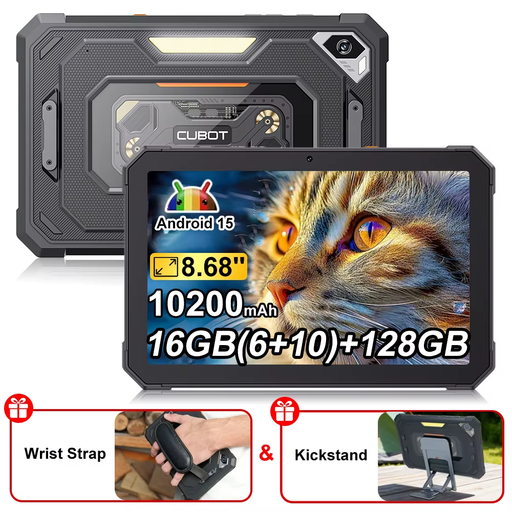
CUBOT Tab KingKong Mini, 8.68 inches
The compact format listed in the title may appeal if you’d like a smaller tablet that’s easy to hold.
Features listed in the product title: Android 15, 16 GB RAM (6 + 10 GB), 128 GB storage, 10.200 mAh and a camping light.
View at Joybuy
 No image available
Android 16 tablet PC, 10.1 inches, keyboard set
The 10.1-inch format gives you a larger display than the compact models in this selection; check how it works with your edition’s page layout.
Features listed in the product title: 36 GB RAM, 256 GB ROM, 1 TB TF, 6.000 mAh, Wi-Fi 6 and a keyboard set.
View at Joybuy
 No image available
10.1-inch tablet with keyboard and stylus
The 10.1-inch format may suit an edition with a fixed page layout; try it with a similar file before making your decision.
Features listed in the product title: Android 16, 36 GB RAM, 256 GB ROM, 1 TB TF, 6.000 mAh, keyboard and stylus.
View at Joybuy
 No image available
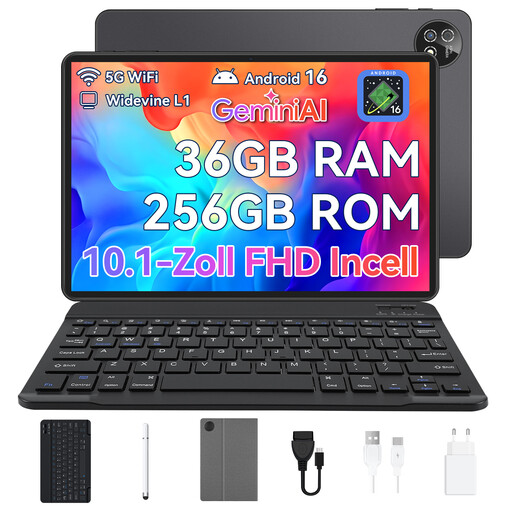
10.1-inch touchscreen tablet with Android 16
The larger display can be useful for editions with fixed page layouts; check that the format suits the book you’ll be reading.
Features listed in the product title: 36 GB RAM, 256 GB storage, plus a keyboard, mouse and protective case.
View at Joybuy
Frequently asked questions
How can I prepare to read my book club book at the campsite without Wi-Fi?
First, find out exactly which provider supplies the edition you need. Install the relevant app, download the book at home and try opening it without an internet connection. The divibib GmbH Onleihe help centre notes that Onleihe 3 currently doesn’t work reliably offline on all devices.
Can I install the Onleihe 3 app on any tablet?
Check before you buy: the Onleihe 3 app is available through Google Play and the Apple App Store. Compare these options with the apps available on the tablet you’re considering, then test offline access to your title.
Do I need a larger display for a book in a fixed-layout PDF?
Not necessarily, but a larger display can make a fixed PDF page easier to read. The Onleihe help centre notes that PDF e-books may be less suitable for smaller mobile devices because of their page layout, so try the specific edition before you buy.
Can I rely on an outdoor brightness mode when reading outside?
Not in every lighting condition: Xiaomi lists 600 cd/m² for the Redmi Pad SE 8.7 in outdoor mode only. If possible, test the display with your edition in comparable daylight rather than treating the manufacturer’s figure as a general guarantee of readability.


