Joybuy products for camping and mobile connectivity
This selection includes battery-powered LTE hotspots and mains-powered mobile routers. The latter need a suitable power supply. For relevant radio equipment, the Federal Network Agency specifies CE marking and the required accompanying documentation. Check these details for the specific version on offer.
 No image available
AVM FRITZ!Box 6825 4G LTE
A battery-powered LTE option for travel if you want to use your own Wi-Fi connection.
AVM states that it offers up to 8 hours of battery life and Wi-Fi for up to 10 devices. The model isn’t waterproof, so protect it from rain and moisture.
View at Joybuy
 No image available
MERCUSYS MT110 4G LTE hotspot
This portable hotspot is an option if you want LTE access for your connected devices using a dedicated nano-SIM.
MERCUSYS lists a 2200-mAh battery, up to 10 hours of use and connections for up to 10 devices. Actual battery life depends on how you use it.
View at Joybuy
 No image available
ASUS 4G-AX56 WiFi 6 router
For a pitch with a mains socket, if you’re looking for an LTE router with a nano-SIM and wired connections.
The product specifications list WiFi 6 and four Gigabit LAN ports. You’ll need a suitable mains socket to set it up.
View at Joybuy
 No image available
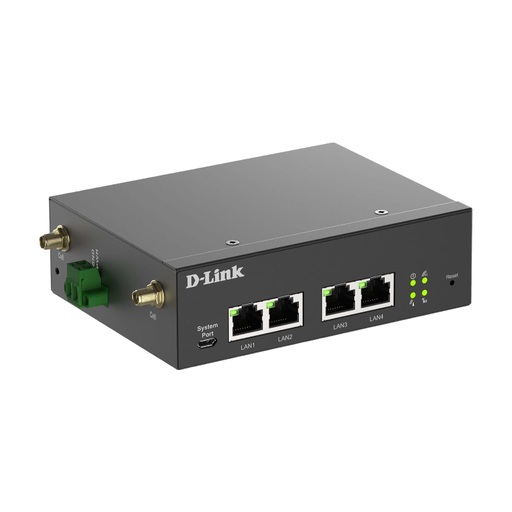
D-Link DWM-314-G 5G/LTE dual-SIM router
An option for a fixed pitch with a suitable power supply if you want to connect several wired devices.
D-Link lists 5G, LTE, dual SIM, four Gigabit Ethernet ports, and OpenVPN and WireGuard client modes. The stated power supply is 9–36 V DC; the manual calls for external antennas and configuration via Ethernet.
View at Joybuy
 No image available
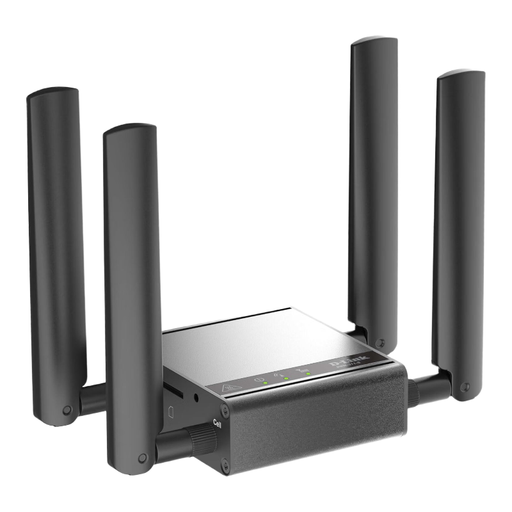
D-Link DWM-311-G mobile router
Better suited to a fixed indoor setup than a campsite without a power supply.
D-Link describes it as a 5G M2M modem with a 2.5-GbE network port and lists a power adapter.
View at Joybuy
Frequently asked questions about mobile routers at the campsite
Will a 5G router help if there’s no mobile reception at the campsite?
No. Switching to 5G alone won’t give you reception. Check coverage for the specific network operator at your pitch and, if possible, test the connection on site. The Federal Network Agency’s map shows expected coverage, but doesn’t guarantee a connection at your pitch.
What should I set up before accessing my travel documents for the first time?
Test the SIM and connection before you set off, change the default passwords and check for firmware updates. The German Federal Office for Information Security distinguishes between the router’s admin password and its Wi-Fi password.
Do I need to verify my identity before using a German prepaid SIM?
For prepaid mobile services, the account holder’s details are checked using the procedures described by the Federal Network Agency. Arrange identification and activation before you set off, and ask your provider which methods are available.
Will my German data tariff work at campsites elsewhere in the EU?
EU roaming covered by your tariff is generally subject to the roam-like-at-home principle. Check your tariff for any exceptions, data limits and fair use conditions. These rules don’t automatically apply when travelling outside the countries covered.
What should I look for in a mobile router for use in Germany?
Relevant radio equipment must meet EU conformity requirements, including CE marking and the required accompanying documentation. The Federal Network Agency describes these requirements for products placed on the market. Check them for the specific version on offer.


