You don’t automatically need an additional camera monitor. If you can judge framing and focus clearly on your camera’s display, it should be enough for previewing. For small decorative details or a camera in an awkward position, a suitably connected HDMI monitor with peaking or magnification can help. When filming bright flames, a histogram, waveform or false colour is more useful than a high brightness rating alone. You only need a monitor-recorder if you actually want to record externally.
Who would benefit from an additional monitor?
Filming fine decorative details
If you’re arranging small candle holders or decorations, you’ll want to check focus and framing from your workspace. Atomos, Portkeys and FEELWORLD list features such as peaking and other preview aids for specific models.
Filming glowing candles
If you’re filming bright flames against a darker background, exposure indicators can help you assess the shot, rather than relying on display brightness alone. Atomos and Portkeys list these aids for certain models, while Canon explains how to use a histogram to assess exposure.
Filming with a fixed desk setup
If you want to mount the screen in a particular position and power it during longer recording sessions, check the connections, mounting options and box contents for the specific version. These details vary by model and offer.
What should you look for?
Your existing camera display
A good fit if: You can see the framing and details clearly from your workspace, and your camera has suitable exposure aids.
The trade-off: You won’t need another device or cable, but an awkward camera position can make it harder to check your shot.
Compact HDMI preview monitor
A good fit if: You need a preview that’s easier to position for checking focus, framing or exposure, and your camera outputs a supported HDMI live feed in your chosen recording mode.
The trade-off: The features, cable, mount and power supply need to suit your setup; a 4K input doesn’t automatically mean the display is 4K.
Monitor-recorder
A good fit if: As well as previewing, you actually want to record externally to a storage device.
The trade-off: The extra recording feature isn’t necessary if you only need to check the image. The signal format, storage device and power supply must suit your workflow.
| What you need |
What to check before buying |
Who is it important to? |
| Focus and framing |
Peaking or magnification on the specific model; screen position in relation to your subject. |
If you’re arranging small decorations, you’ll want to see the details without having to keep walking over to the camera. Around 36% of consumers put focus and framing first. |
| Exposure of the flame and surroundings |
Histogram, waveform, zebra or false colour; also consider the exposure aids on your camera. |
When filming bright flames against a darker background, you’ll want to assess exposure accurately. Around 29% of consumers prioritise exposure for the flames. |
| Compatible live feed |
Check that the camera has an HDMI output in your chosen recording mode, and compare the connector, frame rate and input format with the monitor. |
If you want to keep using your existing camera, its live feed must work with the monitor input. Around 21% of consumers focus primarily on signal compatibility. |
| Mounting and power |
Check the mounting point and cable routing, along with the power options and box contents for the version you’ve chosen. |
With a fixed desk setup, you’ll want to position the screen to suit your needs and power it reliably. Around 14% of consumers pay particular attention to mounting, power and box contents. |
Common buying misconceptions
-
‘4K HDMI’ doesn’t automatically mean a 4K display
A monitor may accept a particular 4K signal but still have a panel with a lower native resolution. The manufacturer specifies a 1920 × 1080 panel for the Portkeys PT5 II.
Check the supported input format separately from the native panel resolution, and consider what you actually need for your preview.
-
Buying a monitor-recorder when you only need a preview
External recording is an additional feature of the Blackmagic Video Assist; it isn’t required to preview footage on an HDMI monitor.
Before choosing, decide whether you want to record internally on your camera or need an external recording workflow.
External recording may require a suitable storage device.
-
Assuming the power supply and bundle contents from a product photo
Manufacturers list power options separately from the accessories included with a specific offer. Atomos lists NP-F and USB-C-PD power options for the Shinobi II; the NEEWER F500 PRO offer described here includes an NP-F750 battery.
Check the box contents and connections for the exact version you’ve chosen before planning your setup.
Depending on the version, you may need to buy a battery, cable or mount separately; it depends on what’s actually included.
Key brands at a glance
Portkeys
The PT5 II is a compact HDMI preview monitor for setups where the camera records the footage itself.
- Portkeys lists peaking, waveform, histogram and false colour for the PT5 II, which has a 1920 × 1080 panel.
- The stated maximum brightness of 500 Nits doesn’t guarantee that the display will be easy to see in every workspace.
FEELWORLD
The F6 PLUS combines HDMI preview with focus and exposure indicators.
- FEELWORLD lists zoom, histogram and false colour, as well as an input for certain 4K signals.
- The display is specified as 1080p; check the model version against the offer carefully.
Atomos
The Shinobi II is designed for filmmakers who want a compact preview monitor with image-checking tools.
- Atomos lists peaking, waveform, a 5.2-inch panel with 1920 × 1080 pixels, and NP-F and USB-C-PD power options.
- The manufacturer’s specifications don’t confirm that every optional control feature will work with a particular camera.
NEEWER
The F500 PRO is an HDMI monitor with exposure and focus aids; one version is described as coming with a battery bundle.
- NEEWER lists peaking, waveform, zebra and false colour; the offer described here includes an NP-F750 battery.
- This information about the box contents applies to the specific version, not every bundle from the brand.
Blackmagic Design
The Video Assist 5” 12G HDR combines monitoring with external recording.
- Blackmagic Design lists HDMI up to 2160p/60 and recording to an SD card or USB-C drive.
- These features are most relevant if external recording is part of your workflow.
HDMI monitors for your desk
The desk monitors below are listed as having HDMI connections in their product specifications. They may be suitable as a separately positioned preview screen if the camera output and monitor input are compatible in your chosen recording mode. Check the signal format and box contents before choosing.
 No image available
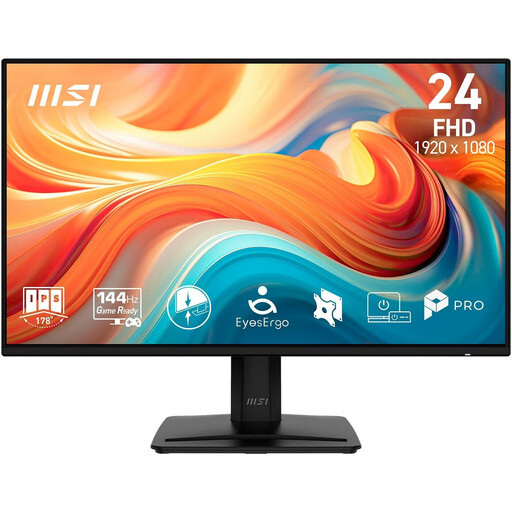
MSI PRO MP242DE E14A 23.8-inch Full HD IPS monitor
Could be suitable for a separately positioned desk preview, provided it supports your camera’s HDMI live feed.
Full HD IPS display; HDMI, DisplayPort and VGA, according to the product specifications.
Joybuy
 No image available
KOORUI MB24V29FS4 24-inch Full HD IPS monitor
Could work as a separate desk preview if the camera and monitor support your chosen HDMI signal.
Full HD IPS display with HDMI and VGA; VESA 100 × 100 mm and tilt adjustment, according to the product specifications.
Joybuy
 No image available
INNOCN 40C1U 40-inch 5K IPS monitor
Could suit a large desk setup; whether it works as a camera preview depends on the HDMI signal it supports.
40 inches, 5120 × 2160 pixels and two HDMI 2.0 ports, according to the product specifications; USB-C Power Delivery at 65 W and VESA mounting are also listed.
Joybuy
 No image available
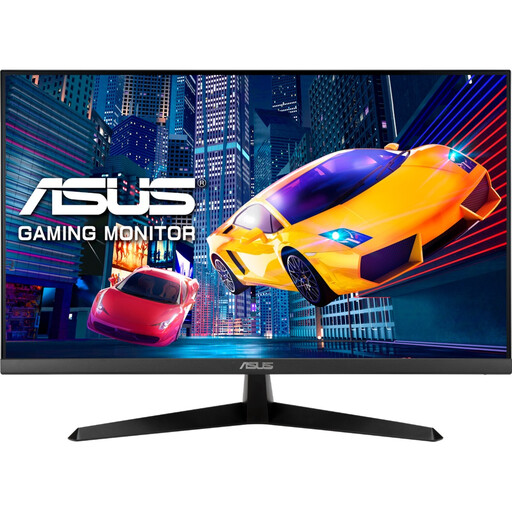
ASUS Eye Care VY279HGR 27-inch Full HD monitor
Could work as a separate desk preview if your camera’s live feed is compatible over HDMI.
Full HD IPS display with HDMI; VESA 100 × 100 mm, according to the product specifications.
Joybuy
 No image available
MSI PRO MP245PG 23.8-inch Full HD business monitor
Could suit a desk preview that you can position flexibly, as long as the camera output and HDMI input are compatible.
23.8-inch Full HD IPS display; HDMI 1.4b and DisplayPort, according to the product specifications. The stand is height-adjustable, tiltable, swivelling and pivotable.
Joybuy
Frequently asked questions
How can I tell whether my camera’s image will appear on the monitor?
Check your specific camera’s manual to see whether it outputs an HDMI live feed in your chosen recording mode. Then compare the connector, resolution and frame rate with the formats supported by the monitor.
How can I make sure real candles are safe to use when filming?
The German Fire Service Association recommends using a stable, non-flammable holder, keeping candles away from flammable objects and never leaving lit candles unattended.
Do I need to buy a battery for longer recording sessions?
It depends on the model and the offer. Atomos lists NP-F and USB-C-PD power options for the Shinobi II; the NEEWER F500 PRO offer described here includes an NP-F750 battery. Before buying, check what’s actually included and make sure you have a suitable power supply.
What rules apply when buying a camera monitor online in Germany?
Distance contracts generally come with a statutory right to cancel. The cancellation period is generally 14 days, subject to statutory exceptions and the rules on when the period begins. Electronic consumer products are also subject to the applicable EU product safety and labelling requirements. CE marking is only required for products covered by the relevant regulations.


