
Lieferung heute & morgen

Qualitätsgarantie

Willkommens-Angebote freischalten: KOSTENLOSE Lieferung | Bis zu 80 % RABATT | Kostenlose 30-Tage-JoyPlus-Testphase
App herunterladen
When your printer's ink indicator starts blinking and your prints look faded, the search for the right replacement cartridge begins. For owners of certain Canon PIXMA printers, this search often leads to the Canon CL-41 ink cartridge. However, buying printer supplies can sometimes be confusing. The wrong models, unclear page yield claims, or compatibility issues can lead to unnecessary expense and frustration.
This guide will help you avoid the most common pitfalls and ensure you make the right decision for your printer and your needs. We focus on the objective facts that truly matter when purchasing a CL-41 ink cartridge.
The market for printer supplies is vast. To avoid making the wrong purchase, it's helpful to know the typical hurdles.
To make an informed decision, you should check three core aspects. These will help you find the right Canon CL-41 colour cartridge and maintain your printer's performance.
The most important step is to check for compatibility. The designation CL-41 is the key. This cartridge is specifically designed for a range of older Canon PIXMA models.
How to check compatibility:
The Canon CL-41's compatibility is limited to models like the PIXMA iP and MP series. A thorough check before buying is a reliable way to prevent a bad purchase.
When buying, you have the choice between the genuine Canon CL-41 ink and products from third-party manufacturers.
For users who value a hassle-free experience and manufacturer-guaranteed print quality, the genuine cartridge is often the most straightforward solution.
The CL-41 is a tri-colour cartridge. This means it contains the three primary colours—Cyan, Magenta, and Yellow—in separate chambers within a single housing.
This type of cartridge typically uses dye-based ink, which is known for producing vibrant colours and excellent results for photo printing on special photo paper.
Requirements differ depending on the application and printer model. Here are some options tailored to specific user profiles.
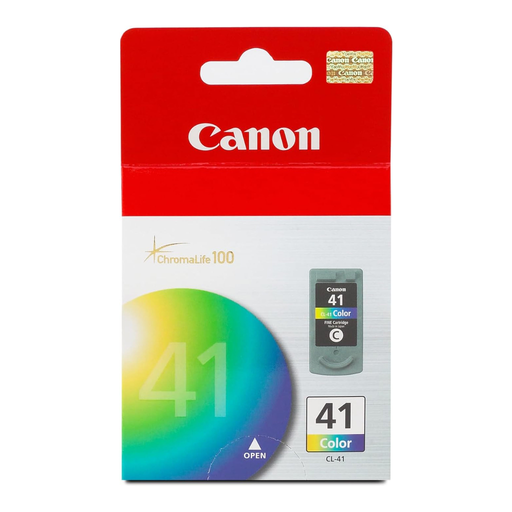
Why it's a match: Ideal for families, students, and home users who own a compatible Canon PIXMA printer and need reliable print quality for school projects, photos, or colour documents without technical complications.
As a genuine Canon product, compatibility with the intended printer models is guaranteed. The risk of recognition errors is minimised.
The ink is formulated for Canon print heads, which can contribute to consistent colour results and a long printer lifespan.
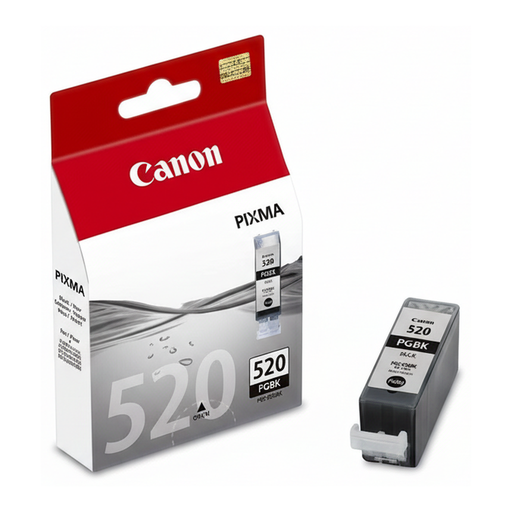
Why it's a match: For home office users who primarily print text documents and need a separate, high-yield black cartridge for sharp text. This is relevant if the printer uses separate cartridges for black and colour.
Using a dedicated black cartridge avoids combining expensive colour ink to create a composite black for text. This is more efficient and delivers a deeper black.
The pigment ink is smudge-resistant and ensures durable, razor-sharp text prints of document quality.
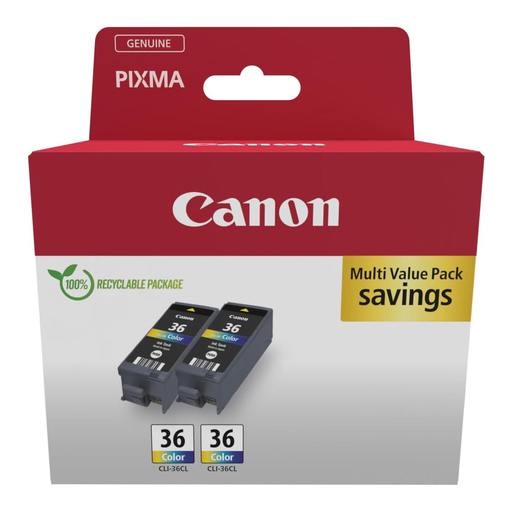
Why it's a match: Specifically for users who own a portable Canon printer like the PIXMA iP100, iP110, or TR150 and need to print high-quality documents or photos on the go.
Prevents the purchase of an incompatible standard desktop cartridge for a mobile printer. This model is designed precisely for the compact build of these devices.
The twin pack provides a supply for longer trips or frequent mobile use. The ink is optimised for long-lasting prints (using Canon's ChromaLife100+ technology).
We've compiled a complete, up-to-date list of products that fully meet these strict selection criteria.
The surest way is to check the exact model name of your printer, which you can find on the device itself. Compare this information with the compatibility list on the cartridge's packaging or the manufacturer's website. The CL-41 is intended for a specific generation of PIXMA printers.
An originally packaged and sealed ink cartridge can typically be stored for about 24 months. Store it in a cool, dark place and only install it in the printer when you need it. The date on the packaging provides information on the recommended storage life.
First, make sure you have completely removed the protective tape covering the contacts and nozzles. Take the cartridge out and re-insert it until it clicks audibly into place. In rare cases, the electrical contacts on the cartridge or in the printer may be dirty. These can be gently cleaned with a dry, lint-free cloth. Restarting the printer can also help it initialise the new cartridge.