
Lieferung heute & morgen

Qualitätsgarantie

Willkommens-Angebote freischalten: KOSTENLOSE Lieferung | Bis zu 80 % RABATT | Kostenlose 30-Tage-JoyPlus-Testphase
App herunterladen
When the ink level indicator on your Canon PIXMA printer lights up, a daunting search often begins. The market for printer cartridges is filled with options, ranging from original products to supposedly budget-friendly alternatives. But the wrong choice can not only lead to poor print results but also incur costs that aren't apparent at first glance. This guide will help you avoid the common pitfalls and find the right ink for your needs.
Before you make a purchasing decision, you should be aware of two widespread problems that can lead to unnecessary expense and frustration.
To make an informed decision, three technical parameters are crucial. Verifying these criteria ensures you get a product that works reliably and meets your requirements.
The most important step is to check for compatibility. The Canon CLI-581 series is designed for a specific group of Canon PIXMA printers. This includes many models from the TR and TS series, such as the Canon PIXMA TS8350 or the Canon PIXMA TR7550. Check the exact model name of your printer, which is usually found on the front or top of the device. Compare this information with the compatibility list on the product packaging or in the product description.
Canon offers its ink cartridges in different sizes to accommodate various printing volumes.
For users with regular printing needs, a Canon PIXMA ink multipack in the XL or XXL version is almost always the more cost-effective solution compared to buying individual cartridges.
The CLI-581 series uses a system with individual ink tanks. This means you only need to replace the colour that is actually empty. A typical CLI-581 4-pack contains the primary colours Cyan, Magenta, Yellow, and Black (CLI-581 CMYK). Some PIXMA series photo printers use additional cartridges like Photo Blue to further enhance the quality of photo prints. These cartridges are designed to make colour gradations smoother and the overall image more detailed.
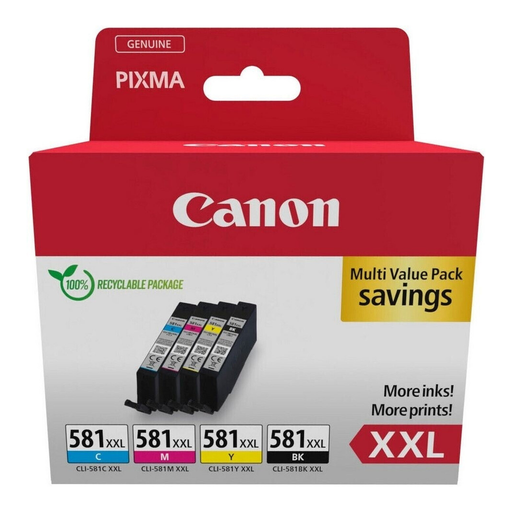
Why This Fits Their Persona: Ideal for home office users, students, or small business owners who regularly print documents and graphics. The XXL capacity maximises page yield and minimises cost per page, which is crucial for high-volume printing.
As an original Canon product, it completely bypasses the compatibility trap. The multipack with XXL capacity is also more economical than repeatedly buying individual cartridges.
Maximum cost-efficiency thanks to high-capacity tanks. Guarantees reliable performance and print quality in compatible printers like the Canon PIXMA TS8350.
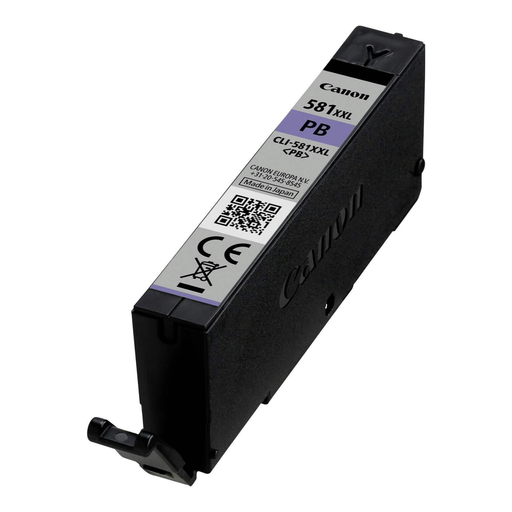
Why This Fits Their Persona: For users who demand the highest quality from their photo prints. This speciality ink complements the standard CMYK set and is designed for printers like the PIXMA TS8150 or TS9150 to visibly enhance image quality.
Prevents the inadequate colour reproduction of cheap inks. The original Photo Blue ink is precisely matched to Canon's ChromaLife100+ system to ensure long-lasting, colour-accurate photos.
Expands the colour gamut and reduces graininess in bright areas of an image (e.g., skies). The XXL version also offers a high yield for numerous photo prints.
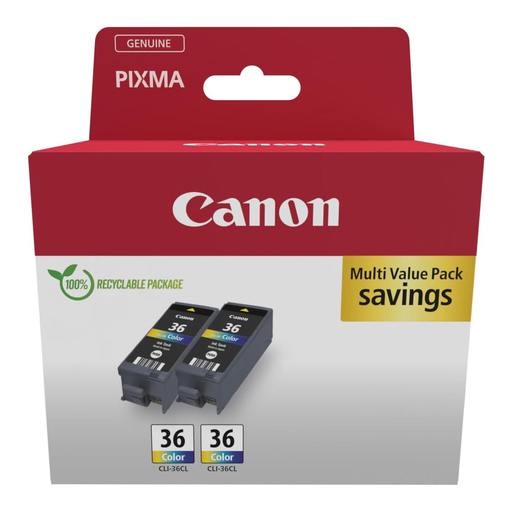
Why This Fits Their Persona: A suitable choice for users who own a mobile Canon printer like the PIXMA iP110 or TR150. This example highlights the importance of the exact cartridge model, as a CLI-581 would not be compatible here.
Emphasises the need to check the exact cartridge number (here, CLI-36) instead of buying a similar-sounding one. This prevents a wrong purchase and ensures the mobile printer functions correctly.
Original ink with ChromaLife100+ technology for durable colour prints on the go. The twin pack provides a supply for extended use without needing to repurchase.
We have compiled a complete, real-time updated list of products that fully meet these strict selection criteria and UK regulations.
1. How long do Canon CLI-581 ink cartridges last? Unopened, genuine Canon ink cartridges typically have a shelf life of several years. The exact expiration date is printed on the packaging. Store the cartridges in a cool, dry place and do not expose them to direct sunlight. After breaking the seal, it is recommended to use the cartridge within six months to ensure optimal print quality.
2. Can I replace just one colour from the Canon CLI-581 multipack? Yes. The Canon PIXMA printers that use CLI-581 cartridges are equipped with individual ink systems. This means each colour (Cyan, Magenta, Yellow, Black, etc.) has its own tank. You only need to replace the cartridge that the printer reports as empty. This is a significant advantage over combo-colour cartridges, where the entire cartridge must be discarded even if only one colour is depleted.
3. What is the difference between Canon CLI-581 XL and XXL cartridges? The difference lies solely in the amount of ink and the resulting page yield. The physical dimensions of the cartridges are identical, so all three versions (Standard, XL, XXL) fit into the same printer. A Canon CLI-581 XXL cartridge contains significantly more ink than an XL or standard cartridge, thus offering the highest number of printable pages and, as a rule, the lowest cost per printed page.