
Lieferung heute & morgen

Qualitätsgarantie

Willkommens-Angebote freischalten: KOSTENLOSE Lieferung | Bis zu 80 % RABATT | Kostenlose 30-Tage-JoyPlus-Testphase
App herunterladen
Searching for original Canon ink cartridges and toner may initially seem straightforward. However, packaging often features similar model numbers, colour names and capacity specifications. Even a small difference in the product code can mean that the cartridge is not recognised or does not fit your printer.
Three common purchasing mistakes are particularly likely to result in unnecessary costs:
First, check your printer’s complete model name and compare it with the cartridge manufacturer number or MPN. Canon ink cartridges, for example, commonly use CLI or PGI codes. These include Canon CLI-581, Canon CLI-571, Canon CLI-42 and Canon PGI-72.
Laser printers, on the other hand, use designations such as Canon 040H, Canon 040Y, Canon 701 Cyan, Canon C-EXV 48 or Canon C-EXV 51. These codes are not interchangeable. A Canon PIXMA ink cartridge is typically intended for inkjet printers, while Canon imageRUNNER toner and Canon i-SENSYS toner are designed for laser printing systems.
With colour printers, Cyan, Magenta, Yellow and Black must be assigned correctly. Photographic applications may also require additional inks such as Photo Blue, Grey, Red or Matte Black.
For toner cartridges, you should also check whether you are buying a single colour or a multipack. A cartridge such as Canon 040Y 0454C001 contains yellow toner. The matching cyan toner is a separate product with its own item number. Anyone searching only for “Canon colour toner” risks choosing the wrong colour or an incompatible series.
High page yield is particularly important for offices, home offices and educational institutions. According to the product details, a Canon 040Y toner cartridge offers approximately 5,400 pages in accordance with ISO/IEC 19798. Actual consumption may vary depending on image content, colour density and print settings.
For higher print volumes, L or XL cartridges may be a sensible choice. According to the product data, Canon C-EXV 51L Magenta is designed for specific imageRUNNER ADVANCE models and has a stated yield of approximately 26,000 pages at 5% coverage. The standard Canon C-EXV 51M Magenta is described as offering around 60,000 pages. These figures should only be compared for compatible devices and using the same measurement basis.
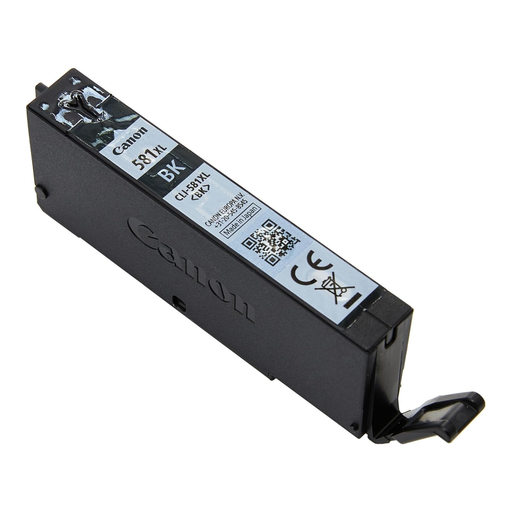
Why this product suits this profile: The XL black cartridge is designed for selected Canon PIXMA TR and TS models and offers up to 501 pages according to the product details. This reduces how often cartridges need to be replaced when printing documents regularly.
The specific CLI-581XLBK code and the listed PIXMA models make compatibility easy to check. Here, XL refers to the capacity class, not universal compatibility.
Original black dye-based ink, XL capacity and ChromaLife100+ technology according to the product description.
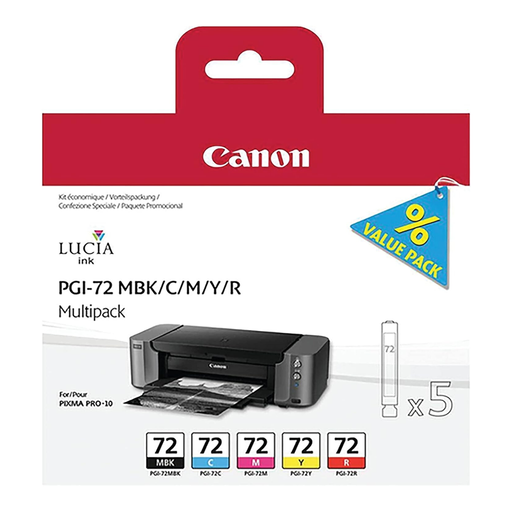
Why this product suits this profile: This multipack is aimed at photographers and creative users with a Canon PIXMA PRO-10 or PRO-10S. It contains Matte Black, Cyan, Magenta, Yellow and Red for the intended colour system.
The clearly defined PGI-72 series prevents confusion with CLI cartridges. The individual tanks should remain sealed until installation.
Five separate colour tanks containing LUCIA pigment ink according to the product data, designed for a clearly defined photographic printing application.
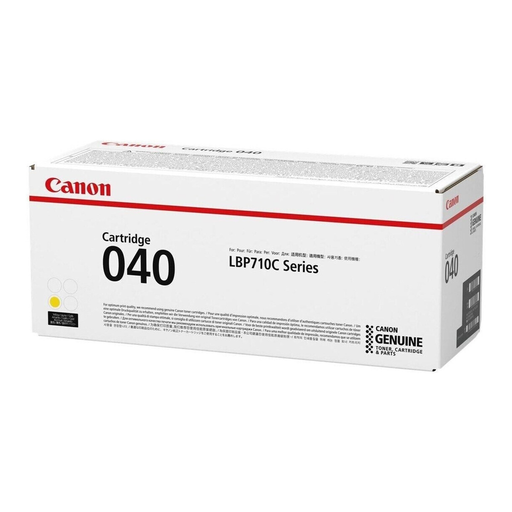
Why this product suits this profile: For offices with compatible Canon i-SENSYS LBP710Cx or LBP712Cx devices, this high-capacity yellow cartridge is designed for regular colour document printing.
The product code 040Y or 0454C001 and the specific model list make the compatibility check transparent.
Original yellow toner, approximately 5,400 pages in accordance with ISO/IEC 19798 according to the product details, and suitable for duplex printing.
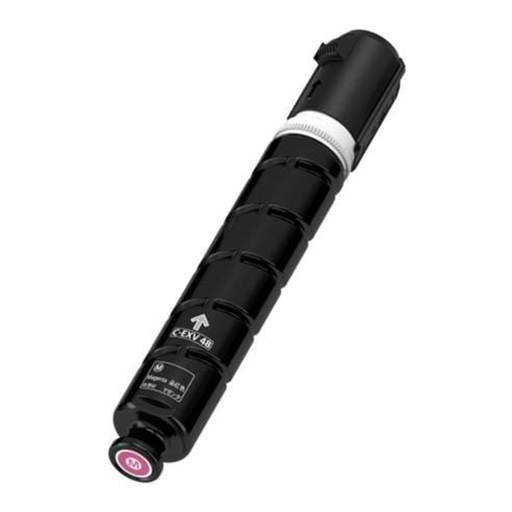
Why this product suits this profile: This cartridge is specified for Canon imageRUNNER C1325IF and C1335IF models, making it suitable for professional colour multifunction systems in offices or educational institutions.
The C-EXV-48 code is unambiguous and should not be confused with C-EXV 51 or other imageRUNNER series.
Magenta toner with a stated yield of up to 11,500 pages for compatible devices.
We have put together a complete, regularly updated list of products that fully meet these strict selection criteria and the safety regulations applicable in the EU.
Before placing your order, the following steps can help:
When installing cartridges, remove protective films only immediately before inserting them. Ink cartridges must not be disposed of with household waste. Depending on the offer, empty cartridges may be disposed of through a take-back or recycling programme. Toner powder should not be inhaled; if toner is spilled, clean it according to the manufacturer’s instructions.
The complete printer model number and exact cartridge code are the key factors. PIXMA devices often use CLI or PGI designations, while i-SENSYS laser printers may use codes such as 040H, 040Y or 701. You should also check the list of models specified in the product offer.
Not necessarily. Compare the price per stated page or per photo format, and consider your print volume. For occasional printing, a standard cartridge may be the sensible choice, while XL or XXL cartridges can mean fewer replacements for regular printing.
Service life depends on the print volume, page coverage, device settings and storage conditions. Unopened cartridges should be stored in a cool, dry place away from direct sunlight. For specific shelf-life and storage information, follow the labelling on the packaging and the manufacturer’s instructions.