
Lieferung heute & morgen

Qualitätsgarantie

Willkommens-Angebote freischalten: KOSTENLOSE Lieferung | Bis zu 80 % RABATT | Kostenlose 30-Tage-JoyPlus-Testphase
App herunterladen
An empty cartridge often runs out at the worst possible moment: you run out of black ink while printing important documents, the new cartridge does not fit your printer model in the home office, or a supposedly great-value multipack does not contain the colour you need. When buying original Canon ink cartridges and toner, you should therefore look beyond the price and check compatibility first.
Canon ink cartridges can look similar within a product family. However, a CLI-581 is not automatically compatible with every PIXMA series. The same applies to PGI and CLI cartridges: PGI usually refers to pigment black ink for text printing, while CLI cartridges generally contain dye-based inks for colour printing and photos.
Before buying, you should:
A quoted yield is often based on a defined coverage level, such as 5% for black-and-white printing, or on a standardised photo image. Many photos, full-page graphics and colour-intensive presentations use considerably more ink or toner than simple text pages.
Toner cartridge yields are sometimes stated according to ISO/IEC 19798. Ink cartridge specifications may use standards such as ISO/IEC 24711, or quote photo yields in the 10 × 15 cm format. These figures are therefore useful for guidance, but they cannot predict the exact yield in every household.
A compatible Canon printer cartridge may be attractively priced, but it is not part of the printer manufacturer’s original product range. If you are specifically looking for original Canon cartridges, look for the descriptions ‘Original’, ‘Genuine’ or ‘OEM’, as well as the exact Canon product number.
For original products, the following details are particularly important:
Ink cartridges are used in inkjet printers such as Canon PIXMA and MAXIFY models. Canon MAXIFY ink is designed for devices used for document and office printing. Laser printers and many business systems, such as Canon i-SENSYS or imageRUNNER, require Canon toner cartridges instead.
Pay attention to the printer family:
Canon black ink may be available as a pigment PGI cartridge or a dye-based CLI cartridge. For text documents, it is essential to use the version specified for your printer in the manual. For photo printing, additional colours such as grey, red or matte black may also play a role.
One example is Canon PGI-550PGBK Pigment Black, with a capacity of 15 ml and a product-stated yield of approximately 300 pages. It is intended for specific PIXMA devices and should not be regarded as a universal cartridge.
Canon XL and XXL cartridges contain more ink than standard versions in the same series. This can reduce the number of cartridge changes required. Whether the larger capacity offers better value depends on your print volume and the price per cartridge.
For a simple cost comparison, divide the purchase price by the quoted yield. Only compare figures calculated using a similar method.
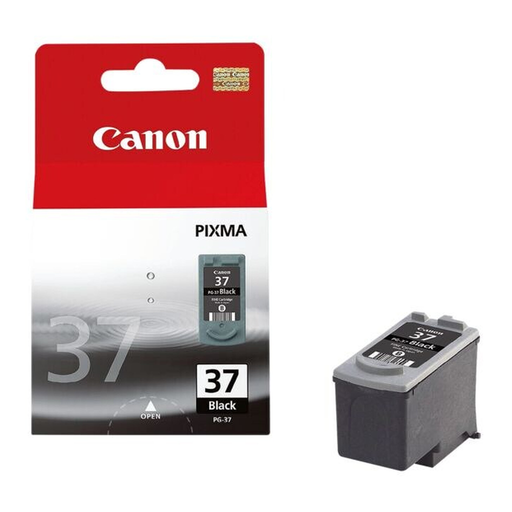
Why this product suits this profile: The single cartridge is suitable for moderate print volumes and specific older PIXMA, MP and MX models.
The product details list specific compatible models, including iP2500, iP2600, MP210, MP220, MX300 and MX310, as well as approximately 220 pages at 5% coverage.
An original Canon cartridge with 11 ml of pigment-based black ink, supplied in a clearly defined single pack.
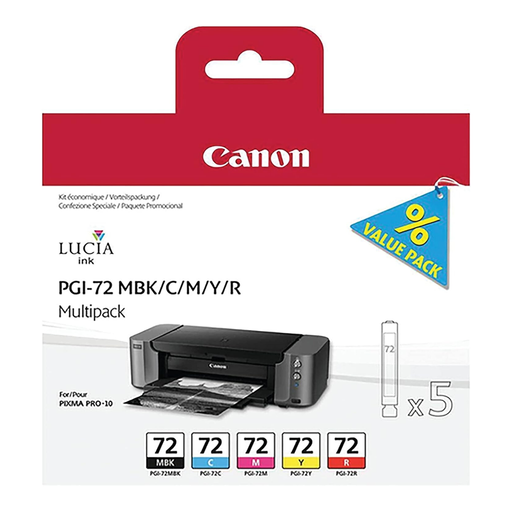
Why this product suits this profile: This multipack is designed for users of the PIXMA PRO-10 and PRO-10S series who need several specialist photo colours.
The pack contents list the five separate colours: MBK, Cyan, Magenta, Yellow and Red. This makes it easy to check that the colour combination you need is included.
Pigment-based LUCIA ink and a five-cartridge set for selected photo printers.
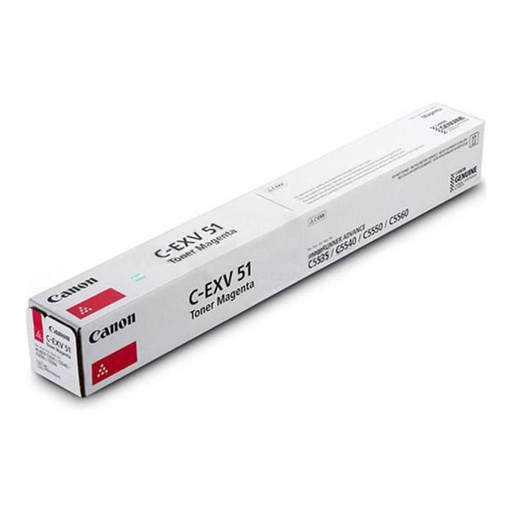
Why this product suits this profile: For offices with compatible Canon imageRUNNER ADVANCE C5500 systems, the high quoted yield is particularly relevant.
The product description limits the cartridge to models such as C5535, C5540i, C5550i and C5560i. Checking the model is therefore still essential before buying.
Original C-EXV-51L magenta toner with a quoted yield of up to 26,000 pages at 5% coverage.
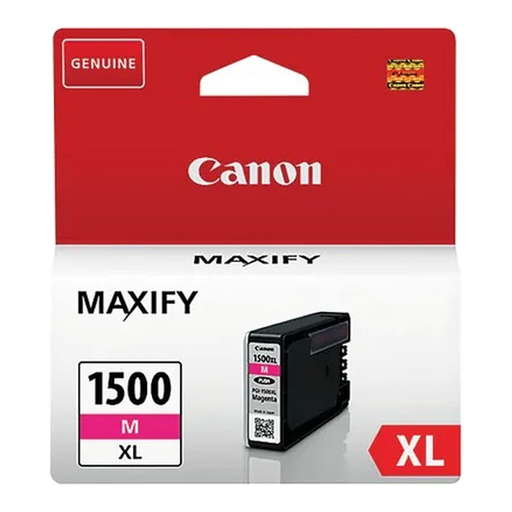
Why this product suits this profile: This XL cartridge is designed for selected Canon MAXIFY MB models and offers a higher capacity for regular colour printing.
The listed models — MB2050, MB2150, MB2155, MB2350, MB2750 and MB2755 — make the compatibility check straightforward.
Original pigment-based magenta ink in an XL format, with a quoted yield of 900 pages according to ISO/IEC 24711.
We have put together a complete, regularly updated list of products that fully meet these strict selection criteria and the safety regulations applicable in the EU.
Only open ink cartridges shortly before installing them, and do not touch the nozzles or electrical contacts. Toner cartridges should be handled carefully in accordance with the manufacturer’s instructions and must not be opened. Store unopened products in a dry place at moderate room temperatures, protected from direct sunlight.
Empty cartridges and toner must not be disposed of with ordinary household waste. Where available, use the manufacturer’s take-back or recycling schemes, as well as local collection points. Avoid creating dust when handling toner powder; carefully pick up spilled powder with a damp cloth.
First, find the printer’s exact model designation on the casing, in the printer menu or in the manual. Then compare the Canon product number, colour and cartridge family. A CLI or PGI designation alone is not enough to confirm compatibility.
That depends on the price and the actual yield. Divide the purchase price by the quoted page or photo yield. If you print regularly, an XL or XXL cartridge may require fewer changes; if you print infrequently, a standard size may be better suited to your usage.
Unopened consumables should be used by the date shown on the packaging and stored in a dry place away from light. Once installed, the service life is affected by print frequency, cleaning cycles and print volume.