
Lieferung heute & morgen

Qualitätsgarantie

Willkommens-Angebote freischalten: KOSTENLOSE Lieferung | Bis zu 80 % RABATT | Kostenlose 30-Tage-JoyPlus-Testphase
App herunterladen
When your printer's warning light starts flashing and your prints begin to fade, the frantic search for a new black ink cartridge often begins. For owners of Canon PIXMA printers, this search frequently leads to the Canon PG-540 Black. However, the purchase isn't always as straightforward as it seems. Between incompatible models and misleading page yield claims, several pitfalls can lead to unnecessary expenses or even printer problems.
As your Joybuy Product Recommendation Officer, I'm here to help you navigate these hurdles. We'll focus on the facts so you can make an informed decision and find the perfect cartridge for your needs.
The 2 Most Common Mistakes When Buying Printer Cartridges:
To ensure you get the right product that works reliably and meets your needs, you should check three core parameters.
The most important detail is the cartridge's model number. The Canon PG-540 ink cartridge is specifically designed for certain models in the Canon PIXMA series, including many devices in the MG, MX, and TS lines. Before you buy a PG-540 black cartridge, be sure to check your printer's manual or the label on the old cartridge. Look for exact model names like ink for Canon PIXMA MG3650 or Canon TS5150 ink to confirm that the PG-540 is the correct choice. Any deviation in the number can indicate an incompatibility.
The Original Canon 540 ink uses a high-quality black pigment ink. Unlike dye-based inks, which are often used for photo printing, pigment inks consist of tiny, solid colour particles.
The page yield indicates approximately how many pages you can print with one cartridge. This value is typically determined according to the ISO/IEC 24711 standard at 5% page coverage.
Here are some recommendations tailored to different user profiles. Pay close attention to the compatibility information to find the right cartridge for your device.
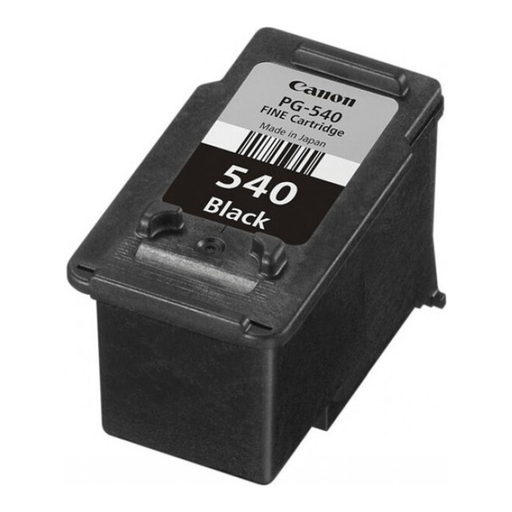
Why This Fits Their Persona: The standard cartridge is the go-to solution for home users and small offices with a compatible PIXMA printer (e.g., MG or TS series) who occasionally print documents, homework, or online tickets.
As a genuine Canon product, compatibility with the specified printer models is guaranteed. You bypass the risk of fit or function issues.
Delivers sharp, clear text thanks to its pigment-based ink. The ink is perfectly matched to Canon print heads to support their longevity.
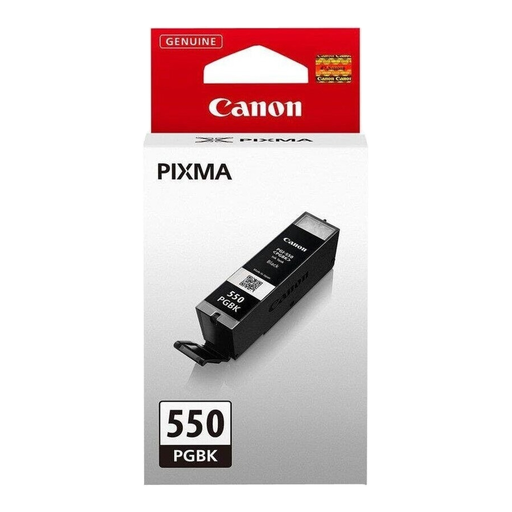
Why This Fits Their Persona: An example for users of other PIXMA models (e.g., iP7250, MG5450) whose main task is printing text documents. Note: Not compatible with PG-540 printers.
This example highlights the importance of checking the exact cartridge series (in this case, PGI-550) to avoid the compatibility trap.
With 15 ml, it offers a higher ink volume for a yield of approx. 300 pages, which is advantageous for pure document printing.
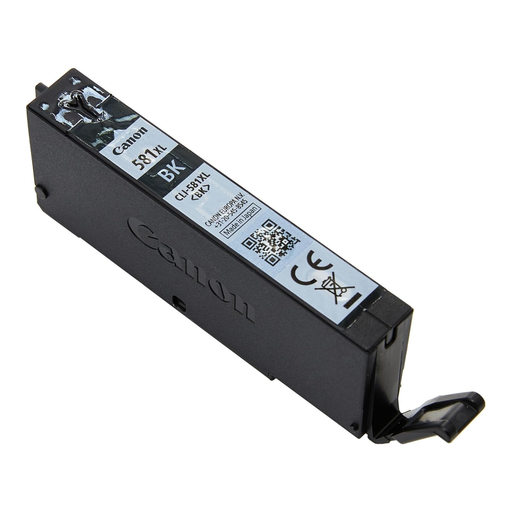
Why This Fits Their Persona: An XL cartridge as an example for owners of newer PIXMA models (e.g., TS6150, TR8550) who print very frequently and value efficiency. Note: Not compatible with PG-540 printers.
Demonstrates the benefit of XL cartridges in avoiding the page yield fallacy. The higher initial cost is offset by a lower cost per page.
Offers a high page yield of up to 501 pages, according to Canon. The ChromaLife100+ ink also ensures long-lasting prints.
We have compiled a complete, up-to-date list of products that fully meet these strict selection criteria and UK regulations.
You can recognise a genuine cartridge by the Canon logo and a tamper-proof hologram on the packaging. The model number "PG-540" should be clearly printed on the cartridge itself. Buying from trusted retailers provides additional security.
Yes, the PG-540XL is the high-yield version and is compatible with the same printer models as the standard PG-540. It contains more ink and is often the more cost-effective option for high-volume users, as the cost per printed page is lower.
Keep the cartridge in its original, sealed packaging in a cool, dry place, away from direct sunlight. Only open the packaging immediately before installing it in the printer to prevent the ink from drying out.